How to Generate Content for Social Media That Resonates

Learn how to generate content for social media with our complete guide. Discover strategies for ideation, creation, automation, and performance tracking.
Before you even think about what to post today, let's talk about the foundation. Getting this right is the difference between shouting into the void and actually building something that matters. It’s what separates the accounts that grow consistently from the ones that post random stuff and hope for the best.
Without a solid foundation, you’re just guessing. And guessing is a terrible business strategy.
Building Your Social Media Content Foundation
So, what does a real foundation look like? It’s not a 50-page document or some complicated flowchart. It’s about getting three things dialed in: who you're talking to, what you're trying to achieve, and who you're up against. Nail these, and every piece of content you create will have a purpose.
Define Your Audience with Precision
"Our audience is millennials" is not an audience. It's a lazy demographic. You need to go deeper. Way deeper. To create content that truly hits home, you have to understand the person on the other side of the screen.
Ask yourself these questions, and be brutally honest:
- What's the one big problem that keeps them up at night?
- Are they looking for a laugh, a lesson, or a spark of inspiration?
- Where do they actually hang out online, and why are they there?
- Do they prefer quick, punchy tips or deep, detailed breakdowns?
Knowing this stuff is a game-changer. For instance, a marketing agency targeting startups won't just post generic "marketing tips." That's noise. Instead, they'll create content that solves a specific startup problem, like "How to Generate Leads with a $0 Budget" or "3 Ways to Build Brand Authority Before Your First Hire." See the difference? One is generic, the other is a lifeline.
By creating content clusters around the same topic—linking your blog posts with social media content, graphics, or even video content—you signal to search engines that you have depth and authority.
Set Clear and Measurable Goals
Goals like "increase engagement" are useless. They're vague, impossible to track, and don’t mean anything for your business. Your social media goals need to be tied to real business objectives.
Get specific. Here are some goals that actually mean something:
- Establish Brand Authority: Increase saves and shares on educational carousels by 20% over the next quarter.
- Drive Website Traffic: Achieve 500 clicks per month from social media to our key blog posts.
- Educate Your Community: Launch a weekly "Tip Tuesday" visual series and track comment sentiment to see if people are getting it.
When your goals are crystal clear, your content strategy writes itself. If you want to be seen as an authority, you’ll naturally create more expert insights and how-to guides instead of just another sales post. For a more holistic look at this, checking out different takes on how to create engaging social media content that resonates can give you some fresh angles.
Conduct a Smart Competitive Analysis
Last step: scope out the competition. But here’s the key—you’re not looking for ideas to copy. You're looking for the gaps they've left wide open.
Look at what their best-performing posts are. What topics get people talking? What formats are they crushing it with? But the most important question is: what are they not talking about? That's where you come in.
Maybe you notice everyone in your space is doing goofy, low-effort videos. That could be your opening to become the go-to source for high-value, beautifully designed carousels that break down complex topics. Finding these content gaps is how you carve out your own space and build a unique voice.
Get this foundation right, and you're no longer just making content. You're building a content machine.
Building a Content Idea System That Never Runs Dry
Staring at a blank content calendar is every social media manager’s nightmare. The daily pressure to pull brilliant, engaging ideas out of thin air is a fast track to burnout. The solution isn’t to just "try harder" to brainstorm; it's to build a machine that spits out ideas for you.
This turns content creation from a chaotic daily scramble into a calm, structured process. You stop relying on random flashes of inspiration and start building on a solid foundation. Every carousel, infographic, or visual post you create will have a clear purpose tied directly to your business goals. It’s all about working smarter, not just making more noise online.
This whole process really boils down to three core steps before you even think about creating a post.
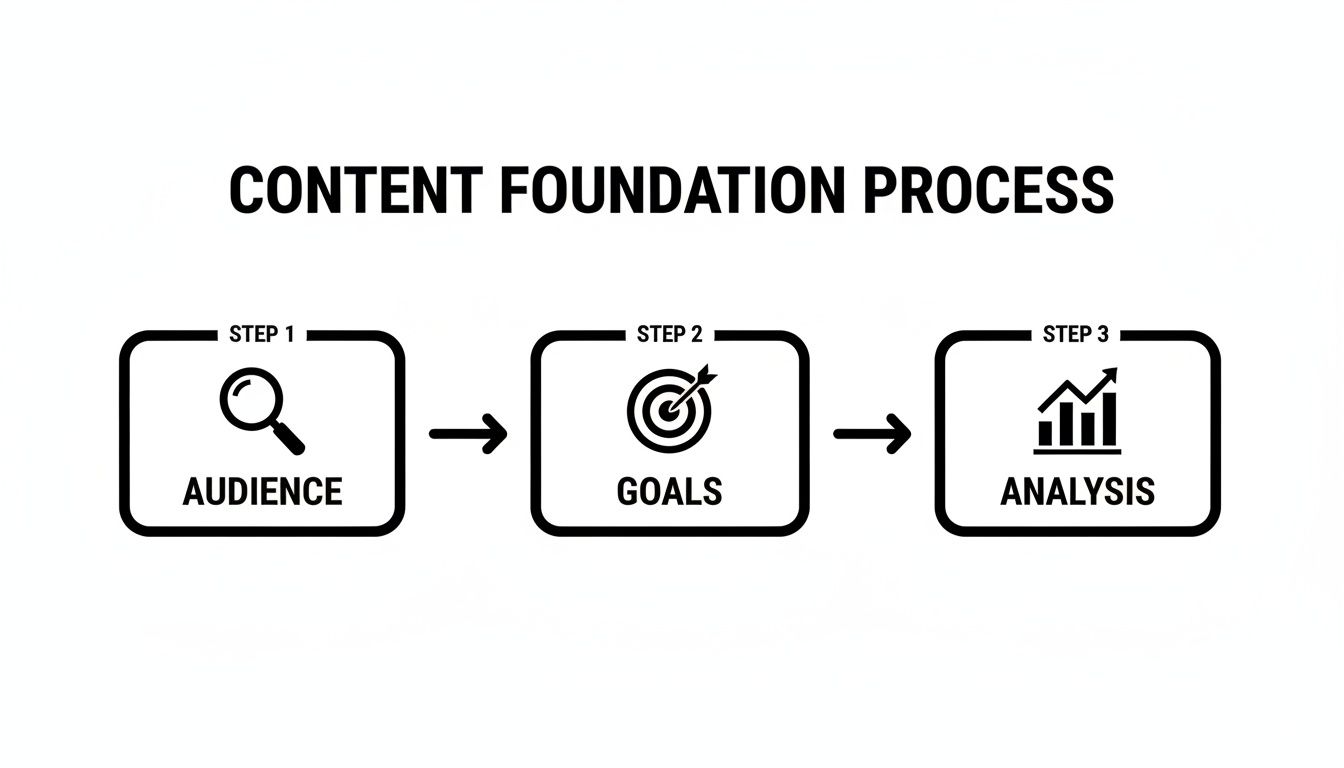
Get these right, and the ideas will follow. Skip them, and you're just guessing.
Start With Your Core Content Pillars
Content pillars are the 3-5 core topics your brand will own. Think of them as the main categories of your expertise—the subjects you can talk about all day, every day. These pillars should come directly from your audience's biggest problems and your unique ability to solve them. They're your guardrails, keeping your content focused and relevant.
Let's say you run a small business accounting firm. Your pillars might look like this:
- Tax Savings Hacks: Actionable tips for freelancers and small biz owners.
- Business Financial Fitness: Guides on cash flow, profitability, and smart budgeting.
- Scaling & Growth: Financial advice for businesses ready to expand.
- Tech & Tools: No-BS reviews of accounting software and productivity apps.
Every single idea you generate should slide neatly into one of these buckets. This simple framework makes brainstorming a thousand times easier and positions you as the go-to expert in your space.
Listen in on Audience Conversations
The best content ideas aren't dreamed up in a boardroom; they're taken directly from your audience. Stop guessing what they want and start listening to what they're already talking about and searching for.
Keyword research isn't just for your blog's SEO. It's an absolute goldmine for social media ideas.
Use free tools to see the exact questions people are typing into Google related to your pillars. If you see tons of searches for "how to invoice a client," you've just found your next carousel, quick-tip graphic, or TikTok slideshow. I also love lurking in industry forums and the comments sections of bigger accounts—they're filled with real-world problems you can solve.
A huge mistake I see people make is creating content in a silo. Your most resonant posts will always be the ones that answer a question already rattling around in your audience's head. Listen first, create second.
Use a Content Matrix to Keep Things Fresh
If all you do is post educational tips, your audience will get bored. If all you do is promote, they'll leave. A successful feed needs a mix of content that serves different purposes. This is where a content matrix comes in handy.
It’s a simple grid that helps you plan a balanced attack, usually based on four goals:
- Educate: How-to guides, myth-busting, industry insights. This builds your authority.
- Inspire: Case studies, client success stories, motivational quotes that hit home. This builds connection.
- Entertain: Behind-the-scenes glimpses, humor, interactive polls, or quizzes. This builds personality.
- Promote: Showcase your services, but always frame them as the solution to the problems you've been educating your audience about.
By deliberately creating posts for each quadrant, you ensure your feed stays interesting and valuable. It keeps you from falling into a rut of just posting one type of content. Planning this out is key to a sustainable system; for a platform-specific breakdown, this guide on creating a LinkedIn content calendar is fantastic.
Ultimately, having a system like this kills the daily "what do I post?" anxiety. To really map this out, our guide on building a marketing content calendar can show you how to structure these ideas for weeks or even months ahead. That foresight is what separates the pros from the amateurs.
Pick Your Content Formats for Maximum Punch
You’ve got a killer idea—the perfect answer to your audience's biggest headache. But if you package it wrong, it’s just more noise in the infinite scroll.
The way you present your message is just as critical as the message itself. This isn't just fluff; it's about choosing the right vehicle for your idea so it actually gets seen and, more importantly, remembered.
A simple text post might get a few polite likes. A thoughtfully designed carousel, on the other hand, gets saved, shared, and revisited for weeks.

Go Deep with Multi-Slide Carousels
Carousels are absolute workhorses for storytelling. They let you break down meaty, complex topics into bite-sized, swipeable steps. If you want to build authority and teach your audience something valuable, this is your format.
Think of a carousel as a mini-presentation. Each slide builds on the last, guiding your audience from "what is this?" to "aha, I get it!" This is exactly why they often have insane engagement rates. Every swipe tells the algorithm that your content is worth sticking around for.
Use carousels for things like:
- Step-by-step guides that walk people through a specific process.
- Deep dives into industry trends that show you know your stuff.
- Myth-busting posts that correct common mistakes in your niche.
- Product feature showcases that explain the why behind the what.
Make It Scannable with Listicles and Infographics
Not every idea needs a ten-slide narrative. Sometimes, the best way to deliver value is to get straight to the point. Fast. This is where listicles and infographics absolutely excel. They’re designed for the modern social media user who wants answers, not essays.
A listicle, dished out as a series of clean graphics, is perfect for sharing quick tips, checklists, or resources. An infographic takes it a step further, using charts and icons to make dense data or complicated processes ridiculously easy to grasp. These formats are shareable gold because they pack a ton of value into a single, digestible image that people want to save for later.
Your audience is busy. If you can distill a complex idea into a simple, beautiful graphic that saves them time and helps them learn, you've won their attention and their trust.
Adapt Your Message, Not Just Your Post
While carousels and infographics are great for platforms like Instagram and LinkedIn, you can't just copy and paste the same file everywhere and expect it to work. Every platform has its own vibe and its own rules. A huge part of generating effective content is adapting your core idea to feel native on each channel.
For example, that detailed educational carousel on Instagram could be reborn as:
- A TikTok Slideshow: Use the same core info but add trending audio and faster-paced text overlays to match the platform's energy.
- A LinkedIn Article Teaser: Post the first, most compelling slide as an image and use the caption to expand on the core idea, maybe driving traffic to a longer blog post.
The core message stays the same; only the delivery changes. This lets you get the most mileage out of your best ideas without starting from scratch every time. For a deeper look at this, our guide on crafting powerful visual content for social media breaks down platform-specific strategies.
Research shows the power of visuals. According to one study, social media posts with images get 650% higher engagement than text-only posts. This doesn't mean you have to become a full-time designer, but it underscores the importance of visual formats like infographics, carousels, and even TikTok slideshows that give you the best of both worlds.
Time to Automate Your Visual Content Creation
You've got your content pillars, a pipeline of ideas, and a killer vision for the posts that will connect with your audience. The system is all there. And yet, the single biggest roadblock remains: actually making the content.
The daily grind of designing graphics, writing copy, and piecing together visuals is where even the most brilliant social media strategies fall apart.
For small businesses, social media managers, and marketing agencies, maintaining a steady flow of professional, high-quality visual content feels like a monumental task. This is the exact moment where a smarter, automated workflow stops being a "nice-to-have" and becomes a necessity for survival.

From Manual Labor to Smart Automation
The pressure to feed the "insatiable social media machine" is real. To stay relevant, brands are often told they need to churn out a high volume of posts. For most, that volume feels completely impossible.
This is exactly why 69% of marketers now see generative AI as essential, not just for speed but for sparking creativity. The data is compelling: 71% of social marketers using AI report that AI-created content actually performs better. You can dive deeper into these numbers with Hootsuite's in-depth research on social trends.
This is where the right kind of AI can completely flip your approach. Don't think of AI as just a caption writer; think of it as a production partner that handles the most challenging part of the job—the visual creation itself.
The Power of a Hands-Off AI Agent
Imagine a system that doesn't just help you design faster but handles the entire visual production process for you. That’s the core idea behind an AI agent like Postbae. It works autonomously in the background, generating professional, industry-specific social media graphics without your constant input.
This isn't about asking an AI to write a few lines of text. It's about automating the whole multidisciplinary process of creating authority-building content.
- Research and Ideation: The AI finds relevant, timely topics within your specific industry.
- Content Writing: It then crafts the actual copy for multi-slide carousels or infographics.
- Professional Design: Finally, it programmatically places that content into proven, aesthetically pleasing visual layouts.
The result? A constant stream of ready-to-post carousels, listicles, and educational infographics—all created without you ever writing a single prompt. This autonomous workflow is a huge leap from manual design tools or simple AI writers. Our guide on using an AI social media content generator breaks down just how transformative this hands-off approach can be.
The goal of automation isn't to replace your creativity; it's to eliminate the tedious production work that suffocates it. By automating visual creation, you free up priceless time for high-level strategy, community engagement, and figuring out what truly moves the needle.
Why Visual Automation Just Makes Sense
Manually creating a single, high-quality carousel can take hours. You have to research the topic, write snappy copy for each slide, find or create visuals, and then spend forever in a design tool getting everything perfect. Now, multiply that by the number of posts you need each week. The math just doesn't add up for most small teams.
Let's look at how an automated workflow stacks up against the old-school manual process.
Manual vs Automated Visual Content Creation
| Process Step | Manual Workflow | Automated Workflow with Postbae |
|---|---|---|
| Topic Ideation | Hours of brainstorming and research. | Handled autonomously by the AI agent. |
| Content Writing | Manual writing and editing for each slide. | AI generates concise, relevant copy. |
| Visual Design | Requires design skills and hours in software. | AI programmatically designs the entire post. |
| Consistency | Difficult to maintain a professional look. | Ensures consistent, on-brand visuals. |
| Output Volume | Slow and resource-intensive. | Produces multiple posts automatically. |
| Creative Control | Full control, but requires manual effort. | Full editing control over every generated post. |
This automated approach gives small businesses the power of an in-house design team for a fraction of the cost—we’re talking around $30 per month. It’s all about making professional, authority-building content accessible to everyone.
And crucially, automation doesn't mean you sacrifice control. With a tool like Postbae, every single generated post is fully editable. You can tweak the text, change the brand colors, or swap images to perfectly match your brand’s voice. You get the efficiency of AI without losing the final creative say—the best of both worlds.
Analyzing Performance to Refine Your Strategy
Making content is only half the job. Honestly, it might even be the easier half. The real growth, the kind that actually moves your business forward, happens when you stop guessing what works and start listening to what your data is telling you.
Analyzing your performance isn't some boring chore you pawn off on an intern once a quarter. It’s the engine that powers a smart social media strategy. This is how you stop throwing content at a wall and hoping something sticks.
Without this feedback loop, you're flying blind. A data-first approach lets you double down on the bangers, ditch the duds, and actually see a return on all that time you spend creating stuff.
Moving Beyond Vanity Metrics
It's easy to get a little dopamine hit from a post that gets a ton of likes. We've all been there. But "vanity metrics" like follower count and likes don't tell the whole story. They look great on the surface but don't actually mean your business is growing.
To really get what's going on, you have to look at the metrics that signal someone actually gives a damn.
These are the numbers that actually move the needle:
- Engagement Rate: This is the big one. It’s the percentage of your audience that’s actively interacting with your posts—commenting, sharing, saving—not just passively scrolling by. A high engagement rate means you’re building a real community, which is infinitely more valuable than a huge, silent audience.
- Saves: On a platform like Instagram, a "save" is pure gold. It means your content was so useful that someone tucked it away for later. This is a massive win for any content designed to build authority.
- Shares: When someone shares your post, they're basically vouching for you to their own network. It’s digital word-of-mouth, and it’s one of the strongest signals that your content is hitting the mark.
- Website Clicks: If your main goal is to get people to your website, this is your north star. It’s the most direct way to measure if your social media is actually driving traffic where it counts.
Focusing on these deeper metrics completely changes the game. You stop asking, "How many people saw this?" and start asking, "Did this post make anyone do something?" That's the question that leads to real growth.
Using Native Analytics to Your Advantage
You don't need to drop a bunch of cash on fancy third-party tools to get started. Every single major social platform has its own built-in analytics dashboard, and they are packed with insanely valuable info.
Seriously, spend some time digging around in Instagram Insights, Facebook Business Suite, or LinkedIn Analytics. These tools give you a crystal-clear picture of what's working and what's falling flat.
Use them to answer the important questions:
- Which formats are killing it? Are your carousels getting way more saves than your single-image posts?
- What topics actually start a conversation? Go look at the posts with the most genuine, non-spammy comments. That’s what your audience wants to talk about.
- When is your audience actually online? Posting when your followers are most active is such a simple way to give your content an initial boost.
When you check this stuff regularly, you start to see patterns. Maybe you'll find out your "myth-busting" series gets shared like crazy, or that your audience is most awake and engaged on Tuesday mornings. This is the good stuff—the data that tells you exactly what to create next.
Test, Learn, and Iterate
Data points you in the right direction, but testing gives you certainty. Don't be afraid to run little experiments to see what works best. People call it A/B testing, and it doesn't have to be some complicated scientific process.
For example, you could test:
- Visuals: Post the same tip but use two totally different graphic styles on different days. Which one gets a better engagement rate?
- Headlines: For a carousel, try two different hooks for the first slide. Does "5 Mistakes to Avoid" pull people in better than "How to Get Started"?
- Calls to Action (CTAs): Try different CTAs in your captions. Does a direct "Click the link in bio" perform better than asking a question designed to spark comments?
Keep a simple log of the results. Over time, you’ll build your own personal playbook for what resonates with your audience. This cycle—create, measure, learn, refine—is the secret sauce. It’s how you build a social media presence that doesn’t just look good, but actually does something for your business.
Got Questions? We've Got Answers
Staring at a blank content calendar can bring up a lot of questions. Here are some of the most common ones we hear from small business owners, social media managers, and startups trying to get a handle on their social media.
"Seriously, How Often Should I Be Posting?"
Everyone obsesses over finding the magic number, but the real answer is consistency. That said, if you're not showing up, you're not getting seen. For most small businesses, a good starting point is 3-5 times per week on whatever channel you care about most.
But that's a lot of work. The goal is a cadence you can actually sustain without burning out. This is where having an AI agent in your corner is essential. Something that just creates the visual content for you—carousels, infographics, the works—means you can hit that higher frequency without all the manual design hours. You just focus on engaging with your audience.
"I'm Not a Designer. What's the Best Way to Create Content?"
If you're a small business owner or content creator without design resources, you have a few options. Template tools are everywhere, but you still end up sinking hours into tweaking layouts, writing copy, and trying to make it look decent. It's a time suck.
A much smarter route is to use an AI content agent built for people who hate designing. For example, a tool like Postbae just automates the whole visual process. It does the topic research, writes the copy, and designs professional-looking carousels all by itself.
It works in the background without you having to feed it prompts, delivering ready-to-post visuals that actually make sense for your industry. You get to skip the design headaches entirely while your brand looks sharp and professional. And the best part? Every single post is still fully editable, so you always have the final say.
"How Do I Create Content That Makes Me Look Like an Expert?"
Want to build authority? Stop selling and start helping. The 80/20 rule is your bible here: 80% of your content should be genuinely useful (educate, entertain, inspire), and only 20% should be a direct sales pitch.
Focus on solving the exact problems your audience has. Share an industry secret. Break down a complex topic into simple steps. Visuals are your best friend for this.
- Multi-slide carousels are perfect for walking someone through a process.
- Detailed infographics make boring data impossible to ignore.
- Listicles with graphics are super scannable and shareable.
When you consistently post stuff like this, you become the go-to resource. Trust me, when you've built that kind of trust, your promotional posts will hit so much harder.
"How Do I Actually Know if My Content Is Working?"
First, stop obsessing over vanity metrics like follower count. Your metrics need to tie back to actual business goals.
Here's what to focus on instead:
- Awareness: Are people seeing your stuff? Track reach and impressions.
- Engagement: Do people care? Look at comments and shares, but pay special attention to saves. A save means your content was so valuable they want to come back to it. That's gold.
- Traffic: Are you getting people to your site? Monitor link clicks.
- Leads/Sales: Is this making you money? Use UTM parameters to track conversions and connect the dots between a post and a sale.
A high engagement rate on a small account is a million times better than a huge follower list that's dead silent. Check your analytics, see what formats people love, and then just do more of that. It's not rocket science.
Ready to get off the content creation hamster wheel? Postbae is an AI agent that works for you, generating professional, industry-specific visuals without you lifting a finger. Get a steady stream of high-quality carousels, infographics, and listicles that build authority and get results. Start your free trial at https://postbae.com.