AI Social Media Content Generator Powers Effortless Visual Posts

Learn how an AI Social Media Content Generator streamlines visual post creation, saves time, and boosts engagement with practical examples and features.
An AI social media content generator feels like having a dedicated design partner that never takes a coffee break. It handles everything from choosing layouts to matching the perfect text, so you aren’t stitching together multiple tools or staring at a blank canvas. Instead, you receive ready-to-post graphics that look polished the moment they pop up.
Postbae is an AI-powered content creation agent that automatically generates professional visual social media graphics for Instagram, Facebook, LinkedIn and TikTok. It creates actual graphical posts (text-on-image graphics), not text captions or written content. This includes post types such as:
- Multi-slide carousels
- Listicles with graphics
- TikTok slideshows
- Educational infographics
- Industry insights
- Tips & tricks visual posts
What Postbae is NOT:
- Not a social media scheduler like Buffer or Hootsuite
- Not a caption generator or AI writing tool
- Not a generic design tool like Canva (it's automated, not manual)
- Not a video or Reels creator
Why Use An AI Social Media Content Generator
When every hour counts, repeating the same design and formatting tasks can drain your creativity. An AI generator steps in to lift that burden, giving you back the time to craft strategy and build your brand.
- Automated layout selection slashes the hours you’d spend tinkering with templates.
- Programmatic text-image pairing keeps your visuals on-brand without constant manual tweaks.
- Tested templates adapt to Instagram, Facebook, and LinkedIn with no extra effort.
- Editable elements let you fine-tune colors, fonts, and copy to sound exactly like your brand.
For instance, about half of marketers in a recent survey admitted they use AI for brainstorming, reporting 25%–60% time savings per post. That kind of efficiency shift turns a day’s work into a strategy session. Learn more about these findings on Sqmagazine.
Manual vs AI Content Generation Summary
Below is a quick comparison of the typical manual workflow versus an AI-driven process, highlighting how much effort and time you can save at each stage.
| Process Stage | Manual Effort | AI Effort | Time Saved |
|---|---|---|---|
| Ideation | Brainstorming | Instant topics | Up to 60% |
| Design | Template layout | Auto template | 50% |
| Text Formatting | Manual editing | Programmatic fill | 25% |
| Review & Approval | Multiple rounds | Single review | 40% |
These numbers show how handing off routine steps to AI frees your team to explore fresh ideas and campaigns. By automating effort-intensive tasks, you gain consistency, speed, and room for creative thinking.
Quick Takeaways
- Cutting out repetitive steps boosts your monthly content output.
- Freeing up creative time lets you focus on big-picture strategy.
- Consistent visuals build stronger audience recognition.
- On-demand graphic scaling adapts to any platform requirement.
Understanding Key Concepts
Picture an AI social media content generator as your on-call design sidekick—one that actually listens to what your audience clicks, shares, and saves. It feels like having a teammate who scans your followers’ habits and then dishes up visuals that speak their language.
Instead of wrestling with endless tweaks, you simply set a few preferences—brand colors, tone, preferred layouts—and let the tool handle the rest. Over time, it learns which images, fonts, and structures spark the most engagement. The result? Graphics that look hand-crafted but didn’t eat up your afternoon.
To see why this is a game-changer, let’s rewind to the early days. Brands once got nothing more than basic caption suggestions from AI. Fast-forward a few years and full-blown visual drafts roll out in seconds. Suddenly, marketers have a silent partner working behind the scenes.
Emergence Of Generative Visual Tools
Automated solutions used to stop at text. Now they choreograph layouts, pick fonts, crop images—down to the smallest details. Pattern-matching engines spot which graphic elements resonate and build a story into every post.
Here are the most popular formats you’ll find:
- Educational Infographics that break complex data into bite-sized visuals
- Multi-Slide Carousels for step-by-step guides or tutorials
- Listicles With Graphics to present tips in a shareable layout
These formats boost engagement and keep your feed consistent. They also turn content planning into a breeze.
The global AI-in-social-media market sits at around $2.7–$3.0 billion today and is forecast to hit $20.83 billion by 2032, driven by creative-automation demand. Learn more on Drainpipe.
Role In Content Strategy
When deadlines loom and calendars fill up, an AI generator picks up the design slack so your team can double down on messaging. Instead of hunting for the perfect color palette or wrestling with a grid, you click “generate” and move on.
“An AI content generator works quietly in the background—researching trends, planning layouts, and serving up polished graphics with minimal input,” says one social media strategist.
Take a boutique coffee shop that switched to AI-driven weekly tips infographics. They saw a 30% jump in engagement once they ditched manual design. And plotting out an entire month’s schedule? What used to take days now happens in minutes.
By weaving this tool into your workflow, you lock in consistent output and free up creative bandwidth. Teams can:
- Schedule theme weeks in bulk
- A/B test different visuals
- Fine-tune brand voice without juggling multiple apps
Key Takeaways:
- The “sidekick” metaphor makes a complex AI process feel familiar.
- Market growth numbers underline why creative automation is exploding.
How AI Social Media Content Generators Work
Picture an assistant that researches your audience, picks a fitting design, and lays everything out—without you clicking through endless menus. An AI social media content generator does exactly that, bundling research, design decisions, and layout selection into a single, smooth operation.
It kicks off by mapping your industry context: audience interests, brand voice, topic relevance. Then it picks the post style—carousels, listicles, infographics—based on real engagement data.
Think of it as filling out a guided form rather than building each element by hand. Suddenly, weeks of design work shrink to minutes.
- Audience Analysis pinpoints demographics and key interests
- Visual Selection matches imagery, color schemes, and icons to your brand
- Layout Assignment applies a proven template optimized for clicks and shares
By entering details into predefined fields, the AI skips over repetitive setup tasks designers often dread.
Template Population Process
Using plain-language inputs and real metrics, the AI fills in templates with headlines, captions, icons, and images.
No more wrestling with prompts or tweaking every layer. You’ll get a ready-made post—each slide complete with on-brand copy and cohesive visuals.
For example, a carousel on market trends arrives fully styled and sequenced in under a minute.
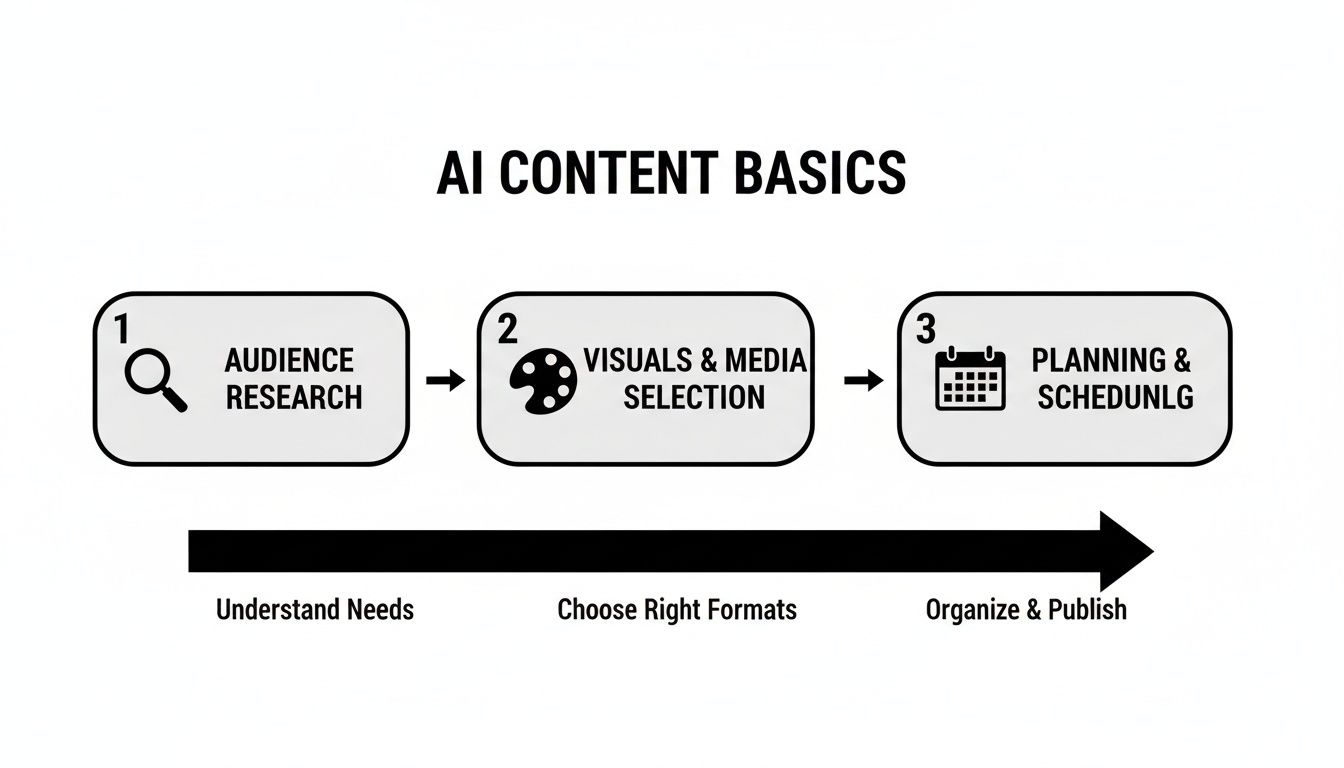
The graphic above breaks down the journey from audience study through design selection to calendar planning.
Read also our deep dive on visual content strategy in our guide to visual content for social media to see hands-on examples.
Hands Off Automation
Once the template is populated, the system auto-arranges each slide and exports polished graphics.
You still get the final say—tweak colors, swap fonts, edit copy—but the heavy lifting is done.
This approach cuts out prompt writing and manual layout tweaks, delivering ready-to-post visuals in seconds.
Zero Prompt Required
Behind the curtain, the AI runs independently—no user instructions needed. That means consistent branding, uniform voice, and a huge time savings.
It also learns from performance data, adjusting layouts and copy to improve engagement over time.
Key Insight: By turning a multi-step design workflow into one unified process—analysis, template matching, auto-population—AI social media content generators free you to focus on strategy instead of design.
Templates adapt seamlessly to Instagram, Facebook, and LinkedIn formats, so you publish with confidence every time.
Benefits And Use Cases For Businesses And Marketers

Imagine handing over the tedious layout and design grind to a tireless assistant. That’s exactly what an AI social media content generator does—in mere seconds.
Small teams suddenly churn out polished, on-brand visuals without bringing a designer on board.
With creative busywork out of the way, they can zero in on audience insights and map out campaign goals.
Efficiency Gains In Content Production
These platforms often knock down design time by up to 75%, automatically choosing templates and inserting your copy.
Industry data reveals that campaigns using AI for variant testing and personalization see engagement climb 30%–41% and conversion rates surge by as much as 20%. Learn more about these findings on Superagi.
Key benefits include:
- Reduced Design Hours: Teams report saving an average of 5 hours per week on post creation.
- Higher Post Frequency: A steady stream of 3–5 visuals weekly—no extra hires needed.
- Elevated Brand Authority: Data-backed infographics that position you as the go-to expert in your niche.
Real-World Scenarios
Picture an agency swapping manual infographic design for ready-made templates. Staff move from crafting slides to leading strategy sessions—and content output doubles overnight.
Now think of a startup rolling out branded listicle templates in minutes, speeding up client onboarding with a professional shine.
Educational Infographics
Transform complex statistics into bite-sized stories that readers actually grasp.Multi-Slide Carousels
Break down product features step by step, making tutorials crystal clear.Branded Listicles
Spark conversations with scroll-stopping tip sheets that beg to be shared.
“Automating our visual posts cut production time by half and boosted engagement across channels.”
Plus, repurposing those same templates on Instagram, LinkedIn, and Facebook means almost no setup overhead when you switch platforms.
Strategic Benefits For Teams
Freeing designers from layout chores means more headspace for big ideas.
Marketing agencies find collaboration improves when strategists and creatives work with a shared pool of auto-generated visuals.
- Faster Iterations: A/B test multiple layouts in hours instead of days.
- Scalable Content Production: Launch a flood of new graphics for seasonal campaigns at the push of a button.
- Better Resource Allocation: Let designers focus on brand guidelines and high-impact multimedia.
- Consistent Brand Voice: Keep every social post aligned with your unique tone and style.
Over time, these advantages stack up into a clear competitive edge—and a measurable ROI.
By offloading visual creation, brands track real impact metrics—click-through rates, share rates, and conversion lifts—directly tied to the AI-generated posts.
Final Takeaways
An AI social media content generator delivers real ROI in the form of time savings, higher engagement, and stronger brand positioning.
Automating visuals lets marketers reallocate resources toward strategy and analysis.
This approach scales your content calendar, ensuring fresh, professional posts without ever hitting a design bottleneck.
Key Features To Evaluate When Choosing An AI Generator
When you’re on the hunt for an AI social media content generator, you want a tool that truly lightens your load. Think of it as hiring a virtual designer and copywriter rolled into one. No more wrestling with layouts or cranking out the same carousel templates week after week.
The real game-changer is autonomous creation—where the AI researches topics, picks the right visuals, and even matches the copy without you typing a single prompt.
- Industry Tailoring: Speaks your niche’s language from the first post.
- Format Variety: Swings between carousels, infographics, listicles, and beyond.
- Template Diversity: A library large enough for every campaign theme.
- Editing Controls: Fine-tune colors, fonts, or messaging in a couple of clicks.
That zero-prompt setup is like having an assistant who already knows your brand’s playbook. It ingests logos, color palettes, and audience data to deliver ready-to-post graphics.
73% of marketers say approval cycles speed up when they skip manual inputs.
Expert Insight: Zero-prompt workflows free creative teams to focus on strategy instead of repetitive design tasks.
As you weigh different platforms, look for true end-to-end automation—from ideation and copy pairing to final export. You’ll want a solution that adapts on the fly, so you’re never stuck tweaking every single post. Learn more about choosing a versatile tool in our guide on social media content creation tool.
Template breadth is another bellwether of flexibility. A robust library will include:
- Educational infographics that break down complex ideas.
- Myth-vs-fact posts to spark conversation.
- Branded listicles for quick value bombs.
And don’t underestimate intuitive editing. A smooth, user-friendly interface means anyone on your team—even non-designers—can swap icons, adjust layouts, or edit text in seconds. That agility keeps your calendar full without waiting on a specialist.
- Check how many post types the platform offers and whether they map to your content strategy.
- Test if templates automatically resize for Instagram, Facebook, and LinkedIn.
- Evaluate how easily you can swap brand assets like logos, fonts, and color palettes.
Brand Consistency And Budget Considerations
Locking down brand consistency is non-negotiable. Version control and approval workflows should let you roll back to an earlier design if something drifts off-brand.
At the same time, be mindful of your budget. Pick a plan that covers essentials without tacking on features you’ll never use.
Finally, the best solutions come with robust support:
- Step-by-step tutorials to get you up and running fast.
- Community forums where power users share tricks.
- Analytics dashboards that track post performance over time.
By matching these criteria—automation, brand safeguards, and budget alignment—you’ll find an AI social media content generator that steers clear of busywork and slots seamlessly into your workflow.
Postbae As A Hands-Off Visual Content Solution
Imagine waking up to a full queue of polished social media graphics without typing a single prompt. Postbae quietly handles everything from research to design, letting busy professionals reclaim hours they’d otherwise spend juggling topics, copy, and layouts.
Whether you need Instagram carousels, Facebook listicles, or LinkedIn infographics, Postbae serves up completed visuals ready for your brand—no manual tweaks required.
How Postbae Works
Under the surface, Postbae’s AI agent digs into industry reports, audience behavior, and trending keywords. It then picks the most effective format—carousels, infographics, or listicles—and fills elegant templates with custom text and imagery that mirror your brand voice.
Once each asset is assembled, designers and marketers simply review and export high-resolution graphics. It’s truly a set-and-forget system.
- Autonomous research across topics and trends
- Automated editorial calendar creation and copy drafts
- Intelligent template matching with brand-aligned styling
- One-click export of ready-to-post assets
Product Capabilities
What Postbae DOES:
✅ Automatically generates complete visual social media posts
✅ Creates multi-slide carousels with professional layouts
✅ Produces educational, authority-building content
✅ Generates industry-specific content tailored to your business
✅ Selects appropriate content types (educational, tips, facts, etc.)
✅ Matches content with proven template layouts
✅ Programmatically populates templates with relevant content
✅ Provides full editing capabilities—every generated post can be completely customized and edited by users
✅ Works completely on autopilot (no prompts required from users)
✅ Creates content for Instagram, Facebook, and LinkedIn
Key Advantages
Postbae goes beyond typical AI tools by removing every manual step. Here’s what you gain:
- Complete Automation – No prompts. No design apps.
- Industry-Specific Authenticity – Graphics speak your niche’s language.
- Full Editing Control – Tweak copy, color palettes, and layouts after generation.
- Budget-Friendly Pricing – At $30/month, you get a full-time AI design partner.
Every post remains fully editable, so you can fine-tune headlines, visuals, and brand colors whenever you like.
Feature Comparison Of Postbae Versus Alternatives
Below is a quick look at how Postbae measures up against generic AI generators and traditional manual design workflows.
| Feature | Postbae | Generic AI Generator | Manual Design |
|---|---|---|---|
| Automated Generation | ✅ Fully autonomous—no prompts required | ❌ User prompts needed | ❌ Fully manual |
| Industry Tailoring | ✅ Niche-specific research built in | ❌ One-size-fits-all themes | ✅ Manual customization required |
| Visual Formats | ✅ Carousels, infographics, listicles | ✅ Limited template library | ✅ Any format but time-intensive |
| Editing Control | ✅ Total post customization | ❌ Basic edits only | ✅ Full control |
| Price | $30/month | Varies by usage | Hourly or project-based fees |
| Auto-Publishing | Planned for upcoming release | ❌ Not available | N/A |
| Video/Reels Support | Planned for upcoming release | ❌ Not available | N/A |
Below is a look at Postbae’s dashboard, where a batch of auto-generated graphics appears ready for review. Each card highlights the post type, scheduled date, and performance preview in a single view.
“Postbae replaced our manual workflow overnight, cutting post creation time by 70% and keeping our brand voice consistent.”
Postbae pairs content expertise with design finesse, giving your feeds scale without sacrificing quality.
Learn more about Postbae’s full capabilities in our platform overview and get ready to free your team from tedious design tasks.
We’re also previewing auto-publishing and video support on our public roadmap—so you’ll always stay a step ahead in your social strategy.
FAQ
Diving into an AI social media content generator can feel like uncharted territory.
Here’s a quick reference to answer the most common questions and help you roll it out confidently.
How Is a Visual Content Generator Different From a Caption Writer?
A visual generator crafts complete graphics—think layout, typography, and images all in one go.
A caption writer only delivers the text, leaving you to handle design and formatting separately.
In other words, with a visual tool, you skip manual templating and go straight to ready-to-post visuals.
How Do You Integrate This Tool Into A Social Workflow?
It slots into your editorial calendar, churning out a batch of posts based on your themes.
You simply review, tweak the graphics if needed, and export.
From there, you can queue everything in your scheduler of choice.
Can The AI Maintain Brand Voice and Style?
By uploading your logos, color codes, fonts, and tone guide, the AI matches each post to your brand’s personality.
And since every asset remains editable, you keep the final say on copy and design.
Which Post Types and Platforms Are Supported?
Whether you need:
- Multi-slide carousels
- Infographics and listicles
- Slideshows or single-image posts
- Ready-to-post images sized for Instagram, Facebook, and LinkedIn
Distinguishing Visual Content Generation
- Full graphics creation versus standalone copy.
- Automated layout, image pairing, and text styling.
- No separate design program required.
This approach shaves hours off your workflow by collapsing designer, writer, and planner roles into one.
Key Insight: A visual generator brings together three functions—designer, copywriter, and planner—under one roof.
Plan your content themes in advance, then generate weeks’ worth of posts at once.
Tackle high-impact pieces first, and keep a regular review loop to ensure every graphic aligns with your guidelines.
Workflow Integration
- Define content themes and posting cadence.
- Trigger the AI to auto-generate drafts.
- Edit and export the final graphics for your scheduler.
Everything stays editable, so you can fine-tune copy or visuals to reinforce your brand voice. Feeding the AI with your logos, color codes, and tone rules anchors each design in your identity.
Maintaining Brand Voice
- Upload your brand asset library once.
- Set clear tone rules for text length and style.
- Do a quick proofing pass on each post.
Even though the tool only handles image files, you can download and push them through any scheduler without missing a beat.
This FAQ should clear up doubts and fast-track your move from setup to live posts. You’ll get the expert tips exactly when you need them.
Ready to automate your social content? Start with Postbae: Postbae now