How to Repurpose Content for Social Media: A Practical Guide

Learn how to repurpose content for social media and turn one asset into weeks of engaging visual posts. Maximize your reach and save time with this guide.
What does it actually mean to "repurpose" content for social media?
Think of it like this: you've already cooked a great main course—say, a deep-dive blog post or a comprehensive webinar. Repurposing is taking that main dish and turning it into a bunch of amazing appetizers, side dishes, and desserts tailored for platforms like Instagram, Facebook, and LinkedIn.
It's how you maximize the value of your best work, hitting different parts of your audience and keeping your feed fresh without having to brainstorm new ideas from the ground up every single day.
Why Repurposing Content Is a Smart Marketing Strategy

Repurposing isn't just a time-saving hack. It's a core strategy for any modern marketer who wants to get their message heard above the noise and avoid burning out their audience.
Instead of the old "one and done" approach, you treat every big piece of content as a goldmine. It's a source of ideas you can remix, reshape, and reimagine for all the different ways people consume content today.
The person who dedicates 30 minutes to reading your 2,000-word blog post is probably not the same person who just wants a 60-second visual summary on Instagram. By slicing up that one article into multiple formats, you're meeting people where they are, on their own terms.
Maximize Your Marketing Efforts
For small business owners, startups, and social media managers, the pressure to constantly be "on" and producing high-quality content is intense. Repurposing is your best defense against burnout. It lets you:
Reinforce Your Core Message: People need to hear things more than once for it to stick. Seeing your key ideas pop up in different formats—a carousel here, an educational infographic there—is what cements your expertise in their minds.
Tap Into New Audiences: The person listening to your podcast might never stumble upon your blog. The executive scrolling LinkedIn probably isn't following you on Instagram. Repurposing is how you introduce your brand to completely new circles.
Give Your SEO a Serious Boost: When you create a bunch of smaller assets that all link back to your main "pillar" post, you're not just driving traffic. You're building a web of internal links that signals to Google, "Hey, this original piece is a big deal!"
The Shift to Smarter Content Creation
This isn't a niche tactic anymore. A recent survey showed that a massive 94% of marketers are already repurposing their content. It’s a fundamental shift in how businesses handle social media.
That one well-researched asset can become dozens of touchpoints—carousels, infographics, and stories that actually drive traffic and engagement.
The whole point of repurposing is to squeeze every last drop of value out of the content you create. You did the hard work—the research, the writing, the recording. Now it's time to make that work harder for you.
Ultimately, this is about being smarter, not just busier. To see how this really plays out and amplifies your visibility, check out these content repurposing strategies to scale your LinkedIn presence.
For many teams, the main bottleneck isn't a lack of ideas—it's the challenging task of creating the visual graphics. That’s exactly why tools like Postbae exist. The AI agent automatically generates a steady stream of professional visual social media posts—like carousels and infographics—from your existing content, without you having to touch a design tool.
How to Find Your Best Content to Repurpose
Before you can spin your content into social media gold, you need to find your greatest hits. Not every piece is a winner, and trying to repurpose everything is a surefire way to burn out. The key is learning how to spot the assets that have already proven their worth.
Think of it like a content audit. You're hunting for the pieces that your audience already loves, the ones that are packed with value, and the stuff that’s just begging to be turned into a killer carousel or a punchy infographic.
Start With Your Analytics
The fastest way to find your best content is to let the data do the talking. Your audience has already told you what they love through their clicks, views, and shares. You just need to listen.
A few places to start your treasure hunt:
Website Analytics: Dive into your Google Analytics (or your preferred tool) and find your most popular blog posts. Don't just look at raw traffic. Look for articles with a high time on page and a low bounce rate. If people are sticking around to read the whole thing, you've got something special.
Social Media Insights: Open the native analytics on your social channels. Which posts got the most shares and saves? A "like" is nice, but a share means someone found your content so valuable they put their own reputation on the line to pass it on. That's a huge signal.
Podcast & Video Data: If you create podcasts or videos, look at your top-downloaded episodes or most-viewed content. Did a specific segment get a lot of comments or cause a spike in viewership? That's a perfect nugget to pull out and turn into a standalone visual social asset.
Getting comfortable with these numbers is key. If you want to go deeper, check out this guide on how to measure social media engagement to really sharpen your instincts.
Look for the Content That Lasts
Once you've identified your high-performers, the next filter to apply is "evergreen potential." Evergreen content is the material that stays relevant long after you hit publish. Think ultimate guides, foundational explainers, and step-by-step tutorials.
An "evergreen" piece isn't just timeless; it's a foundational asset that explains a core concept in your industry. Repurposing it ensures new audience members continually benefit from your most valuable knowledge.
This is where your content strategy gets incredibly efficient. Today, a staggering 90% of organizations are repurposing content as a core part of their marketing. Why? Because turning one webinar into a dozen different social posts is just plain smart. You can learn more about this trend by checking out these social media marketing statistics.
Finally, ask yourself: can this be visualized? Does the content have juicy data points, a clear step-by-step process, or killer quotes? Anything with these elements is practically begging to be turned into an infographic, a multi-slide carousel, or a listicle—the kind of authority-building content that automated visual creation tools like Postbae excel at producing.
This whole process gives you a prioritized hit list, a solid foundation for your entire repurposing workflow. No more guessing, just a clear plan based on what already works.
Breaking Down Your Content Into Social-Ready Snippets

Alright, you’ve found a piece of content that’s a proven winner. Now for the next step. You need to stop being a writer and start being a content surgeon. Your mission is to take that 2,000-word article or that hour-long webinar and slice it up into potent, bite-sized pieces that can stand on their own.
This process is often called "atomizing" content. You’re essentially taking a big, complex molecule of information and breaking it down into individual atoms. Each atom is a tiny, self-contained piece of value that’s perfect for the fast-paced nature of social media.
Think of your big asset not as one single story, but as a treasure trove of killer ideas, stats, quotes, and how-to guides. Every single one is a potential social media post just waiting to be created.
From Blog Post to Social Media Powerhouse
Let's get practical. Say your pillar content is a massive blog post called "The Ultimate Guide to SEO for Small Businesses." Just dropping a link on LinkedIn and hoping for clicks is a recipe for disappointment. Instead, let's dissect it.
First, do a quick scan for any numbers or data points. Did you mention somewhere that "75% of users never scroll past the first page of search results"? That's not just a sentence in a paragraph; that's a knockout statistic.
That one data point can instantly become a sharp, infographic-style post. People digest visuals and stats way faster than text, making it highly shareable and driving home a key takeaway from your article without them ever having to leave their feed.
Next, look at how you structured the article. Your subheadings are a goldmine. A section titled "Five Common Keyword Research Mistakes" isn't just a heading; it's the perfect blueprint for a five-slide Instagram carousel.
Each slide can break down one mistake with a quick, actionable tip. This format is excellent for educational, authority-building content, racking up saves and shares while positioning you as the go-to expert.
Mining for Different Content Formats
The great part is that different pieces of your article are practically begging to be turned into different social formats. Your job is to spot these opportunities.
Actionable Tips and Listicles: Did you include a step-by-step process like "How to Set Up Your Google Business Profile"? That's a ready-made visual listicle for Facebook or LinkedIn. Use simple icons and bold text to make each step pop.
Powerful Quotes and Key Takeaways: Hunt for those impactful sentences or expert quotes you included. These are perfect for simple, effective text-on-image graphics. A powerful statement can stop a thumb mid-scroll and make someone think.
Myth vs. Fact Sections: If you spent time debunking common misconceptions, that’s an ideal setup for a two-column graphic or a multi-post series that tackles each myth one by one.
Atomizing content is all about getting the most value from your efforts. You already did the hard work—the research, the writing, the recording. Now you're just repackaging that value into snackable formats built for how people actually consume content online.
A Practical Extraction Workflow
To keep yourself organized, create a simple extraction document. Go through your pillar article and copy and paste different elements into categories.
| Content Element | Potential Social Format | Example Snippet from SEO Article |
|---|---|---|
| Statistics & Data | Infographic-style Post | "Mobile searches now account for over 60% of all searches." |
| Section Headings | Carousel Slide Topics | "Optimizing Your Site Speed" becomes a carousel title. |
| Step-by-Step Guides | Visual Listicle | The steps for an on-page SEO audit. |
| Key Insights/Quotes | Quote Graphic | "Great content is the foundation of great SEO." |
| Concepts & Definitions | Educational Post | A simple graphic explaining "domain authority." |
This structured approach is how you systematically pull a high volume of diverse micro-content from a single source. Of course, mastering copywriting for social media is a huge help here, as it teaches you to distill these big ideas into punchy, attention-grabbing captions.
By the time you're done, one 2,000-word article can easily spawn 15-20 distinct visual social media posts. You’re not just promoting your article anymore; you’re delivering its value directly to your audience, building authority, and driving genuinely interested people back to the main piece. That's the core of a smart strategy to repurpose content for social media.
Turning Snippets Into Scroll-Stopping Visuals
Alright, you've pulled out the golden nuggets from your long-form content. Now what? You have to turn those text-based ideas into something that can actually stop someone from scrolling past. This is the translation step, and it’s where many content repurposing strategies fall apart.
We're talking about turning dense paragraphs into visuals that grab attention in a feed packed with distractions. This isn't just about making things look nice; it's strategic design.
For most teams, especially small businesses without a dedicated designer, this is a massive bottleneck. Manually creating dozens of graphics for every blog post or webinar is a time-consuming task. It's the reason so many great ideas never make it to social media.
This is where leaning on automation can be a powerful way to turn a slow process into something you can actually scale.
Choosing the Right Visual Format
Not all visuals are created equal. You can't just slap text on a background and call it a day. The format you choose has to match the snippet you're working with. A hard-hitting statistic needs a different look than a step-by-step guide.
Here’s a simple framework:
Carousels: These are your best friend for breaking down a process or a list. Remember that "Five Common Keyword Research Mistakes" example? That's a perfect 5-slide carousel, with each slide tackling one mistake. Easy to follow, easy to save.
Infographics: Got data? Use an infographic. That stat about "75% of users never scrolling past the first page" is begging to be turned into a bold, simple graphic. Make the number the hero.
Listicles: When you have a handful of quick tips, a visual listicle is effective. It’s highly scannable and encourages saves. People love content they can quickly reference.
Quote Graphics: Simple, but they work. Pull out a powerful one-liner or an expert quote. The magic is in the typography and your brand colors—make that message pop off the screen.
The whole point is to match the content's structure to a visual format that makes it clearer and more impactful. A good visual doesn't just show information; it organizes it for the viewer.
The Power of Automated Visual Creation
Manually creating all of these assets is a huge resource drain. This is where an AI agent like Postbae completely changes the workflow. Instead of you working with templates, fonts, and layouts, the AI handles it for you.
Postbae analyzes your industry and the type of content snippet—is it a tip? A stat? An educational breakdown?—and then it gets to work. It programmatically picks a proven, professional template and populates it with your content, generating a complete, ready-to-post visual. It's not about giving you a blank canvas; it’s about delivering a finished product.
The goal of automation isn't just about going faster; it's about hitting a level of quality and consistency that's nearly impossible to maintain by hand. It gives small businesses access to professional-level social media presence for a fraction of the cost of a full-time social media manager.
Imagine taking all those snippets you extracted and just letting Postbae's AI agent work in the background. It will autonomously generate a mix of multi-slide carousels, data-driven infographics, and tip-based listicles—all branded and perfectly sized for Instagram, Facebook, or LinkedIn. This frees you up to think about strategy instead of getting buried in design tasks.
And even with all this automation, you're never locked in. Every single visual Postbae generates is fully editable. You can still jump in to tweak the text, swap an image, or adjust the layout to get it just right. You get all the efficiency of AI without losing creative control.
By automating the most challenging part of the repurposing workflow, you can finally build a sustainable system for creating high-quality social content at scale. If you're looking for ideas on what great visuals look like, checking out different social media graphics templates is a great way to see what layouts are effective.
Building a Sustainable Repurposing Workflow
We all know consistency is crucial on social media, but it's also a fast track to burnout. The answer isn't to work harder and create more from scratch. It's to build a smart, repeatable system to repurpose content for social media at scale.
This isn't about occasionally turning a blog post into a tweet. It's about building a content factory. You take one big asset and methodically break it down into a month's worth of high-quality social posts in a single, focused session. This approach saves your sanity, keeps your creative energy high, and makes sure your brand looks sharp and consistent everywhere.
Establish a Content Repurposing Calendar
First, you need to think beyond a simple posting schedule. A dedicated repurposing calendar is your strategic roadmap, connecting your big content drops directly to your daily social media activity. It’s what turns your marketing from a bunch of random activities into a cohesive engine.
Start by planning in themes. If you drop a massive guide on the first of the month, your calendar should map out exactly how you’ll use that asset over the next four weeks.
For example, for one pillar blog post:
Week 1: Launch the main post. Immediately follow up with a multi-slide carousel on Instagram and LinkedIn that hits the main takeaways.
Week 2: Pull out a key statistic from the article and turn it into a bold, shareable infographic.
Week 3: Find a "how-to" section and break it down into a simple visual listicle. Easy to digest, easy to share.
Week 4: Re-engage your audience by dropping a series of quote graphics with the most powerful lines from the post.
This isn’t just posting; it’s a calculated drip campaign for your best content. If you want to go deeper on this, our guide to creating a marketing content calendar lays out the entire framework.
Master the Art of Batch Processing
Batching is where the efficiency really comes in. It’s the simple act of doing all your similar tasks in one dedicated block of time instead of scrambling every single day. Stop mining for quotes, creating graphics, and writing captions on the fly. You do it all at once.
Let's say you just published your "Ultimate Guide to SEO." In one afternoon, you can knock out everything for the month.
Extract Every Snippet: Read through the article and pull out every single stat, quote, tip, and summary that could be a standalone post. Just dump them all into a document. No filter, just extraction.
Generate All Your Visuals: This is where you stop being a designer and start being a director. Instead of spending hours creating graphics, an AI agent like Postbae can take over. It’ll autonomously turn all those text snippets into a full library of professional carousels, listicles, and educational graphics, without requiring a single prompt from you.
Organize for Publishing: Now you have a folder full of ready-to-go visuals. Pair them up with your pre-written captions and load them into your scheduler. Done.
The whole game is about being ruthlessly efficient. The process is simple.
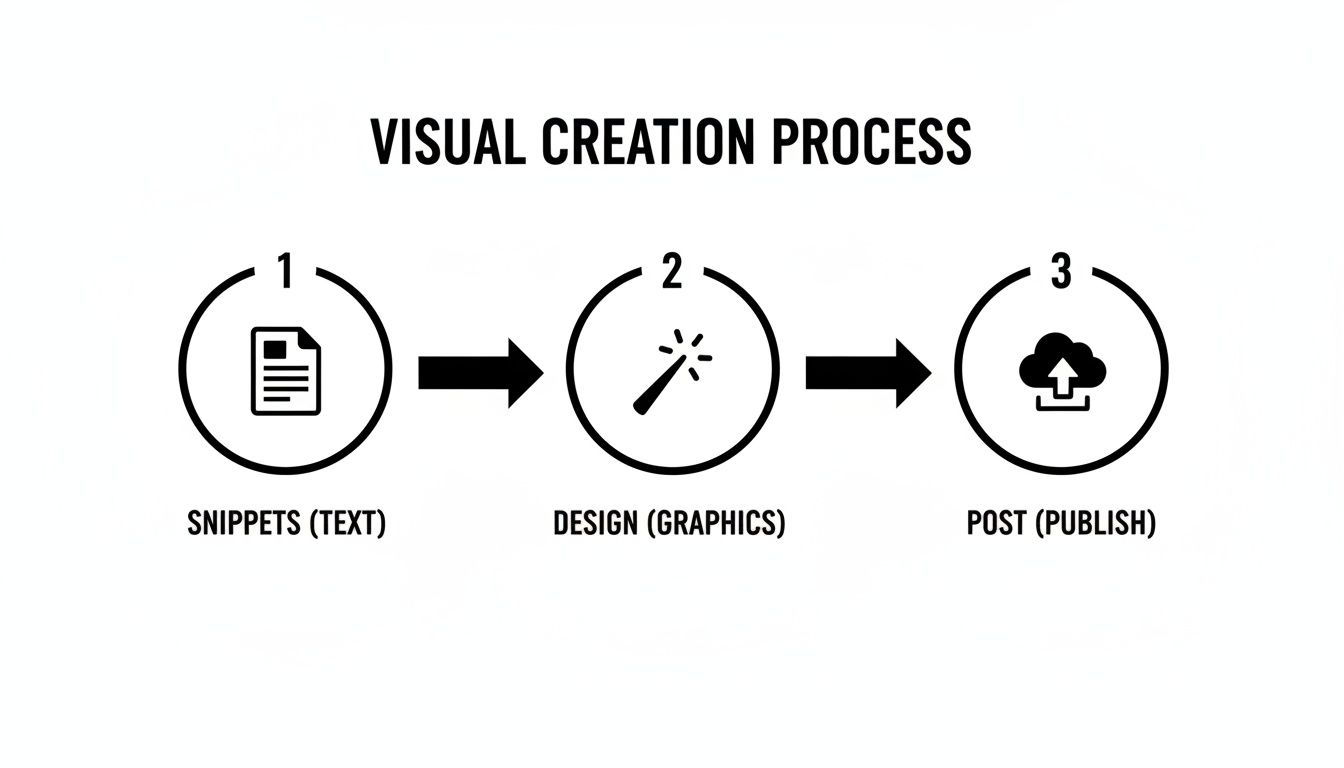
This three-step flow—snippet extraction, automated design, and scheduled publishing—is the engine of any scaled repurposing strategy.
Create a Consistent Publishing Cadence
Finally, your workflow needs a rhythm. A predictable cadence does two things: it trains your audience to expect your content, and it signals to the algorithms that you're a reliable source of value. You become part of their routine.
A simple weekly schedule might look something like this:
| Day | Instagram Post | LinkedIn Post |
|---|---|---|
| Monday | Educational Carousel (5 Slides) | Insightful Statistic Graphic |
| Wednesday | Quick Tip Graphic | Visual Listicle Post |
| Friday | Industry Fact Post | Link to Pillar Content w/ Graphic |
A sustainable workflow isn't about working harder; it's about building a system where each step logically flows into the next. By combining a strategic calendar with batch processing and automated visual creation, you can maintain a powerful social media presence without the associated burnout.
Your Top Repurposing Questions, Answered
Let's talk about the questions that come up when you start repurposing content. It's easy to get stuck wondering if you're just spamming people or if any of this is actually moving the needle.
These are practical hurdles that can derail your whole content strategy. Let's clear the air so you can get back to creating.
How Many Social Posts Can I Get From One Blog Post?
This is where the magic happens. For a solid, detailed article—say, around 1,500 words or more—you can easily get 15-20 distinct visual assets. The trick is to stop seeing your blog post as one big block of text and start seeing it as a collection of ideas.
Think of it like this: that 5-point listicle you buried halfway down the page? That's a 5-slide carousel. The key stats you dropped to make a point? Each one is a standalone, shareable graphic. Powerful quotes, key takeaways, even the subheadings themselves—they’re all potential posts.
It’s a total mindset shift. Every single component of your long-form content is a new chance to deliver a quick hit of value on social media.
Won't My Audience Get Bored?
This is a common fear, but it almost never happens in reality. Why? Because you're not just reposting the same image with the same caption. You're completely changing the format, the design, and the angle. Your audience isn't seeing repetition; they're seeing reinforcement.
One core idea can be an educational carousel on Instagram, a sharp infographic on LinkedIn, and a quick-tip graphic on Facebook. Plus, social media algorithms mean only a small fraction of your audience sees any single post anyway.
By hitting the same core message in different visual formats over time, you’re actually fighting content fatigue. You increase the odds that your best stuff gets seen by more people, in more places.
It's about getting your best insights the visibility they deserve without ever feeling like you’re on repeat.
What Are the Best Tools for Turning Content Into Visuals?
You have two main routes here: the manual path with design tools or the automated path with AI. Manual tools like Canva or Figma give you absolute control, but they also demand a ton of time and a good eye for design.
For anyone trying to do this at scale—social media managers, marketing agencies, and small business owners—AI-powered automation is the most efficient path. An AI agent like Postbae is built specifically for this workflow. It works in the background, autonomously turning your content into ready-to-publish visual graphics like carousels, listicles, and TikTok slideshows. No prompting, no babysitting.
This frees you up to focus on the big-picture strategy while the AI handles the day-to-day grind of actually producing the graphics. And because every post is fully editable, you maintain complete creative control.
How Do I Know If Any of This Is Actually Working?
Measuring success is a two-part equation. You need to look at how the individual social posts are doing and what impact they're having on your original, long-form content.
First, check your social media analytics. You're looking for:
Engagement Rate: Are people actually liking, commenting, sharing, and—most importantly—saving your posts?
Reach & Impressions: How many people are you reaching with this repurposed content?
Click-Through Rate (CTR): If you're linking back to the original blog post, are people actually clicking through?
Second, jump into your website analytics. Are you seeing a lift in referral traffic from the social channels where you're posting all these new visuals? When this strategy is firing on all cylinders, your graphics don't just get likes—they actively drive your audience back to your core content, helping you build authority and generate leads.
Ready to stop the manual grind and automate your visual content creation? Postbae acts as your AI content agent, autonomously generating professional carousels, listicles, and educational graphics for your social media. Turn your expertise into scroll-stopping visuals on autopilot. Learn more about how Postbae works.