12 Powerful Facebook Post Ideas for Businesses to Try in 2026

Struggling for content? Discover 12 actionable Facebook post ideas for businesses to build authority, boost engagement, and drive growth. See examples now!
In a crowded feed, generic Facebook posts no longer cut it. To capture attention and build a loyal audience, businesses need to provide genuine value that educates, inspires, and solves problems. The challenge isn't just what to say, but how to present it visually in a way that stops the scroll and positions your brand as a credible authority.
Many small businesses, creators, and marketing teams spend countless hours brainstorming facebook post ideas for businesses, writing copy, and then struggling with design tools to create professional-looking graphics. This constant content creation cycle can be draining, often leading to inconsistent posting schedules and a feed filled with repetitive, low-engagement updates. To truly unlock deeper engagement and move beyond simple sales pitches on Facebook, mastering a few game-changing video editing tips can significantly enhance your video posts.
This comprehensive guide breaks down 12 powerful and proven post ideas, focusing specifically on authority-building content that establishes you as an industry expert. We'll explore specific visual formats, from multi-slide carousels to myth-busting infographics, that are designed for maximum impact. Each idea is crafted to be directly implementable, helping you move from planning to posting with confidence and consistency, turning your Facebook page into a go-to resource for your target audience.
1. Educational Carousel Posts (Multi-Slide Tips & Tricks)
Educational carousels are one of the most powerful Facebook post ideas for businesses looking to build authority and capture audience attention. This format uses a series of visually connected slides to deliver a step-by-step lesson, industry insight, or a helpful "how-to" guide. Each slide builds upon the previous one, creating a compelling narrative that encourages users to swipe through the entire sequence.
This high level of interaction, like swiping and pausing on each frame, signals to the Facebook algorithm that your content is valuable, often resulting in better organic reach. Carousels are perfect for breaking down complex topics into digestible, bite-sized pieces of information. For example, a marketing agency could create a 5-slide carousel on "Key Elements of a High-Converting Landing Page," while a fitness coach might share "7 Stretches to Do After a Workout."
Key Implementation Steps:
- Create a Compelling Hook: Your first slide is critical. Use a bold title like "5 Mistakes to Avoid When..." or "The Ultimate Checklist for..." to stop scrollers in their tracks.
- Maintain Visual Consistency: Ensure every slide shares a consistent brand palette, font, and layout to create a seamless, professional experience.
- Focus on One Idea Per Slide: Avoid overwhelming your audience. Dedicate each slide to a single, clear point.
- End with a Strong Call-to-Action (CTA): The final slide should tell users what to do next. Guide them to "Visit our website for the full guide," "Comment with your favorite tip," or "Save this post for later."
This format excels at establishing your business as an expert resource. To streamline this process, you can leverage Postbae, an AI agent that automatically generates professional, multi-slide carousels filled with industry-specific tips. It works autonomously without needing prompts, saving you hours of design and content creation time. If you want to dive deeper into the fundamentals, you can learn more about how to create social media content and build a strong foundation.
2. Myth vs. Fact Posts
Myth vs. Fact posts are a highly engaging Facebook post idea for businesses aiming to build credibility and correct common industry misconceptions. This format directly contrasts a widespread myth with a proven fact, leveraging our natural curiosity and desire for accurate information. By debunking false beliefs, you position your brand as a knowledgeable and trustworthy expert, providing immediate value to your audience.
This type of content works because it grabs attention by challenging what people think they know. The visual split between "Myth" and "Fact" creates a clear, easy-to-digest comparison that stops users mid-scroll. For example, a cybersecurity firm could debunk the myth "My small business is too small to be a target," while a nutritionist could tackle "Myth: All fats are bad for you." This approach not only educates but also sparks conversations and encourages shares.

Key Implementation Steps:
- Identify Common Misconceptions: Research myths that are prevalent in your niche. Choose a myth that your target audience likely believes to make the content more relatable and impactful.
- Use Strong Visual Contrast: Design your graphic with distinct visual separation between the myth and fact sections. Use contrasting colors or bold typography to make the distinction clear.
- Support Facts with Evidence: Whenever possible, back up your "fact" with a statistic, a link to a study, or a quote from a respected source to strengthen your authority.
- Encourage Discussion: End your caption with a question like, "Did you believe this myth?" or "What other industry myths have you heard?" to prompt comments and boost engagement.
This format is excellent for establishing your brand as a go-to source for reliable information. To execute this strategy effortlessly, Postbae's AI agent can automatically generate visually compelling Myth vs. Fact graphics tailored to your industry. This saves significant time on research and design, allowing you to consistently publish authority-building content.
3. List-Based Infographics (Listicles)
List-based infographics, commonly known as listicles, are a highly effective Facebook post idea for businesses aiming to deliver information in a scannable and visually engaging format. This approach presents content as a numbered or bulleted list within a single, vertical graphic. It capitalizes on the human brain's preference for organized information, promising a quick, clear, and valuable takeaway for the audience.
This format is exceptionally shareable because it packages dense topics into a digestible and aesthetically pleasing design. By presenting information clearly with icons, bold typography, and a clean layout, listicles stop the scroll and encourage users to consume the entire piece of content. For instance, a financial advisor could share "7 Smart Ways to Save for Retirement," while a tech startup might post "5 Essential Cybersecurity Tips for Small Businesses."
Key Implementation Steps:
- Use a Powerful Headline: Start with a title that clearly states the value and uses power words. Headlines like "9 Underrated Tools for..." or "The 5 Critical Mistakes..." immediately grab attention.
- Front-Load Your Best Tip: Place your most impactful or surprising point near the top of the list, as users may not always scroll to the very end.
- Incorporate Brand-Consistent Visuals: Use custom icons, fonts, and colors that align with your brand identity to create a cohesive and professional look.
- Keep Each Point Concise: Each item on the list should be a self-contained idea with a brief, clear explanation. Avoid overwhelming the reader with too much text for a single point.
Listicles are perfect for establishing your authority by simplifying complex subjects. To automate this, Postbae can generate professionally designed, industry-specific listicle graphics. The AI agent handles the research, writing, and visual design, producing ready-to-use graphics that make your business look like an expert resource, all without manual effort.
4. Before & After Transformation Posts
Before and after posts are a classic and highly effective Facebook post idea for businesses because they visually demonstrate the tangible value of a product or service. This format uses a simple, side-by-side comparison to showcase a dramatic transformation, allowing potential customers to instantly grasp the results you deliver. The human brain is wired to notice change, making these posts powerful scroll-stoppers in a busy newsfeed.
This visual proof builds immediate trust and credibility. For service-based businesses like home renovators, fitness coaches, or design agencies, these posts are the ultimate portfolio piece. They answer the customer's core question: "What can you do for me?" By presenting a clear, compelling outcome, you move beyond telling your audience about your value and start showing it directly. The impact is both emotional and logical, making it a persuasive tool for driving conversions.
Key Implementation Steps:
- Maintain Visual Consistency: For the most dramatic effect, ensure the "before" and "after" photos are taken from the same angle with similar lighting. This isolates the transformation as the only variable.
- Quantify the Results: Whenever possible, add measurable data. Include captions like "Lost 10 kg in 12 weeks," "Increased website traffic by 300%," or "Completed renovation in 4 weeks."
- Incorporate Social Proof: Add a short testimonial or quote from the client featured in the transformation. Putting a real name and story to the result enhances authenticity and relatability.
- Create a Clear Call-to-Action (CTA): End your post by inviting others to achieve similar results. Use a CTA like, "Ready for your own transformation? DM us to get started!" or "Learn how we did it on our blog."
This post type is ideal for showcasing a clear, demonstrable impact. To create professional and balanced layouts without manual design work, an automated tool like Postbae can generate visually appealing before-and-after graphics, ensuring your transformations look polished and compelling every time.
5. Industry Statistics & Data Visualization Posts
Presenting industry statistics and data is one of the most effective Facebook post ideas for businesses aiming to build credibility and command attention. This format transforms raw data, like market trends or consumer behavior insights, into visually compelling graphics such as charts, highlighted numbers, or simple infographics. These posts are highly shareable because they offer surprising, valuable information in an easily digestible format, positioning your brand as a knowledgeable industry leader.
By translating complex data into a clear visual story, you prove your expertise with concrete facts rather than just opinions. This high-value content stops the scroll and encourages saves and shares, signaling to the Facebook algorithm that your posts are relevant. For instance, a real estate agency could share a graphic on "The Average Time to Sell a Home This Quarter," while a SaaS company might visualize "The Growth of Remote Work by 35% in the Last Year."
Key Implementation Steps:
- Choose a Surprising Statistic: Select a data point that is counter-intuitive or particularly impactful. A surprising fact is more likely to be shared and remembered.
- Visualize the Data Clearly: Use bold typography, contrasting colors, and simple charts or graphs to make the key insight stand out. Avoid cluttering the graphic with too much text.
- Always Cite Your Source: Build trust by clearly crediting the original source of the data, such as reports from Gartner, Statista, or Pew Research Center, directly on the graphic or in the caption.
- Add Context and a CTA: In your caption, explain why the statistic matters to your audience and what it means for them. End by prompting engagement, asking "Does this surprise you? Let us know below!" or "Save this post to inform your strategy."
This method is perfect for establishing authority and providing tangible value. To simplify this, Postbae can automatically find relevant industry data and transform it into professional, shareable graphics, allowing you to consistently publish expert-level content without the research and design overhead.
6. Educational Infographics (How-It-Works Explanations)
Educational infographics are one of the best Facebook post ideas for businesses that need to simplify complex information. This format uses a combination of icons, minimal text, and a logical visual flow to break down an intimidating process, concept, or system into digestible steps. By presenting a "how-it-works" explanation visually, you make valuable knowledge accessible and highly shareable.
This format positions your brand as a helpful expert, capable of clarifying difficult topics for your audience. For example, a software company could create an infographic on "How Our AI Algorithm Works," or a financial advisor might design one explaining "The Compounding Interest Cycle." These visual guides stop the scroll by offering a clear, scannable solution to a common question, driving engagement and building trust.
Key Implementation Steps:
- Start with a Relatable Step: Begin your infographic with the most recognizable or simplest part of the process to immediately hook the viewer and make the topic feel less intimidating.
- Use Consistent Visual Language: Maintain a consistent style for icons, colors, and fonts throughout the infographic. This creates a professional and easy-to-follow visual narrative.
- Add Contextual Notes: Include small side notes for "common mistakes" or "pro tips" at relevant steps. This adds another layer of value and shows you’ve considered the user’s entire journey.
- End with a Clear CTA: The bottom of your infographic should guide the user. Prompt them to "Download the full PDF guide," "Book a demo to see it in action," or "Save this post for your next project."
For businesses without a dedicated design team, creating these compelling visuals can be a major hurdle. Postbae's AI agent automates this entire workflow, generating professional, step-by-step infographics filled with industry-relevant information. This allows you to consistently publish expert content and establish authority without the manual design work.
7. Customer Testimonial & Success Story Graphics
Customer testimonial graphics are one of the most effective Facebook post ideas for businesses aiming to build trust and credibility. This format visually showcases positive feedback, success stories, or impressive results from real customers. Instead of a plain text review that gets lost in the feed, a well-designed graphic with a compelling quote and brand elements captures attention and provides powerful social proof.
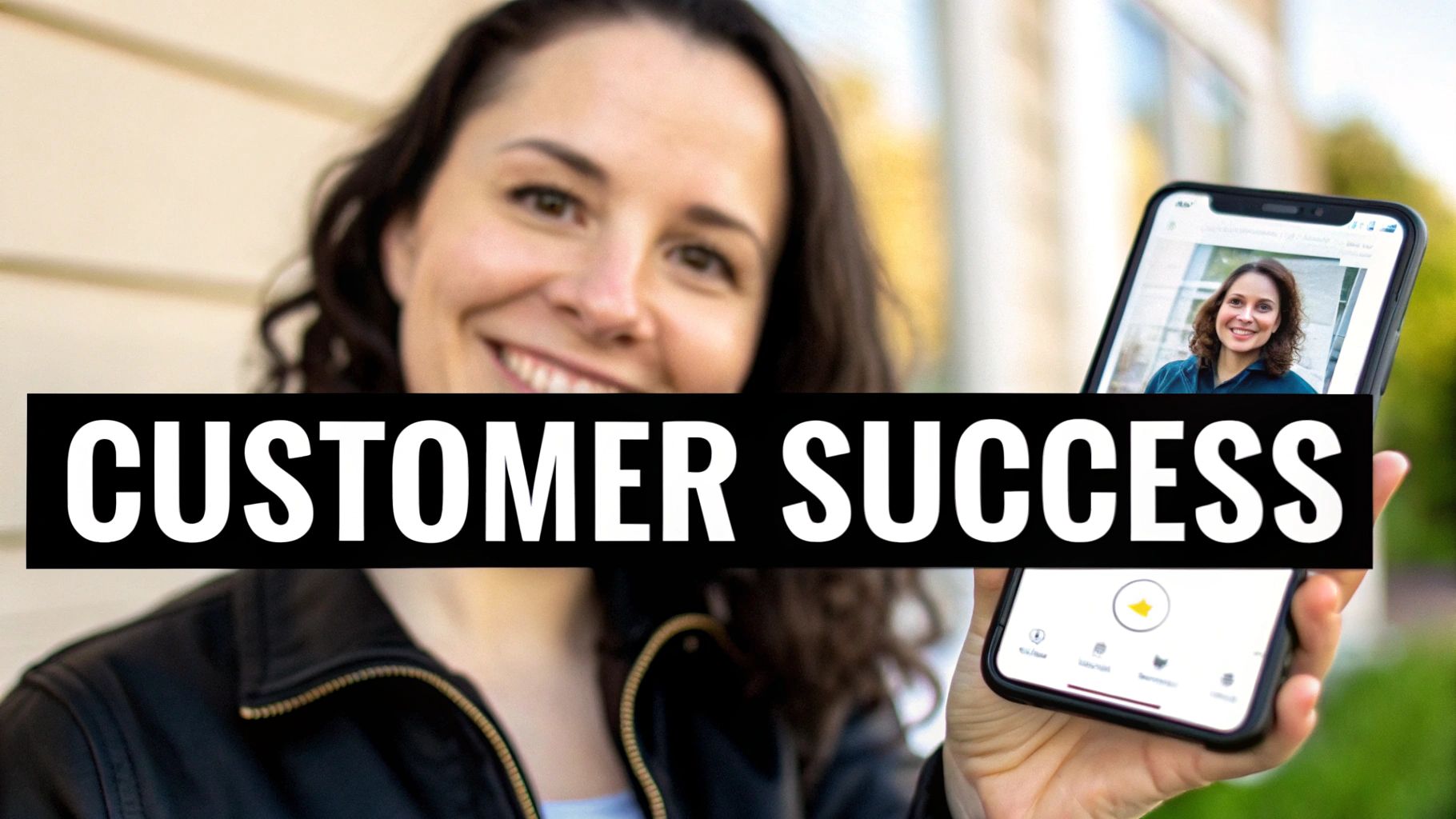
This approach transforms praise into a shareable asset. When potential customers see others like them succeeding with your product or service, it validates your claims and reduces purchasing friction. For example, a software company can feature a quote graphic from a client highlighting a specific productivity gain, while a marketing agency could create a "before and after" post paired with a client's glowing testimonial.
Key Implementation Steps:
- Secure Written Consent: Always get permission from your customers before featuring their name, photo, and testimonial publicly.
- Include Specific Metrics: A quote like "We increased our leads by 40% in three months" is far more impactful than "We loved the service."
- Add a Human Element: Incorporate a professional headshot of the customer (with their permission) to make the testimonial more authentic and relatable.
- Use a Direct Call-to-Action (CTA): End your post by guiding interested users to learn more. A CTA like "Read the full case study on our blog" or "See how we can help your business" works well.
This format is excellent for turning happy customers into your most convincing advocates. Postbae can automate the design process, transforming customer quotes and success stories into professionally branded graphics. This ensures your testimonials are not only powerful but also visually compelling and consistent with your brand identity.
8. Quick-Tip Series Posts (Bite-Sized Advice)
A quick-tip series is one of the most effective Facebook post ideas for businesses aiming to deliver consistent, immediate value. This format involves creating single-image graphics that feature one actionable, bite-sized tip or piece of advice. These posts are powerful because they respect the audience's time, offering a quick win or a useful insight that can be absorbed in seconds while scrolling.
This high-value, low-commitment content encourages saves, shares, and comments, signaling to the Facebook algorithm that your content is engaging and useful. For example, a financial advisor could share daily tips like "Automate 10% of Your Paycheck into Savings," while a home organization brand might post "Use Vertical Space to Maximize Storage." The key is to make each tip singular, clear, and instantly applicable.

Key Implementation Steps:
- Start with an Action Verb: Frame your tip with a strong command like "Try," "Stop," "Add," or "Use" to make it feel immediately actionable.
- Maintain Design Consistency: Create a branded template for your tips. Use the same fonts, colors, and logo placement to make your series instantly recognizable in the feed.
- Focus on a Single, Clear Idea: Each post should contain only one tip. Avoid complexity and ensure the advice can be understood and implemented without further explanation.
- Prompt Engagement: End your caption with a question related to the tip, such as "What's your go-to productivity hack?" or "Share your favorite tip in the comments!" to encourage interaction.
This format excels at building a loyal following by turning your page into a reliable source of daily or weekly wisdom. You can use Postbae to automatically generate entire series of visually compelling quick-tip cards, complete with industry-specific advice and scroll-stopping designs. To master the art of creating content that resonates, you can learn more about how to create engaging content and apply those principles to your series.
9. Industry Trend & Future Forecast Posts
Positioning your business as a forward-thinking leader requires demonstrating awareness of where your industry is headed. Industry trend and future forecast posts are powerful Facebook post ideas for businesses that want to build authority and become a go-to resource. This format involves analyzing and presenting emerging trends, potential market shifts, or data-backed predictions that are relevant to your audience, helping them prepare for what’s next.
This type of content signals deep expertise and helps your followers make informed decisions. By sharing predictions like Salesforce does with its CRM trends reports or how HubSpot forecasts the future of marketing, you provide immense value beyond your products or services. These posts spark conversation and establish your brand as a credible, strategic partner that is invested in its audience's long-term success. The key is to transform complex forecasts into clear, actionable insights.
Key Implementation Steps:
- Back Predictions with Data: Ground your forecasts in credible data, expert analysis, or reputable sources to build trust. Vague predictions without evidence will weaken your authority.
- Explain the "So What?": Don't just list trends. Explain their direct implications for your specific audience and what these changes mean for their business or daily lives.
- Provide Actionable Steps: Guide your audience on how to prepare for or capitalize on the trend. Offer concrete steps they can take right now.
- Encourage Discussion: End your post by asking your followers for their own predictions or opinions on the trends you’ve shared. A question like, "Which of these trends do you think will have the biggest impact?" can significantly boost engagement.
To make these forecasts visually compelling, Postbae can automatically generate professional trend infographics with timelines, charts, and other forecasting visuals. This allows you to produce high-authority content that demonstrates expertise without spending hours on manual research and design.
10. Comparison & Competitive Analysis Posts
Comparison posts are a strategic way to help your audience make informed decisions while subtly positioning your business as a superior or more suitable solution. This format visually breaks down the differences between various tools, methods, or strategies within your industry, such as 'Tool A vs. Tool B' or 'Traditional vs. Modern Method.' By presenting a balanced analysis, you build trust and become a go-to resource for honest insights.
These posts are highly effective because they tap into the audience's natural curiosity and desire for clarity. For instance, a software company could compare different project management methodologies, or a marketing agency could create a side-by-side graphic showing the pros and cons of SEO versus PPC advertising. This approach simplifies complex choices into scannable, engaging content that drives shares and saves, signaling high value to the Facebook algorithm.
Key Implementation Steps:
- Choose Relevant Criteria: Focus on comparison points that genuinely matter to your target audience, not just those that make your solution look best.
- Maintain Objectivity: Present a fair analysis by including both pros and cons for all options. This builds credibility far more than a one-sided sales pitch.
- Use Clear Visuals: Design a simple, easy-to-read table or side-by-side graphic. Clear visual separation helps users quickly digest the information.
- Add a 'Best For' Summary: Conclude by summarizing which option is best suited for different types of users or specific use cases. This acknowledges that there isn't a one-size-fits-all solution and enhances your credibility.
This type of content is one of the more complex Facebook post ideas for businesses to execute manually, but it delivers significant authority. To simplify this, an AI agent like Postbae can automatically generate professional comparison tables and side-by-side analysis graphics, presenting complex data in a fair and visually appealing format that captures audience attention.
11. Common Questions & FAQ Posts
Addressing your audience's most common questions proactively is a powerful way to build trust and demonstrate expertise. FAQ-style posts anticipate customer needs and provide immediate answers, positioning your brand as a helpful and knowledgeable resource. This format directly tackles the pain points and curiosities that drive people to search for solutions, making your content highly relevant and valuable.
By transforming frequently asked questions into visually engaging Q&A graphics, you turn simple information into shareable, scannable content. This approach not only saves your customer support team time but also educates potential customers who may have been hesitant to ask. For example, a tax preparation service could create a post answering, "What are the most common overlooked deductions?" or a software company like Slack might address top questions about channel management. This is one of the most effective Facebook post ideas for businesses focused on customer education.
Key Implementation Steps:
- Source Real Questions: Dive into your customer support tickets, emails, and social media comments to find the questions people are genuinely asking.
- Design for Clarity: Use a clean Q&A format with clear headings for questions and concise, easy-to-read text for answers. Break down complex topics into simple steps.
- Group Thematically: Create posts or carousels that group related questions together, such as "Billing & Payments FAQ" or "Getting Started Questions."
- Include a Follow-Up CTA: End your post by guiding users to the next step. Encourage them to "Schedule a free consultation," "Visit our full FAQ page," or "Contact our support team for more help."
This strategy excels at reducing purchase friction and building confidence in your brand. To automate this, Postbae can transform your business's core information and common industry questions into professional, branded Q&A graphics, ensuring your audience always has the answers they need.
12. Template & Resource Library Posts
Offering free templates and resources is a powerful strategy for businesses aiming to generate leads and provide immense value to their audience. This type of Facebook post promotes downloadable assets like checklists, swipe files, or project templates that solve a specific problem for your ideal customer. By offering a tangible solution, you not only build goodwill but also capture valuable contact information.
This approach is one of the most effective Facebook post ideas for businesses because it shifts the dynamic from selling to serving. An accounting firm could offer a "Monthly Expense Tracking Template," while a social media agency might provide a "Content Calendar Swipe File." The key is to offer a resource so useful that your audience is happy to provide their email in exchange. This method effectively transforms your Facebook page into a reliable lead-generation engine.
Key Implementation Steps:
- Showcase the Value: Create an eye-catching graphic that shows a preview of the template. Clearly state who the resource helps and the specific benefit they'll receive, like "Save 5+ hours on project planning."
- Gate the Resource: Require an email signup to access the download. This allows you to build your email list and nurture leads through targeted follow-up sequences.
- Emphasize Immediate Utility: Design resources that are instantly useful, not just aesthetically pleasing. Your audience should be able to apply the template or checklist to their work right away.
- Create a Compelling CTA: Use clear and direct language in your post, such as "Download your free template now!" or "Get instant access to our checklist."
This tactic establishes your brand as a generous and knowledgeable authority in your field. To create compelling promotional graphics for these resources, you can use AI tools that help you create social media posts with AI, ensuring your offer stands out in a crowded feed.
Comparison of 12 Facebook Post Ideas for Businesses
| Item | 🔄 Implementation Complexity | ⚡ Resource Requirements | ⭐ Expected Outcomes | 📊 Key Advantages | 💡 Ideal Use Cases |
|---|---|---|---|---|---|
| Educational Carousel Posts (Multi-Slide Tips & Tricks) | Medium — multi-slide consistency, sequencing | Medium — 3–10 slides, visuals + copy; design automation helps | ⭐⭐⭐⭐ — high engagement; longer content attention | Teaches complex topics, highly shareable, authority-building | Tutorials, product breakdowns, step-by-step lessons |
| Myth vs. Fact Posts | Low — simple two-column layout but needs accuracy | Low — single-image split design, short researched copy | ⭐⭐⭐⭐ — strong engagement and trust signals | Debunks misconceptions, viral correction potential | Thought leadership, correcting industry myths |
| List-Based Infographics (Listicles) | Medium — hierarchical layout and iconography | Medium — multiple items, icons, concise copy | ⭐⭐⭐⭐ — scannable; high saves and shares | Clear structure, easy to consume, SEO-friendly | Tips, beginner guides, "X ways" content |
| Before & After Transformation Posts | Medium — side-by-side visuals and metric framing | Medium-High — quality before/after images, measurable results | ⭐⭐⭐⭐ — strong emotional impact and conversion lift | Demonstrates ROI, tangible proof, credibility boost | Service results, fitness, renovations, design portfolios |
| Industry Statistics & Data Visualization Posts | High — data sourcing + best-practice viz | High — verified data, charts, designer/data skills | ⭐⭐⭐⭐⭐ — positions brand as data-driven authority | Shareable insights, media pickup, thought leadership | B2B reports, trend roundups, PR-focused content |
| Educational Infographics (How‑It‑Works Explanations) | High — requires subject-matter accuracy and flow | High — expert input, illustrations, testing for clarity | ⭐⭐⭐⭐⭐ — high saves; establishes expertise | Clarifies complex processes; repurposable long-form asset | Onboarding, process explainers, SaaS guides |
| Customer Testimonial & Success Story Graphics | Low — simple layouts but needs permissions | Low-Medium — customer photos, quotes, verified metrics | ⭐⭐⭐⭐ — builds trust and influences decisions | Social proof, relatable stories, shareable by customers | Sales enablement, case-study teasers, trust-building posts |
| Quick‑Tip Series Posts (Bite‑Sized Advice) | Low — single-card template; easy cadence | Low — short copy, simple iconography | ⭐⭐⭐⭐ — frequent engagement; habit-building | Fast consumption, high post frequency, shareable | Daily tips, audience growth, repurposed into carousels |
| Industry Trend & Future Forecast Posts | High — forecasting requires evidence and nuance | High — expert sources, projection visuals, updates | ⭐⭐⭐⭐ — positions as forward-thinking (risk if wrong) | Thought leadership, discussion starter, PR potential | Trend reports, thought leadership, long-form follow-ups |
| Comparison & Competitive Analysis Posts | Medium-High — objective criteria and fair framing | Medium — research, clear table/visual layout | ⭐⭐⭐⭐ — decision-support; sparks engagement | Aids buying decisions, positions expertise, shareable | B2B comparisons, buyer guides, positioning content |
| Common Questions & FAQ Posts | Medium — curating real Qs and concise answers | Low-Medium — support data, concise copy, formatting | ⭐⭐⭐⭐ — long shelf-life; high search relevance | Reduces support load, SEO value, preempts objections | Customer education, sales objection handling, knowledge base |
| Template & Resource Library Posts | Medium — create resource + delivery mechanics | Medium-High — templates/tools, preview designs, lead capture | ⭐⭐⭐⭐⭐ — strong lead gen and perceived value | Lead generation, high utility, repurposable content | Gated downloads, list-building campaigns, nurture funnels |
Automate Your Authority-Building Content
We've explored a comprehensive arsenal of Facebook post ideas for businesses, from engaging educational carousels and myth-busting graphics to data-driven infographics and customer success stories. The central theme connecting these powerful formats is their ability to build authority. When you consistently share valuable, insightful content, you position your brand not just as a seller of products or services, but as a trusted expert in your industry. This transition from vendor to authority is what creates a loyal community, fosters genuine engagement, and ultimately drives sustainable growth.
The key takeaway is that your Facebook strategy should be a balanced ecosystem. While promotional posts have their place, the real foundation of a strong social presence is built on content that educates, informs, and adds value to your audience's lives. Each idea, whether it's a "Before & After" transformation or a "Quick-Tip" series, serves as a brick in building that foundation of trust.
From Ideas to Implementation: Overcoming the Content Treadmill
The challenge, as many small business owners and social media managers know, is the relentless demand for high-quality content. Coming up with brilliant ideas is one thing; executing them consistently is another. Each visual post type we've discussed, from listicles to detailed infographics, requires research, copywriting, and significant design work. This "content treadmill" can quickly lead to burnout, inconsistency, and a decline in quality.
This is where the true value of a streamlined workflow comes into play. To consistently execute these sophisticated Facebook post ideas for businesses, you must move beyond manual, time-intensive processes. Consider these next steps to turn your strategy into a sustainable reality:
- Establish a Content Pillar System: Identify three to five core topics that represent your expertise. Every post idea should connect back to one of these pillars, ensuring your content remains focused and reinforces your authority.
- Create a Realistic Content Calendar: Don't aim for daily posts if your resources don't allow it. Consistency is more important than frequency. Start with two to three high-value posts per week and build from there.
- Systematize Your Visual Production: The biggest bottleneck is often graphic creation. Manual design is time-consuming and requires a specific skill set. This is the perfect area to introduce automation to reclaim your time and ensure a professional aesthetic for every post.
Scaling Your Strategy for Maximum Impact
As your business grows, so will the demands on your marketing efforts. To truly automate your authority-building content and scale your presence, many businesses find value in hiring social media agencies to manage their content strategy and execution. An agency can provide strategic oversight and ensure your content aligns with broader business goals.
However, the core challenge of producing the actual visual assets remains. Even with a strategic partner, the day-to-day creation of carousels, infographics, and other visual posts requires a dedicated production engine. By automating the visual creation process, you empower yourself, your team, or your agency to focus on what matters most: strategy, community engagement, and analyzing performance. You can transform your content workflow from a constant struggle into a seamless, efficient system that consistently delivers high-impact, authority-building content. This shift allows you to finally step off the content treadmill and focus on building your business.
Ready to stop brainstorming and start publishing? Postbae is an AI agent that automatically generates the professional, authority-building visual posts discussed in this article, tailored to your industry, without you ever writing a prompt. Transform your Facebook strategy by visiting Postbae and see how effortless creating expert content can be.