How to Create Social Media Content: A Practical Guide

Discover how to create social media content that grows your brand. Learn practical strategies, tools, and workflows for high-impact posts.
Before you even think about opening a design tool or brainstorming your next Reel, let’s get one thing straight: great social media content isn’t just made, it’s engineered. It all starts with a rock-solid strategy, digging into your business goals and figuring out who you’re talking to.
Without this groundwork, you’re just posting into the void. A clear strategy turns your social media from a chore into a growth engine that brings in results.
Laying the Groundwork for Your Content Strategy
Jumping into content creation without a plan is a common mistake. It’s like trying to build a house without a blueprint—sure, you might end up with something, but it’ll probably be a mess that doesn’t serve its purpose. The brands you see excelling on social media are all working from a clear, intentional strategy. This is the absolute first step.

This initial phase isn't about picking fonts or trendy audio. It’s about asking the tough questions that will shape every single thing you post later on.
Define Your Social Media Goals
You can’t hit a target you can’t see. Vague goals like "get more followers" are not effective because they don’t mean anything for your business. You need specific, measurable goals tied directly to what you’re trying to achieve overall.
Most effective social media goals fall into one of these buckets:
- Increase Brand Awareness: You want more people to know you exist. You’ll be tracking metrics like reach (how many unique eyeballs see your content) and impressions (how many times your content gets shown).
- Generate Leads and Sales: This is about driving revenue. You’ll focus on click-through rates (CTR), form sign-ups from social, and actual sales attributed to your posts.
- Build a Community: The focus here is on creating a tribe of loyal fans. You'll measure this with engagement metrics like comments, shares, and saves. A strong community becomes your best marketing team.
- Establish Authority and Trust: You want to be the go-to expert in your space. This means creating high-value, educational content and measuring success through engagement on those posts and mentions from others in your industry.
Your goals dictate your content. A strategy built for lead generation will look completely different from one designed to build a die-hard community. Get crystal clear on this now.
Deeply Understand Your Target Audience
You know what you want. Now, who are you talking to? A deep understanding of your audience is more than just knowing their age and location. To really connect, you have to dig into these essential content creation best practices.
This means creating a detailed buyer persona—a semi-fictional profile of your ideal customer. Give them a name and a backstory. Your persona should include:
- Demographics: The basics—age, job title, location, income.
- Psychographics: The important details—their interests, values, and personality. What do they care about?
- Pain Points: What keeps them up at night? What problems are they trying to solve?
- Online Behavior: Where do they hang out online? Which platforms do they scroll endlessly? Who do they follow and trust?
Answering these questions turns your audience from a faceless crowd into a real person. This makes it much easier to create content that resonates with them, making them feel like you get them.
For a step-by-step guide on mapping all this out, check out our social media content strategy template. Nailing this part is the difference between shouting into an empty room and starting a conversation that matters.
Generating Ideas and Planning Your Content Calendar
You’ve nailed down your goals and you know who you’re talking to. Now comes the big question that haunts every creator: "What do I post today?"
Staring at a blank content calendar can be intimidating. But the solution isn't about pulling a brilliant, new idea out of a hat every single day. The real pros build a system—a reliable machine for brainstorming, organizing, and planning content that works.

This process is what separates the frantic, last-minute posters from the cool, consistent brands that seem to always have the perfect thing to say. It’s about being strategic, not just busy.
Uncovering Endless Content Ideas
Great ideas don't just appear out of thin air. They come from listening. They come from paying attention to the chatter already happening in your corner of the internet. Instead of guessing what your audience wants, you can tap into a goldmine of information that’s already out there.
Here are a few proven ways to build an idea pipeline that never runs dry:
- Become a Social Eavesdropper: Lurk in Reddit threads, Facebook groups, and the comment sections of your competitors' posts. Every question someone asks is a potential post. Tools like SparkToro or BuzzSumo can point you to trending topics, but manual research is where the real gems are found.
- Analyze Your Competitors (for inspiration, not imitation): See what’s working for others in your space. What posts get tons of comments and shares? More importantly, what questions are their followers asking that aren’t being answered? That's your opening.
- Ask Your Audience: This is the most direct route and it works effectively. Use Instagram Story polls, post a question on LinkedIn, or send a quick email survey. Asking people what they want to learn makes them feel heard and gives you a direct to-do list for content.
- Repurpose Your Existing Content: Got a blog post? A case study? A webinar? That’s not one piece of content; it’s a dozen. A single blog can be atomized into a 10-slide educational carousel, a series of "Did You Know?" fact cards, and a myth-busting infographic.
Key Takeaway: Brainstorming isn't just about filling a calendar. It's about building a library of genuinely helpful, problem-solving topics that demonstrate your expertise.
Structuring Your Ideas with Content Pillars
You’ve got a long list of ideas. Now what? You need to bring some order to the chaos. This is where content pillars come in.
Think of these as the 3-5 core themes your brand will own. They’re directly tied to your expertise and the problems you solve. Everything you post should ladder up to one of these pillars.
A financial advisor, for example, might build their strategy around these pillars:
- Retirement Planning
- Investment Strategies for Beginners
- Debt Management
- Market News & Analysis
This simple framework acts as your brand's guardrail. It keeps your feed focused and stops you from posting random, off-topic content just to fill a spot on the calendar.
Building Your Content Calendar
With your pillars defined and ideas flowing, it's time to map it all out. A good content calendar is more than just a schedule—it’s a strategic blueprint for keeping your audience engaged.
Start by assigning your pillars to different days or weeks. Maybe Mondays are for Pillar 1, Wednesdays for Pillar 2, and so on. A smart calendar also mixes up formats to keep the feed from feeling stale.
A sample week could look something like this:
- Monday: A deep-dive educational carousel on a core topic.
- Tuesday: A quick, punchy "Tip & Trick" graphic.
- Wednesday: A myth-vs-fact infographic that challenges a common misconception.
- Thursday: A listicle-style post sharing best practices.
- Friday: A "Did You Know?" fact card with a surprising stat.
This variety caters to different attention spans. Some people will devour your carousels, while others just want a quick tip they can save for later. If you need more inspiration, check out these social media content calendar ideas.
Planning like this lets you batch-create your content, which is a major productivity boost. It saves a significant amount of time and ensures you’ve always got a polished, high-quality post ready to go.
Creating Professional Visual Content That Captures Attention
On the infinite scroll, your visuals are everything. They're your handshake, your elevator pitch, and your storefront all rolled into one.
Before anyone reads a single word of your caption, they see your graphic. That split-second impression determines whether they pause and engage or just keep scrolling. Professional-looking visuals aren't a luxury for big brands anymore; they're the price of entry for anyone who's serious about getting noticed.
This means you have to move beyond random stock photos and designs that look disconnected. A solid visual identity is built on a few core ideas that signal "professional" and make your brand instantly recognizable.
Mastering the Fundamentals of Visual Design
You don't need a design degree to make good graphics, but knowing a few key concepts can make a world of difference. These principles are the foundation of every great visual, from a simple quote card to a detailed infographic.
- Brand Consistency: Your visuals need to be instantly recognizable as yours. This comes from using your brand’s color palette, fonts, and logo placement consistently. Think of it as a uniform for your content—it creates a polished, unified look across your entire feed.
- Color Psychology: Colors evoke emotion. A well-chosen palette can reinforce your brand’s personality—whether it's the calming blue of a financial firm or the energetic yellow of a creative agency. Stick to your primary brand colors and use accent colors to make important info pop.
- Mobile-First Typography: Over 80% of social media is viewed on a phone. That means your text has to be big enough and clear enough to be read on a small screen without squinting. Choose clean, legible fonts and make sure you have enough contrast between the text and the background.
Key Takeaway: Consistency is the bedrock of a professional social media presence. When your audience can recognize your content before they even see your name, you've built a powerful visual brand.
Solving the Content Volume Challenge
Understanding design is one thing. Actually producing a steady stream of high-quality graphics is another challenge. This is where most small businesses and marketing teams get stuck.
Posting on social media is a numbers game now, and consistency is everything. In fact, some research suggests that to maximize reach, organizations should be putting out 48 to 72 posts per week across all their platforms. You can see more of the data behind social trends on Hootsuite.com.
That volume is impossible to manage if you're designing everything from scratch. The constant pressure for fresh visuals—from multi-slide carousels to myth-busting infographics—leads to burnout or a drop in quality. This is where you have to get smart with your workflow.
Embracing Automation for Visual Creation
For businesses without a full-time designer, the answer is technology. While manual design tools have their place, they still require a lot of time, effort, and a good eye. A smarter approach is to use an AI-powered agent that can automate the entire visual creation process.
Take a tool like Postbae, for example. It acts as an autonomous content creation agent. It doesn’t just give you templates; it automatically generates complete, professional visual posts tailored to your industry. You don't even have to provide prompts.
The system is designed to produce different types of authority-building content on its own, like:
- Multi-slide educational carousels
- Listicles with eye-catching graphics
- "Did you know?" fact cards
- Tips & tricks visual posts
This kind of automation directly solves the volume problem. It delivers a consistent flow of ready-to-post graphics, letting you maintain a high-frequency posting schedule without your quality declining.
The best part? While the creation is automated, you still have full editing capabilities. This gives you complete creative control to tweak any post so it perfectly matches your brand’s voice. As you fine-tune your process, it's always helpful to brush up on how to create engaging social media content that really connects with people. This mix of automated production and human oversight is how you build an impressive social media presence without overworking your team.
How to Automate Your Visual Content Workflow
Consistency is the engine of social media growth. We all know this. But the single biggest thing holding most businesses back is the time it takes to create good content. You can have the best ideas in the world, but if you can't produce high-quality visuals day after day, your strategy is at risk.
This is where your workflow needs a serious upgrade. The old way is a major time commitment. A social media manager might spend hours hunting for topics, another few hours working in a design tool, and even more time adjusting pixels to make sure everything fits the brand guide.
This manual process adds up fast. For a small team, keeping up a high-frequency posting schedule without letting quality slide can feel nearly impossible.
The smart move is to shift from manual principles to a more efficient, automated approach.
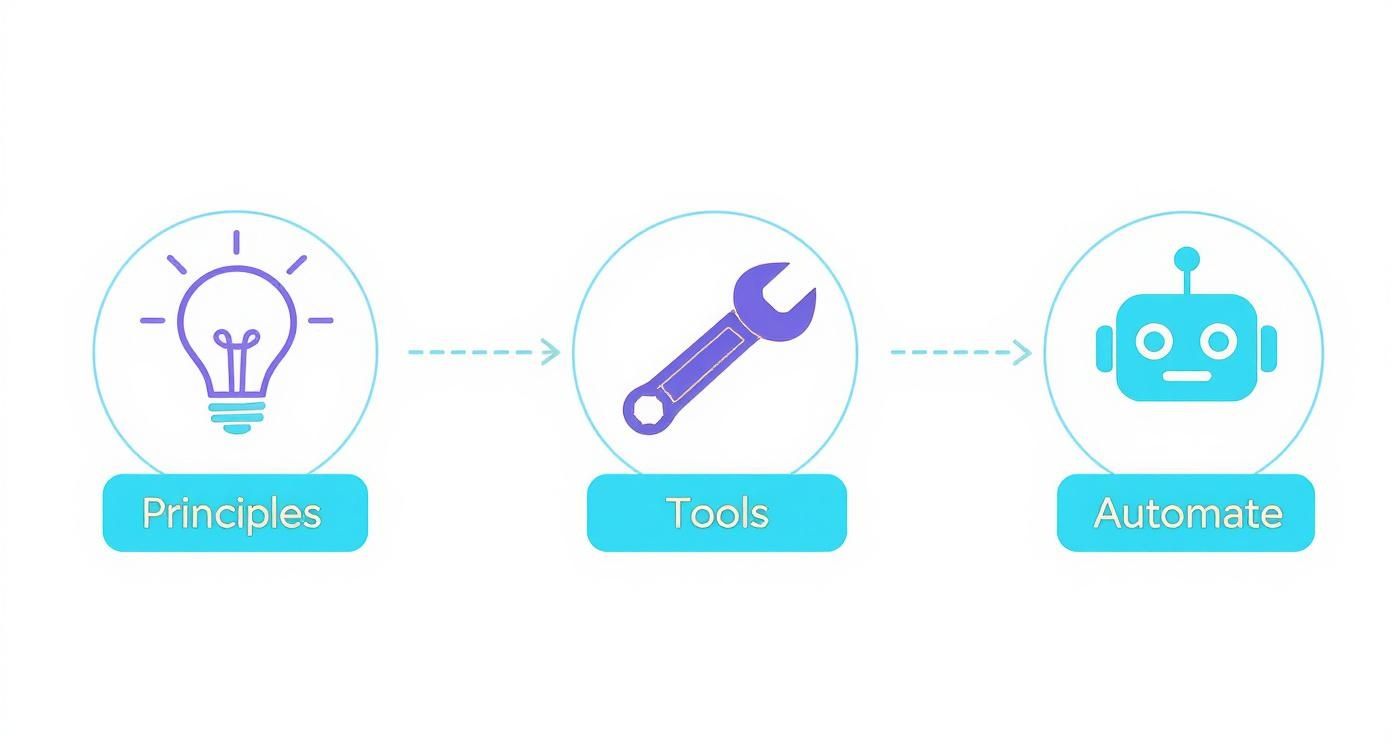
The key takeaway here? Automation isn't just another tool. It’s the final step that turns a solid strategy into a sustainable content machine.
Moving Beyond Manual Design
Template-based design tools were a nice step up from starting from scratch. But they still require a ton of manual effort. You still have to find the content, pick a template, write the copy, and make sure every single element is perfectly aligned. It's a hands-on process that still takes up a lot of time.
True automation goes beyond templates. It’s about removing the human from the most repetitive, time-draining parts of the job. An AI-powered agent can handle the entire visual creation workflow, from identifying relevant topics to producing a finished graphic. This frees you up to focus on strategy and community engagement.
How an Autonomous AI Agent Works
Imagine an AI that doesn't wait for your commands. That's the huge difference between a simple tool and a real content creation agent. Instead of you feeding it prompts, an autonomous agent like Postbae works in the background, generating professional visual social media graphics specifically for your industry.
The whole system is designed to create authority-building educational content that positions you as an expert. It intelligently produces a mix of visual formats that people engage with, including:
- Multi-slide carousels that break down complex ideas into bite-sized, swipeable steps.
- Informative listicles with clean, professional graphics that are easy to scan.
- Myth-vs-fact posts that bust common misconceptions in your niche.
- "Did you know?" fact cards that share surprising stats and grab attention.
Because the AI works on its own, it completely eliminates the need for you to do any manual prompting or design work. This is highly beneficial for small businesses and agencies trying to post consistently without burning out their team or budget.
Combining Automation with Creative Control
One of the biggest concerns people have with AI is losing creative control. "Will it sound like my brand?" "What if I don't like what it makes?" The best systems are built to solve this.
Automation should handle the heavy lifting, not dictate your brand's voice. An effective workflow pairs AI-driven production with complete human oversight, ensuring every post is perfectly on-brand before it goes live.
With a tool like Postbae, for example, every single visual the AI creates is fully editable. You can log in, see the content that's been generated for you, and tweak anything you want. Change the text, adjust the colors, swap out an image—you have the final say.
This hybrid approach gives you the best of both worlds: the speed of automation and the precision of manual control.
To put the time savings into perspective, here's a realistic breakdown of how much time you can reclaim by automating your visual design process.
Time Savings Comparison Manual Design vs. Automated AI
| Task | Manual Creation (e.g., Design Tool) | Automated with Postbae | Time Saved |
|---|---|---|---|
| Topic Ideation & Research | 1-2 hours | 0 hours (AI does it) | 1-2 hours |
| Graphic Design (5 posts) | 3-5 hours | 0 hours (AI does it) | 3-5 hours |
| Copywriting & Editing | 1-2 hours | 15-30 mins (review) | 1.5-2 hours |
| Total Weekly Time | 5-9 hours | ~30 minutes | 4.5-8.5 hours |
As you can see, the hours saved are substantial. This isn't just about efficiency; it's about freeing up nearly a full workday every single week to focus on high-impact activities that grow your business.
This combination of speed and control is becoming more and more critical. Data shows that 86% of marketers report AI saves them at least one hour on creative tasks alone.
Ultimately, automating your visual workflow isn't about replacing creativity; it's about scaling it. By offloading the repetitive design work, you get your time back to focus on what really matters: building relationships with your audience and achieving your social media goals. To dive deeper into this approach, check out our guide on AI social media content creation.
Measuring Your Content Performance and Refining Your Strategy
Posting content without checking the numbers is like talking to a wall. You're putting in the work, but you have no clue if anyone's actually listening, let alone cares. To stop guessing and start growing, you need to look at the data that tells you what’s working, what’s not, and why. This is the feedback loop that separates the pros from the amateurs.
The goal isn’t just chasing likes. It’s about learning the story your analytics are telling you, so you can stop guessing and start making moves that deliver results.
Moving Beyond Vanity Metrics
It feels great when a post gets a ton of likes, but that number rarely translates to business results. Likes are a surface-level metric. To build a strategy that works, you have to track the metrics tied to your real goals.
Forget the fluff. These are the KPIs that really move the needle:
- Engagement Rate: This is the big one. It's the percentage of your audience that took an action—like, comment, share, or save. A high engagement rate means your content is genuinely connecting with people.
- Reach and Impressions: Reach is the number of unique people who saw your post. Impressions are the total number of times it was seen (one person could see it multiple times). Both are key for measuring brand awareness.
- Click-Through Rate (CTR): If you're trying to get people off the app and onto your website, this is everything. It tells you exactly how many people clicked your link, which is a direct measure of how persuasive your call-to-action is.
- Saves: On platforms like Instagram, a save is a massive compliment. It means your content was so useful that someone tucked it away for later. This is a powerful signal that you’re providing real value.
Interpreting the Data to Make Smarter Decisions
Numbers without context are just noise. The real skill is figuring out what the analytics are trying to tell you and then turning those insights into actual changes in your content plan.
For example, let's say your educational carousels get a ton of saves but almost no comments. That tells you your audience finds the information valuable, but they don’t feel the need to discuss it. The fix? Try adding a direct question on the last slide to spark conversation.
On the flip side, what if a certain type of graphic gets a lot of likes but a terrible CTR on your link? That's a clear sign the visual is eye-catching, but the message or offer isn't strong enough to make people act. It's time to rethink your copy.
The best social media strategies are never finished. Think of them as living documents, constantly evolving based on what your audience data is telling you. Let their behavior be your guide.
Simple A/B Testing for Visual Content
You don’t need fancy software to figure out what works. A/B testing can be as simple as trying two different things and seeing which one wins. It’s a powerful way to dial in your visual style.
Here are a few simple tests you can run this week:
- Color Palettes: Post the same information using two different background colors. Does a bold, high-contrast design get more attention than a soft, minimalist one?
- Carousel vs. Infographic: Take the same five tips and present them two ways. First as a swipeable carousel, then as a single, tall infographic. See which format gets more shares and saves.
- Headline Variations: For a listicle-style post, test a straightforward headline ("5 Tips for X") against something more intriguing ("The X Mistakes You Don't Know You're Making"). Which one gets more clicks?
By constantly testing and measuring, you build an evidence-based playbook for what your specific audience craves. It lets you fine-tune your approach with confidence and ensures you’re getting the best possible return on the time you spend creating content.
Got Questions About Making Social Media Content? We’ve Got Answers.
Even with the best workflow, you're going to hit some roadblocks. The day-to-day process of creating content always brings up new challenges. So, let’s clear up a few of the most common questions that pop up for creators and businesses.
How Often Should I Be Posting on Social Media?
Everyone wants a magic number, but there isn’t one. The right frequency really depends on the platform you're on, your industry, and where your audience hangs out online.
That said, consistency is king. It's much better to post at a steady, sustainable pace than to post heavily for a week and then go silent. Think marathon, not a sprint.
A solid starting point for platforms like Instagram or Facebook is 3-5 high-quality posts per week. The real challenge isn't just hitting that number; it's keeping the quality high without burning out. This is where automating your visual content creation with a tool like Postbae can be a major advantage, helping you produce a steady stream of professional graphics on any schedule.
What's the Best Way to Create Visuals if I Have Zero Design Skills?
If you are not a designer, you're not alone. Most non-designers start with templates, but even those can be time-consuming. You still have to find the right content, fit it into a layout, and hope it looks professional.
A much smarter approach is to let an AI agent do the heavy lifting. For example, Postbae is built to autonomously generate entire visual posts for you. It handles everything from identifying relevant topics to designing professional multi-slide carousels and infographics—no design input or tedious prompts needed from you.
How Can I Make My Content More Engaging?
Simple: stop selling and start helping. Engagement is a direct result of the value you provide. The more you can solve a genuine problem for your audience, the more they'll interact with your content.
The most engaging content is the most helpful content. Forget what you want to sell for a minute and focus on what your audience wants to learn. When people start saving your posts for later, you know you've created value.
Here are a few formats that perform well:
- "How-to" carousels that break down a process into easy-to-digest, swipeable steps.
- Tip-and-trick graphics offering quick, actionable advice they can use immediately.
- Myth-vs-fact posts that debunk common misconceptions in your industry.
And don't forget the caption! Ask open-ended questions to get people talking in the comments. Visually, keep your layouts clean and your fonts readable—make it easy for people to consume the information.
What’s the Difference Between an AI Writer and an AI Visual Creator?
This is a very important distinction. An AI writer is all about the text. It's a tool that helps you generate things like captions, blog posts, or ad copy. It handles the words that go with your visuals.
An AI visual creator, on the other hand, makes the actual graphics. Postbae is a perfect example of an advanced AI visual creation agent. It doesn't write your captions; it produces the entire graphical post, like an educational infographic or a multi-slide listicle. It takes care of the design, layout, and visual hierarchy automatically—though you always have the final say and can edit anything it creates.
Ready to stop wasting hours in design tools? Postbae is an AI agent that works for you, autonomously creating professional, industry-specific visual posts for your social media. Get a consistent flow of top-tier carousels, infographics, and more—without lifting a finger. Automate your Social Media today.