How to go viral on linkedin: proven strategies to boost engagement

Learn how to go viral on linkedin with proven strategies to craft engaging posts, visuals, and conversations that boost reach.
Going viral on LinkedIn isn't about dance challenges or chasing trends. It's about combining your unique professional insights with smart, engaging content that actually solves a problem for people in your industry.
The goal? To create posts that spark genuine conversation and build real authority. That’s what the LinkedIn algorithm is built to reward—authentic expertise, not corporate fluff.
What Going Viral on LinkedIn Really Means
Virality on LinkedIn is completely different from any other platform. It has nothing to do with fleeting memes and everything to do with tangible business impact.
It’s the difference between a post that gets a few hundred views and one that reaches tens of thousands, flooding your inbox with new connection requests, newsletter subscribers, and qualified leads. This isn't a game of chance. It’s a repeatable process built on a foundation of value, authenticity, and strategic content.
You're not just chasing vanity metrics. You're establishing yourself as a trusted authority in your field.
Shifting from Corporate Speak to Human Connection
Here's the single most important shift you can make: post from your personal profile, not your company page.
The data on this is overwhelming. Posts from personal profiles generate a whopping 2.75 times more impressions and a full five times more engagement than posts from company pages. In a feed that gets over 9 billion impressions a week, sounding like a real person is how you cut through the noise.

This proves a simple truth: people connect with people, not logos. Your unique perspective, your personal stories, and your professional opinions are your most powerful assets.
Generously sharing your expertise in a way that solves a problem, sparks a debate, or makes someone feel understood in their professional life is what creates genuine conversation—the primary fuel for the LinkedIn algorithm.
The Four Pillars of LinkedIn Virality
To consistently create content with viral potential, you need to nail four core components. Think of these as the legs of a table—if one is missing, the whole thing wobbles. Mastering them turns your content strategy from a guessing game into a reliable engine for growth.
Here's a quick breakdown of what you need to focus on.
The Four Pillars of LinkedIn Virality
| Pillar | Key Action | Why It Matters |
|---|---|---|
| Authentic Value | Share unique insights and solve real problems for your audience. | Provides a compelling reason for people to stop scrolling, engage, and follow you for future content. |
| Visual Storytelling | Use high-impact visuals like carausels and infographics. | Captures attention in a crowded feed and keeps users on your post longer, signaling value to the algorithm. |
| Strategic Engagement | Foster and participate in meaningful conversations in the comments. | High engagement in the first few hours is the most critical signal that tells LinkedIn to show your post to a wider audience. |
| Optimized Profile | Ensure your profile is a professional hub that builds credibility. | A strong profile converts post viewers into followers and connections, amplifying the impact of your viral reach. |
By building your strategy around these pillars, you create a system where each element reinforces the others, helping you build unstoppable momentum. And to truly understand the impact of your efforts, it's crucial to learn how to measure social media engagement effectively.
Building Your Foundation for Viral Success
Before you even think about writing a viral post, you need to be honest about your profile. Is it a launchpad or an anchor?
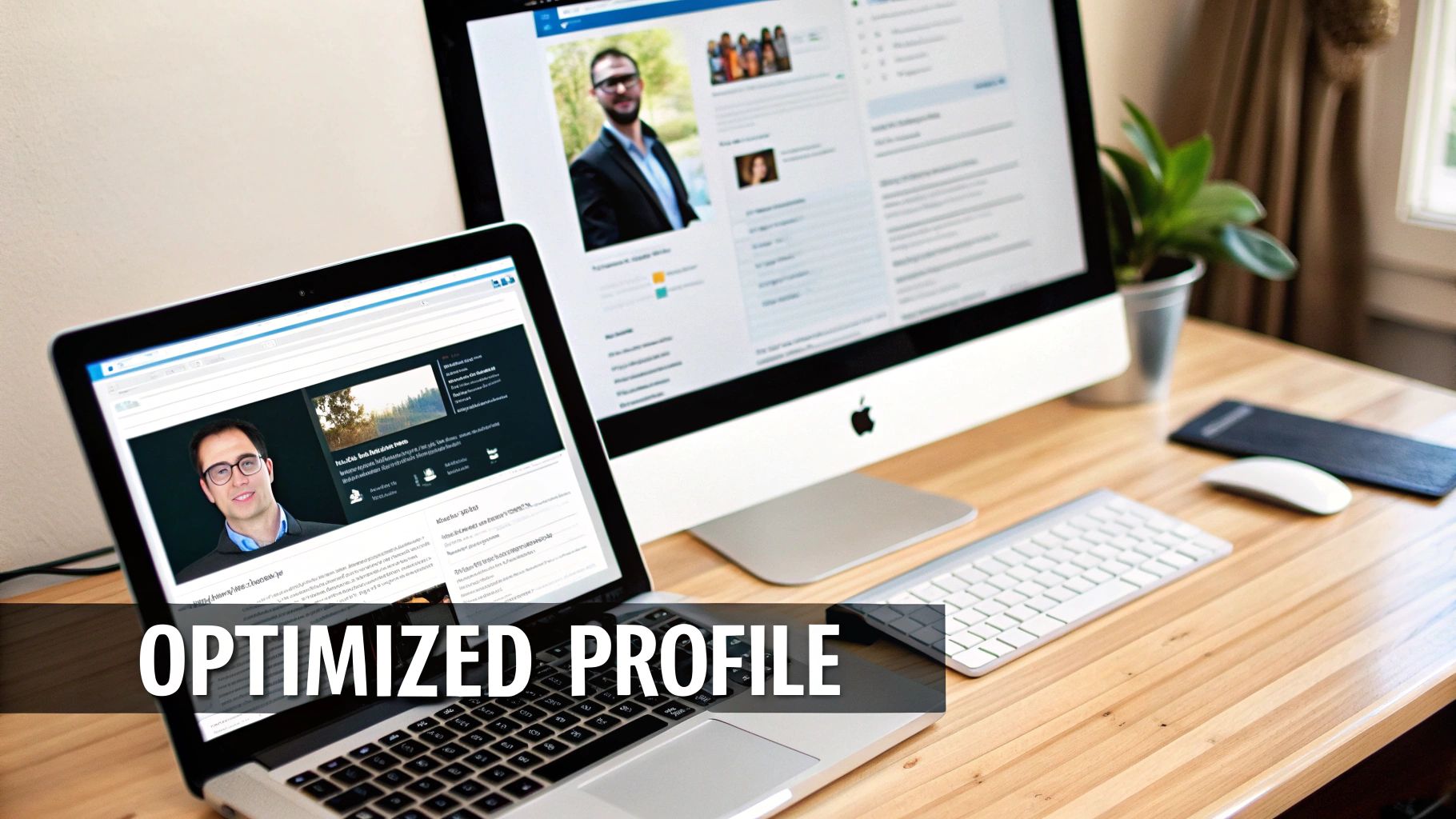
When a post takes off, hundreds—sometimes thousands—of people will click to see who you are. Your profile is that critical first impression. It's the split-second decision that determines if they hit "follow" or just keep scrolling.
Think of it as the professional hub for your personal brand. Every section needs to work together to tell a compelling story about your expertise, your value, and why your insights are worth paying attention to. A weak or incomplete profile can kill a viral post's momentum before it even gets going.
Optimize Your Professional Real Estate
Your profile isn't just a resume; it's a dynamic landing page. The goal is to instantly communicate your value and build credibility. Small tweaks here have a massive impact on converting those curious viewers into followers.
Start with your most visible assets:
- Profile Picture and Banner: Get a professional, high-resolution headshot where you look approachable. Your banner image is prime real estate—don't waste it. Use it to visually communicate what you do or who you help.
- Headline: Don't just list your job title. Your headline is a mini-pitch that follows your name everywhere on the platform. A proven formula is: [Your Role] | Helping [Your Target Audience] Achieve [Their Goal] with [Your Expertise]. This makes your value instantly clear.
- About Section: Treat this like a story, not a list of accomplishments. Kick it off with a hook that hits on a pain point your audience feels. Then, explain how your experience and skills provide the solution. Break it up with short paragraphs and bullet points so people can actually scan it.
Your LinkedIn profile's job is to answer one question for a new visitor within five seconds: "Why should I listen to you?" If your headline, photo, and banner can't do that, you've already lost a potential follower.
Curate Your Network for Amplification
Going viral on LinkedIn isn't about connecting with everyone; it’s about connecting with the right people. Your 1st-degree connections are your initial launch crew. When they engage with your post, the algorithm shows it to their networks, creating a ripple effect.
This means a smaller, highly engaged network of 1,000 active followers is far more powerful than 20,000 passive connections who never interact with your content.
Here’s how to build a network that actually helps you:
- Identify Industry Leaders: Find and follow the top voices in your niche. But don't just connect; engage with their content thoughtfully. Leaving insightful comments on their posts puts you on their radar and exposes you to their active audience.
- Connect with Peers and Collaborators: Seek out other professionals at your level who are also active on the platform. These are the people most likely to jump into a real conversation and share your stuff with their own relevant networks.
- Engage Before You Post: Warm up the algorithm. Spend 15-30 minutes actively engaging with others' content before you publish your own post. This signals to LinkedIn that you're a real community member, not just someone broadcasting into the void.
Showcase Your Best Work
The "Featured" section is one of the most underutilized parts of a LinkedIn profile, and it’s a huge mistake to ignore it. This is where you can pin your best content, case studies, or links right below your "About" section, giving people tangible proof of your expertise.
Use this space to highlight things like:
- Your top-performing LinkedIn posts or articles.
- Links to your company website, portfolio, or newsletter sign-up.
- Case studies or testimonials that prove you know your stuff.
- Media appearances or guest blog posts on other sites.
By strategically curating your profile and network first, you build a solid foundation. When you finally hit "post" on that killer piece of content, you'll have an optimized launchpad and an engaged audience ready to help it take flight.
Crafting Content That Stops the Scroll
Viral LinkedIn posts don’t just happen. They’re engineered. The posts that truly take off are built on specific structures and psychological triggers that grab a professional’s attention in a feed that’s already overflowing with noise.
If you want a shot at going viral, you need to get past the generic advice and learn the anatomy of a scroll-stopping post. The goal is to create something that feels immediately valuable and sparks a ton of curiosity. Professionals on LinkedIn are short on time, so your post has to offer a clear payoff within the first few seconds.
This is where proven content frameworks come in. They give you a reliable blueprint for your ideas.

Proven Frameworks for Viral Posts
Don't start from a blank page. Lean on established formulas designed to build a narrative and drive engagement. Think of these as blueprints for structuring your thoughts in a way that hooks a professional audience and practically begs for interaction.
- Problem-Agitate-Solve (PAS): This classic copywriting formula is pure gold on LinkedIn. Start by calling out a common pain point your audience feels. Then, agitate that problem by digging into its negative consequences. Finally, position your insight, product, or service as the clear solution.
- The Contrarian Take: This is all about challenging a widely accepted belief in your industry. It works because it’s provocative and instantly signals you have a unique point of view. The trick is to back up your unpopular opinion with solid reasoning or data to spark a healthy debate—not just to be controversial for the sake of it.
- Storytelling with Data: Numbers on their own are boring. Instead of just dropping a statistic, wrap it in a short story. Share the context behind the data, the real-world impact it had, and the lesson you learned. This makes the information sticky and far more relatable.
Getting your content seen is one thing, but understanding the mechanics behind virality is another. You can dive deeper into how to create viral content to really sharpen your strategy.
The Anatomy of a High-Performing Post
Every viral post has three critical parts that work together to capture and hold attention. If you can master each one, you turn a good idea into a great post that the LinkedIn algorithm can't help but share.
1. The Irresistible Hook (Your First 1-2 Lines)
Your first sentence is everything. It's the only thing people see before they have to click "see more." It has to be powerful enough to make them stop scrolling and want the rest of the story.
- Ask a provocative question: "What if everything you know about marketing is wrong?"
- State a bold opinion: "Cold calling is dead. Here's what replaced it."
- Use a number or statistic: "95% of startups fail for the same reason."
2. The Compelling Body (The Core Message)
This is where you deliver on the promise you made in your hook. The body of your post needs to be incredibly easy to read. Use short sentences, single-line paragraphs, and bullet points to create tons of white space. This scannable format is non-negotiable for holding attention on mobile. Structure your points logically, building your argument or telling your story step-by-step.
3. The Clear Call to Discussion (CTD)
Never let your post just... end. Instead of a generic Call to Action (CTA) like "visit our website," use a Call to Discussion (CTD) to invite real comments. This is absolutely crucial because comments are the main fuel for the LinkedIn algorithm.
A post's viral potential is often decided by its ending. A great post doesn't just inform; it starts a conversation. Ask a specific, open-ended question that encourages people to share their own experiences and opinions.
Here are a few CTDs that work well:
- "What's the single biggest challenge you're facing with [topic]? Share in the comments."
- "I might be wrong on this. What's your take?"
- "Have you ever experienced this? I'd love to hear your story below."
By intentionally engineering your content with these frameworks and structural elements, you stop just sharing information and start creating experiences that demand engagement. That strategic shift is key to going viral on LinkedIn.
Mastering Visuals with Carousels and Graphics
In a professional feed packed with text, high-quality visuals are your single biggest advantage for standing out on LinkedIn. A well-written post can grab someone's interest, but a visually compelling one stops the scroll entirely.
It's the difference between someone reading your first line and someone spending several minutes actually engaging with your content.
Visuals aren't just for show; they're a strategic tool. They break down complex ideas into bite-sized pieces, tell stories more effectively, and hold attention for way longer. That increased "dwell time" is a massive signal to the LinkedIn algorithm that your content is valuable, which in turn gets your post shown to a much wider audience.
The Unrivaled Power of LinkedIn Carousels
Among all the visual formats, one stands out as a true engagement powerhouse: carousels.
These multi-slide presentations (usually shared as PDFs) turn a simple post into an interactive experience. Instead of just reading, people are actively swiping through your content, which keeps them on your post for a significantly longer time.
This format is especially effective for educational, authority-building content. You can walk someone through a process, break down a complex topic, or share a list of valuable tips, with each slide building on the last. It’s that storytelling element that makes them so addictive and shareable.
The data is pretty clear on this. Carousels are LinkedIn's undercover superstars, pulling in a staggering 45.85% engagement rate and blowing every other format out of the water. On a platform that racks up 9 billion weekly impressions, these interactive, swipeable gems prove that getting people to participate is the name of the game.
Structuring a Carousel for Maximum Impact
A great carousel isn't just a random collection of slides. It's a carefully crafted journey designed to pull the reader from a hook all the way to a conclusion.
- The Attention-Grabbing Cover: Your first slide is your hook. You need a bold title, a provocative question, or a surprising statistic to make someone stop dead in their tracks and swipe.
- The Educational Core: The middle slides (think 3-8 of them) are where you deliver the goods. Use a mix of text, icons, and graphics to present your information clearly. Keep the text on each slide minimal—you want it clean and professional, not cluttered.
- The Compelling Call-to-Action: Your final slide is your chance to drive action. Don't just let the content end; tell people what to do next. Ask a question to spark a discussion in the comments or invite them to follow you for more insights.
For a complete playbook on this format, check out our guide on how to create the perfect LinkedIn carousel post.
Automating High-Performing Visual Content
The challenge for most small business owners, marketers, and creators isn't knowing that visuals work; it's finding the time and skill to create them consistently.
Designing a professional, multi-slide carousel or a slick infographic can take hours. It demands a mix of research, copywriting, and graphic design skills that most people just don't have on tap.
This is exactly the problem Postbae was built to solve. It’s an AI-powered content agent that automatically generates these exact types of high-performing visual graphics for you.
Here’s an example of the kind of professional, ready-to-post visual content that Postbae generates on autopilot.
The platform is designed specifically to create the authority-building content that gets viral reach, like educational carousels, listicles, and industry insights.
Unlike manual design tools, Postbae works autonomously in the background without needing a single prompt. It understands your industry and produces complete, professional social media graphics that are ready to go. This lets you consistently publish the kind of visually engaging content that the LinkedIn algorithm loves, dramatically increasing your chances of going viral.
And even though the process is automated, you still have full creative control to edit and customize every post before it goes live.
Optimizing Your Posting and Engagement Strategy
Creating a scroll-stopping post is a huge win, but it's only half the battle. To go viral on LinkedIn, you have to master distribution and engagement. A brilliant post with a flawed launch strategy dies before it ever has a chance to take off.
The actions you take—or fail to take—in the first hour after hitting "Post" can make or break your shot at a breakout hit. This is where you shift from being a content creator to a strategist, actively shaping your post's trajectory. It all comes down to timing, a proactive engagement plan, and a smart approach to discoverability.
Nail Your Posting Time and The Golden Hour
Timing your post isn’t just some minor detail; it’s a strategic move to grab as much initial visibility as possible. Data consistently points to the same sweet spot: mid-week, between Tuesday and Thursday, from 10 AM to noon in your target audience's time zone. This is when professionals are most active, settled into their work routines, and actually scrolling the feed.
But the real make-or-break period is the first 60 minutes after you publish. We call this the "golden hour." The LinkedIn algorithm is watching your post like a hawk during this time. A quick surge of likes and, more importantly, comments from your 1st-degree connections signals that your content is valuable. That’s the trigger that tells LinkedIn to start pushing it to a wider audience.
Your job is to pour gasoline on that initial fire.
- Respond Immediately: Don't just "like" comments—reply to every single one as it comes in. Ask follow-up questions to spark a genuine back-and-forth conversation.
- Tag Relevant Connections: If you mentioned a specific person or company, tag them. It’s a simple way to draw their attention and encourage a response.
- Avoid Early Edits: Whatever you do, do not edit your post within the first hour, especially if it's gaining traction. Editing can reset the algorithm's evaluation of your post, killing your momentum instantly.
Amplify Your Reach with Strategic Hashtags
Think of hashtags as your post's discovery engine. They’re how you reach people beyond your immediate network. The key is a balanced strategy—you want a mix of broad and niche tags to cast a wide net while still attracting a super-relevant audience.
A good rule of thumb is 3 to 5 highly relevant hashtags per post. Anything more starts to look spammy.
- Broad Tags (1-2): These are the big, popular ones like
#Marketingor#Leadership. They expose your content to a massive audience, getting more eyeballs on it early on. - Niche Tags (2-3): Get specific here. Think
#ContentStrategyor#B2BMarketingTips. These connect you with a more targeted, engaged community that is actively searching for your kind of expertise.
This combination gives your post broad exposure while ensuring it also lands in the feeds of professionals who are most likely to find it genuinely valuable.
This visual flow breaks down the essential steps, from structuring your content all the way to automating its visual design.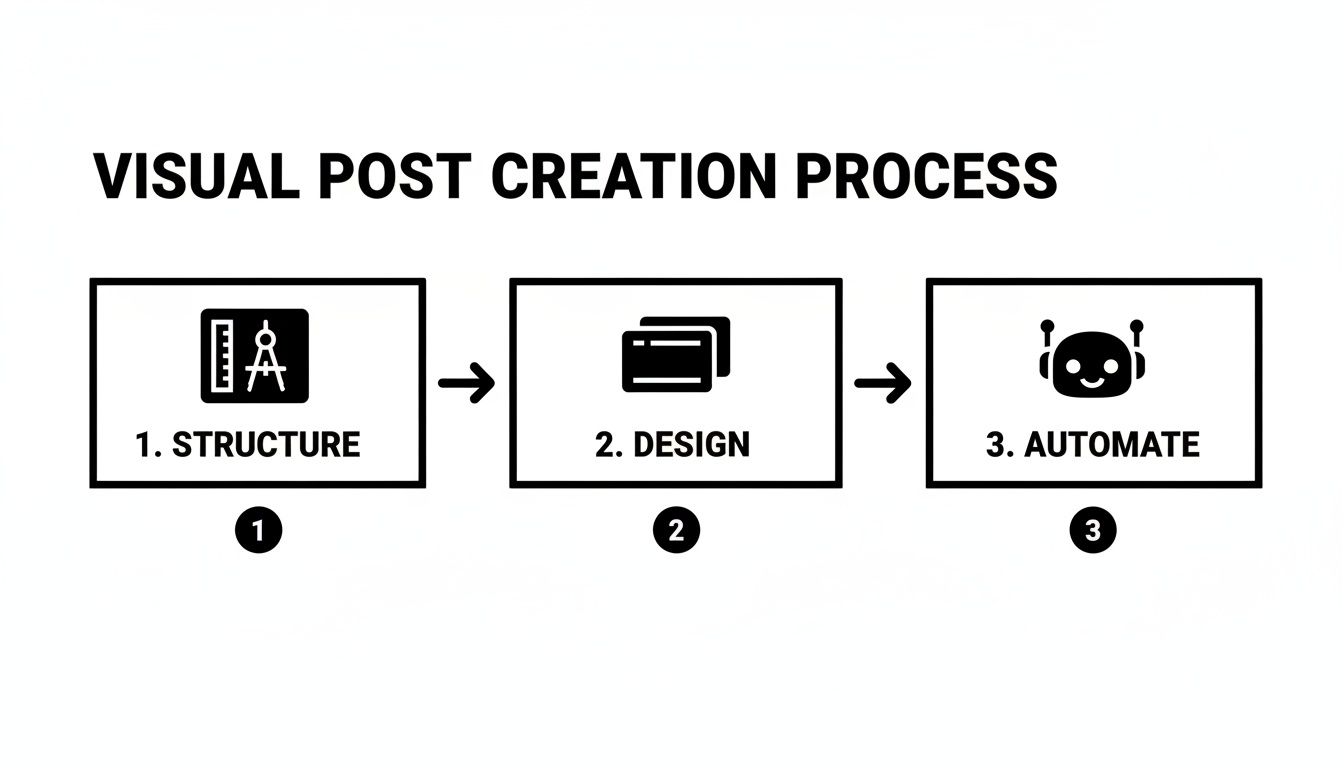
The main takeaway here is that virality is a process. It starts with a solid content structure and ends with consistent, visually appealing design, which you can even automate.
Build a Community of Reciprocal Engagement
Finally, remember that LinkedIn is not a broadcast channel; it's a professional community. The most successful creators understand this simple truth: you have to give engagement to get engagement.
Spend 15-20 minutes before you post engaging with content from others in your niche. Leave thoughtful, genuine comments on their posts and jump into relevant discussions. This "warms up" the algorithm, showing that you're an active member of the community. But more importantly, it builds real relationships with peers who will be far more likely to return the favor when they see your content.
To really kick things into high gear, you can also explore strategies that actively encourage LinkedIn reposts, which can dramatically expand your reach.
Virality is rarely a solo act. It's often the result of a supportive network amplifying your message. By consistently providing value to others, you build the social capital needed for them to champion your content when it matters most.
Got Questions About Going Viral on LinkedIn?
Going viral isn't just luck; it's a process. And along the way, a lot of questions pop up. Let's tackle some of the most common ones we hear from creators and businesses trying to crack the code.
How Many Times a Week Should I Really Be Posting?
Consistency beats frequency every time. But if you want a real target, aim for 3-5 high-quality posts per week.
This keeps you top-of-mind with your network and signals to the algorithm that you're an active contributor. Any less than twice a week, and you risk losing momentum. A practical approach? Focus on one truly killer, value-packed post each week, then supplement it with two or three other engaging updates.
Do I Need a Huge Network to Go Viral?
No. What you need is an engaged network. An active group of 1,000 followers is far more powerful than 20,000 passive connections.
Here’s why: the LinkedIn algorithm pays close attention to what your 1st-degree connections do in the first hour after you post. If they jump on it with comments and shares, LinkedIn sees that as a sign of quality and starts pushing your content to their networks. That's how the ripple effect starts.
Focus on building a network of people in your industry who actually talk to each other. That’s what triggers the viral cascade, not just a massive follower count.
Can an AI Tool Actually Help My Posts Go Viral?
Yes, especially when it comes to the visuals. The posts that really pop on LinkedIn are visually driven. Think about those multi-slide carousels that get high engagement—they work, but they are a massive time sink to create consistently.
This is where a tool like Postbae can help. Its AI agent doesn't just give you ideas; it automates the entire creation process for visual posts. It can generate professional graphics and carousels tailored to your industry without you even writing a prompt.
This lets you consistently publish the kind of high-impact visual content that the algorithm loves, seriously upping your chances of going viral. And you still have full control to tweak and edit anything it creates.
What Metrics Tell Me a Post Is Actually Going Viral?
Forget likes. They're a vanity metric. To see if a post is truly taking off, you need to look at the signals that show deep engagement and algorithmic favor.
Here’s what to watch for:
- Comments-to-Likes Ratio: A post with tons of comments but fewer likes is a goldmine. It means you’ve sparked a real conversation, and the algorithm loves that.
- Impression Velocity: Is your impression count suddenly spiking 24 hours after you posted? That's a huge sign the algorithm has picked up your content and is blasting it out way beyond your immediate network.
- Viewer Demographics: Dive into the analytics. Who's seeing your post? When you see the right companies, job titles, and locations showing up, you know you're not just going viral—you're going viral with the right people.
Keeping an eye on these indicators gives you a much clearer picture of whether your post has what it takes to achieve true viral reach.
Ready to consistently create the kind of scroll-stopping visual content that gets you noticed on LinkedIn?
Postbae is an AI-powered agent that automatically generates professional, ready-to-publish social media graphics like carousels and infographics, tailored to your industry—no prompts required. Let our AI handle the design work so you can focus on building your authority and starting conversations.
Learn more about how Postbae automates your social media content creation.