Social Media Marketing for Small Business Guide

Master social media marketing for small business with this guide. Learn to set goals, pick platforms, create visual content, and track real results.
Social media marketing for a small business isn't just about posting pretty pictures. It's how you find your people, build a genuine connection, and ultimately, drive sales on platforms like Instagram, Facebook, and LinkedIn.
It’s not optional anymore. This is your direct line to the customers you want, right where they're already spending their time.
Nail Your Social Media Foundation First
Jumping onto social media without a plan is a one-way ticket to burnout. It feels like you're shouting into the void, wasting time and money on posts that go nowhere. A solid foundation is what makes every single post, comment, and campaign you launch actually do something for your business.
This isn't just a hunch; the numbers are staggering. 96% of small businesses are already using social media because that's where the customers are—all 5.07 billion of them. People spend an average of 2 hours and 13 minutes a day scrolling. That's a huge window of opportunity.
Globally, a huge number of small businesses are on social media, with a whopping 83% saying the number one benefit is getting their name out there. (If you're a data enthusiast, you can dig into more social media business statistics to see the full picture.)
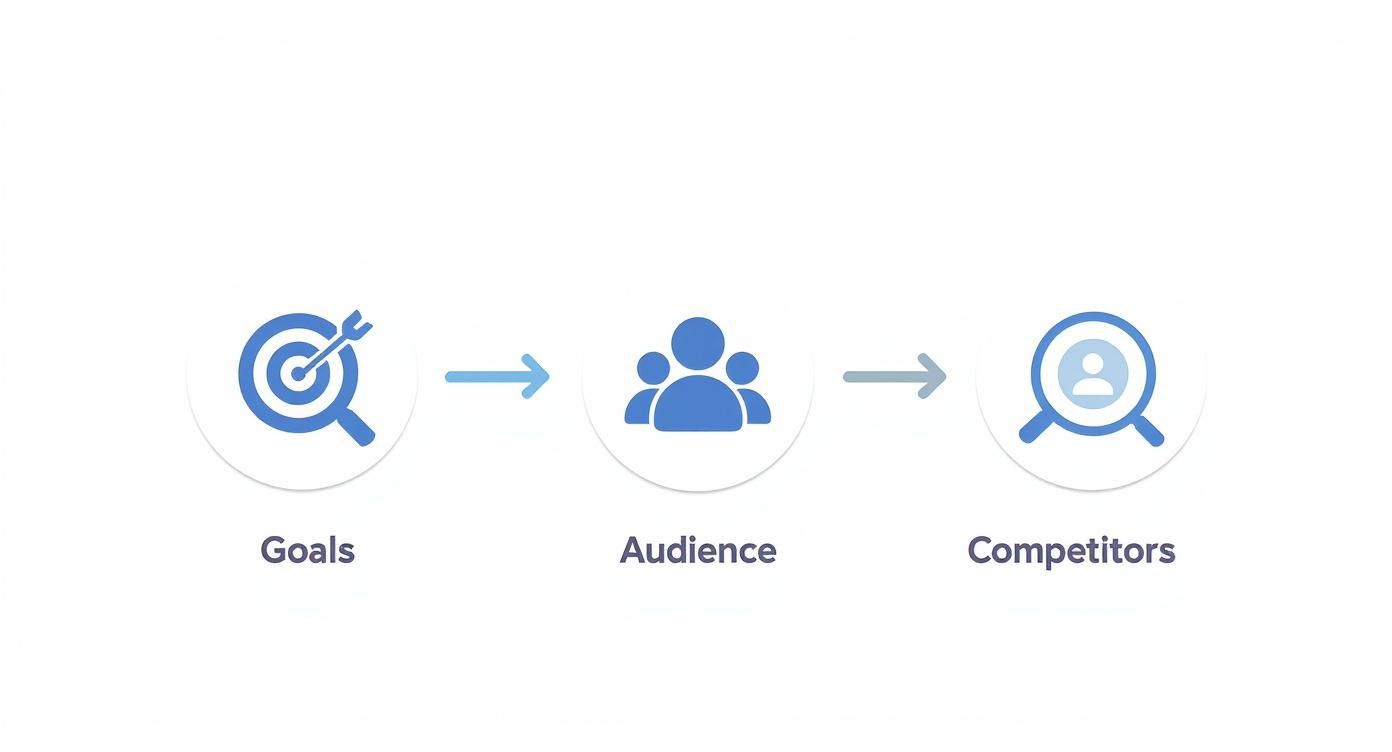
Set Goals That Actually Mean Something
Before you even think about your next post, stop and ask yourself: “What am I actually trying to achieve here?”
Vague goals like "get more followers" are a trap. They don't pay the bills and are impossible to track effectively. Your social media goals need to be tied directly to real business outcomes.
So, what does your business need right now? More eyeballs on your brand? More people walking through your door?
Here are a few examples of goals that aren't just fluff:
- Boost Brand Awareness: Grow our Instagram follower count by 15% this quarter.
- Drive Website Traffic: Increase clicks to our website from social media by 20% in the next 90 days.
- Generate Leads: Collect 50 new email sign-ups a month from the link in our bio.
- Build an Engaged Community: Increase the average number of comments per post by 10% month-over-month.
See the difference? These goals give you a finish line. You'll know if you're winning, and if not, you'll know it's time to switch things up.
Get to Know Your Audience (Like, Really Know Them)
The key to social media is knowing who you’re talking to. And I mean knowing them better than their best friend. Basic demographics like age and location are just the starting point.
To really connect, you need to dig deeper into their world.
Ask yourself these questions to paint a clearer picture:
- Where do they actually hang out online? Is it Facebook, TikTok, or a niche forum?
- What kind of content makes them stop scrolling? Funny videos? In-depth articles? Relatable memes?
- When are they most likely glued to their phones? During their morning commute? Late at night?
- What's a problem they have that my business can solve?
A great way to make this real is to create a "buyer persona." It's basically a fictional character who represents your ideal customer. Give them a name, a job, and a personality. This persona becomes your guide for everything—from the tone you use to the content you create. It ensures your message doesn't just get seen; it gets felt.
Crafting Your Winning Content Strategy
Alright, you've got your foundation. Now for the fun part: your content strategy. This is what separates random posting from publishing with a purpose. It's the engine that'll actually build your brand, pull in your audience, and start hitting those business goals you set earlier.

This doesn't have to be some overly-complicated, 50-page document. It starts with defining your "content pillars"—the core themes that give your feed some structure and stop you from posting pictures of your lunch every day (unless you're a cafe, then please do). These pillars are the main topics you'll consistently talk about, so your audience knows exactly what they're getting from you.
Establishing Your Core Content Pillars
Think of content pillars as three to five key topics that your brand will own. These are themes that are genuinely interesting to your audience but also tie back to what you sell. This simple framework is a lifesaver—it stops the daily scramble for post ideas and ensures you have a healthy mix of content.
A solid mix usually includes a few of these:
- Educational Content: This is your chance to be the expert. Share tips, how-to guides, and insider knowledge that actually solves your audience's problems. Build that authority.
- Behind-the-Scenes Content: People connect with people, not logos. Show the human side of your business. Introduce your team, share your messy creation process, or celebrate a small win.
- Community-Focused Content: Make your customers the heroes. Share their photos (user-generated content), post glowing testimonials, and tell their stories. It’s the best social proof you can get.
- Entertaining Content: Let your personality show! Use a little humor, drop a relatable meme, or share an engaging story. This is how you become memorable.
For example, a local bakery's pillars might be "Baking Tips & Tricks," "Meet Our Team," and "Customer Creations." See? Simple. This gives them a clear roadmap for what to post each week, keeping their content fresh and completely on-brand.
Overcoming the Visual Content Hurdle
One of the biggest headaches for any small business is the constant demand for eye-catching visuals. Pumping out professional-looking graphics day after day can feel like a full-time job, especially if you're not a designer. This is where automation can be a powerful ally.
Tools like Postbae were built to solve this exact problem. It’s an AI-powered agent that completely automates the creation of professional visual social media graphics. It works in the background, autonomously generating industry-specific posts for your Instagram, Facebook, and LinkedIn feeds.
The key difference here is that it requires zero prompts from you. The AI is smart enough to generate ready-to-post visual content like:
- Multi-slide educational carousels
- Myth-vs-fact infographic posts
- Tips & tricks visual guides
- Did-you-know fact cards
Postbae isn't a scheduler or a caption-writing tool—it creates the actual visual graphics that stop the scroll and establish your authority. This frees up hours of your time, letting you focus on strategy and engaging with your customers while your feed stays polished. Plus, you still have full creative control to edit and customize every graphic it makes.
Planning Your Content with a Calendar
Okay, you've got your pillars and a powerful tool for creating visuals. The next step is getting organized. A content calendar is your master plan, turning your strategy into an actual schedule. It’s the single best way to stay consistent and avoid that 5 PM panic of, "Oh crap, I haven't posted today!"
A content calendar doesn't just organize your posts; it organizes your entire marketing effort. It helps you align your social media activity with business milestones, holidays, and sales promotions, ensuring a cohesive message across all channels.
Your calendar can be a simple spreadsheet or a dedicated app—the tool doesn't matter as much as the habit. The goal is just to map out your content ahead of time.
Start by planning a week or a month out. For each day, decide:
- Which content pillar you're hitting.
- What the post's core message or topic is.
- The format you'll use (e.g., single image, carousel, infographic).
This structured approach keeps your feed balanced and ensures you're always delivering value. To keep things from getting stale, you should constantly be looking for fresh social media content ideas that you can adapt to your pillars.
For a deeper dive, we've put together a complete guide to building out your plan in our social media content strategy template. Trust me, planning ahead transforms social media from a daily chore into a strategic business activity.
Getting Your Hands Dirty: Community Management and Daily Workflow
Creating awesome content is maybe half the battle. Seriously. The other half—the part that actually turns a random follower into a loyal customer—is showing up every single day and actually talking to people. This is where you stop broadcasting and start building a real community.

Daily channel management isn't about posting and ghosting. It's about listening, responding, and being part of the conversation. When someone takes the time to leave a comment, they're basically knocking on your door. Answering them shows you're home, you're listening, and you actually care.
This one simple act is huge for loyalty. In fact, studies show nearly 80% of consumers are more likely to buy from a brand after they've had a positive interaction on social media. People remember who made them feel heard.
Don't Let Social Media Eat Your Day
An efficient workflow is your only defense against social media burnout. It’s what keeps you consistent without chaining you to your phone 24/7. The trick is to create a simple, repeatable schedule for your daily tasks. And no, this isn't just about posting. It's about setting aside dedicated time to engage.
Here’s a realistic daily process that won’t drive you crazy:
- Morning Check-in (15 minutes): First thing, with your coffee. Scan your notifications across all platforms. Deal with any urgent comments or DMs that came in overnight.
- Midday Engagement (20 minutes): This is your proactive time. Reply to new comments, thank people who shared your stuff, and go interact with a few posts from other local businesses or people in your niche. Be a good neighbor.
- End-of-Day Review (10 minutes): Do one last sweep for anything you missed. If you haven't batched your content, now’s the time to schedule tomorrow's post.
This structured approach keeps you present without letting social media become a black hole for your time.
The Art of Actually Managing Your Community
Community management is all about tending to the space you've built. It's more than just Q&A; it's about making sure your corner of the internet is a positive place where your audience feels seen and appreciated. That means handling the good and the bad feedback with a bit of grace.
When someone leaves negative feedback, don't panic. It’s a public opportunity to show off your amazing customer service, solve a real problem, and get free insights on how to make your business better. Whatever you do, don't delete negative comments unless they're spam or flat-out abusive.
Acknowledge the happy comments with a personalized thank-you. For the unhappy ones, reply publicly first to show you're on it, then offer to take the conversation to DMs to sort out the specifics. That transparency builds a ridiculous amount of trust. For a deeper dive, check out our guide on how to increase social media engagement.
Putting It All Together: Great Visuals and a Smart Process
So, while a tool like Postbae can completely automate the creation of your visual graphics—churning out slick multi-slide carousels or educational posts without you lifting a finger—you still have to bring them to life. The visuals are the hook, but your process is what makes it all work.
After Postbae autonomously whips up a fresh set of graphics, your job gets a whole lot easier. You can pour your energy into the human part: writing captions that actually start a conversation and give context to those awesome visuals.
Once your caption is dialed in, use a scheduler like Buffer or the native Meta Business Suite to get your posts lined up. This lets you batch your work, knocking out a week's worth of content in a single session. This is the magic formula: automated visual creation paired with strategic, human-powered scheduling. It's the key to staying consistent, looking professional, and actually engaging the community you're working so hard to build.
Measuring Success and Optimizing Your Approach
Alright, you're creating killer content and chatting with your community. That’s awesome. But how do you know if any of it is actually working? Are those witty posts actually turning into sales, or are you just shouting into the void?
This is where the magic of measurement comes in. Without looking at your numbers, you’re basically guessing. Diving into your analytics is what separates hoping for the best from making smart, data-backed decisions that actually grow your business.
And no, you don't need a Ph.D. in data science. Every single platform—Facebook, Instagram, LinkedIn, you name it—has free, built-in analytics tools. These dashboards are literally designed to show you what's working, who's watching, and what they do next.
Key Metrics That Actually Matter for Small Businesses
It's way too easy to get buried in a mountain of data. To keep from getting overwhelmed, just focus on a few key performance indicators (KPIs) that tie directly back to the goals you set earlier.
Here are the essentials every small business should be tracking:
- Reach: This is the raw number of unique people who laid eyes on your post. It's your go-to metric for brand awareness. If your goal is to get your name out there, you want to see this number climbing.
- Engagement Rate: This tells you what percentage of your audience is actually interacting with your stuff (likes, comments, shares, saves). It's the single best indicator of whether your content is truly connecting with people or just falling flat.
- Website Clicks: Trying to drive traffic? This is your holy grail. It shows you exactly how many people clicked the link in your post or bio to land on your website, blog, or product page. No guesswork here.
- Conversions: This is the endgame for most of us. A conversion is when someone takes that final, desired action—signing up for your newsletter, downloading your guide, or, best of all, making a purchase. This metric connects social media activity directly to revenue.
Once you start tracking these, you can see what’s really working. Are those "behind the scenes" videos getting a ton of engagement? Do your educational carousels drive the most website clicks? The data holds all the answers.
Using Data to Sharpen Your Strategy
Analytics are completely useless if you don't do anything with them. Checking your data needs to be a regular habit, not something you remember to do once a quarter. A simple monthly review is a perfect place to start.
Look for the patterns. Ask the tough questions. Most small businesses only have 2% to 5% of their revenue to put towards social media, so every post has to pull its weight.
The numbers tell a story. For instance, projected engagement rates for 2025 show LinkedIn at a strong 6.50%, with Facebook at 5.07% and Instagram much lower at 1.16%. If your engagement on Instagram is struggling, maybe it's time to rethink your content or shift your focus. You can find more 2025 social media marketing statistics on dreamgrow.com.
Don't just look at the numbers—look for the story they tell. A big spike in reach last Tuesday might line up with that post you did about a local event. A sudden drop in engagement could be a sign that a content pillar isn't resonating like you thought it would.
By checking in on your performance regularly, you can double down on what’s crushing it and ditch what’s not. If educational carousels are getting all the love, make more of them. If your audience is sleeping on your quick tips, it might be time to cut that from the playbook.
This constant cycle—measure, learn, optimize—is the real secret to a social media strategy that works. For a deeper dive, check out our guide on how to measure social media engagement.
Advertising Smartly on a Small Business Budget
Organic social media is the heart and soul of your strategy, but sometimes it needs a boost. This is where paid ads come in. A smart, strategic ad campaign is the most direct way to cut through the noise and get your message in front of the exact people you want to reach.
Paid advertising isn't just for massive corporations with bottomless marketing budgets. For a small business, it's about efficiency. Think of it less like a megaphone in a crowded park and more like a quiet, one-on-one conversation with your ideal customer. You're not just hoping the right people find you; you're paying to make sure they do.
What Are You Trying to Accomplish?
Before you spend a single dollar, you need to answer one question: What’s the goal? Are you trying to get more eyeballs on your website? Generate actual leads for a service? Or just let everyone in your town know you exist? Each one of these goals requires a totally different ad campaign.
Once your objective is crystal clear, you get to tap into the real magic of social ads: precision targeting. Platforms like Facebook and Instagram let you get incredibly specific about who sees your ads. You can target people based on:
- Demographics: Age, gender, location, language.
- Interests: The hobbies they have, the pages they've liked, and the topics they obsess over.
- Behaviors: Things like their past purchase activity or even the type of phone they use.
This is how you make a small budget feel big. You stop wasting money on people who will never buy from you and focus every penny on those most likely to become customers.
You Don't Need a Huge Budget to Start
Seriously, you don't need thousands of dollars to see results. The smartest move is actually to start small. This lets you test the waters and figure out what works without taking a massive financial risk.
A fantastic place to begin is by boosting a post that’s already doing well. Go look at your feed right now. Find a post that got a ton of organic love—lots of likes, comments, and shares. Putting even a tiny budget behind it, like $5 a day, can amplify its reach to a whole new audience of people who look just like your current fans.
Another killer low-cost strategy is a local awareness campaign. If you run a brick-and-mortar shop or serve a specific geographic area, you can run ads that are only shown to people within a few kilometers of your business. It's an incredibly cheap and effective way to drive foot traffic and build a loyal local following.
The thing that stops the scroll is your visual. High-quality graphics are non-negotiable. This is where a tool like Postbae becomes your secret weapon. The educational carousels or fact-based infographics it generates for your organic content can be repurposed directly into ad creative. Because these visuals are designed to provide value and build authority, they often crush overtly salesy ads. And since Postbae automates the whole design process, you have a constant stream of ad-ready graphics without any extra work.
Social media's role in driving sales is bigger than ever. By 2025, social networks are expected to account for 17.11% of all e-commerce sales worldwide. The influence is undeniable, with 86% of consumers admitting to making at least one purchase a year based on what they saw on social media.
Understanding the nuts and bolts of social media advertising costs and ROI is what separates businesses that waste money from those that see a real return. Every dollar you spend should be working as hard as possible to grow your business.
To give you some inspiration, here are a few simple, low-cost ad ideas that pack a punch for small businesses.
Low-Budget Ad Campaign Ideas
| Campaign Goal | Ad Strategy | Platform Focus | Estimated Daily Budget |
|---|---|---|---|
| Increase Brand Awareness | Boost your best-performing organic post to a "Lookalike Audience." | Facebook/Instagram | $5 - $10 |
| Drive Website Traffic | Run a Traffic campaign with a compelling image and a clear call-to-action link. | Facebook/Instagram | $10 - $15 |
| Generate Local Foot Traffic | Use a "Local Awareness" or "Reach" campaign targeting a 1-8 kilometer radius. | Facebook/Instagram | $5 - $10 |
| Get More Leads (Service Biz) | Create a simple Lead Form ad offering a free quote, guide, or consultation. | Facebook/LinkedIn | $15 - $25 |
| Promote a Specific Product | Run a Retargeting ad to show a specific product to people who viewed it but didn't buy. | Facebook/Instagram | $10 - $20 |
These campaigns are designed to be simple, effective, and budget-friendly. Pick one that aligns with your current business goal, start with the lowest recommended budget, and watch the data. From there, you can slowly increase your spend on what's working and turn off what's not. That's the key to winning with social ads on a small budget.
Got Questions? We’ve Got Answers.
Jumping into social media can feel like you’re trying to assemble furniture in the dark. It’s confusing, a little overwhelming, and you’re pretty sure you’re missing a screw somewhere. Let's tackle some of the most common questions from business owners.
"Seriously, How Much Time Does This Actually Take?"
You don't have time to waste. A good starting point for most small businesses is 5-10 hours a week. That’s your total budget for everything—dreaming up content, scheduling posts, chatting with your community, and peeking at your results.
The key isn't to work more; it's to work smarter. A huge time-suck is creating graphics. Honestly, it's where many people get stuck. This is where you bring in automation. An AI agent like Postbae can literally automate your visual content—think multi-slide carousels or slick infographics—so you can stop spending hours on manual design and focus on things that actually make you money.
"Which Social Media Platform Is Best For My Business?"
The best platform is the one where your customers are already hanging out. Period. Don’t chase the new shiny thing; follow the people who will actually buy from you.
If you’re a B2B consultant, you'll find your people on LinkedIn. If you run a local coffee shop, you’ll build a loyal following on Instagram and Facebook. Simple as that.
Do a little digging to see where your target audience lives online. It’s way better to dominate one or two channels than to have a sad, neglected profile on five different platforms. Start small, build a real community, and then you can think about expanding.
As a small business, focus is your superpower. A thriving, engaged community on one well-chosen platform will always crush a scattered, mediocre presence across multiple channels. Pick your battleground.
"Should I Be On Every Single Platform?"
No, please don't. This is the fastest track to burnout and getting zero results. Spreading yourself too thin means no single platform gets the love it needs to actually work for you.
You'll just end up with a collection of inactive profiles that do nothing for your brand or your bottom line.
Your goal is to build relationships, and that takes consistency. A strong, active presence on two carefully chosen platforms will drive more business than a weak one everywhere. Once you've got a solid system down, then you can think about adding another channel.
"How Do I Make Pro-Looking Graphics If I Can't Design?"
This is a major challenge. It's a huge hurdle for so many business owners and the reason a lot of social media strategies just fall flat. The answer is automation. Sure, you can try to learn a design tool, but that still takes time and a good eye for what looks good.
A better, hands-off solution is to use a tool built to solve this exact problem. For example, Postbae uses an AI agent that works in the background to generate professional visuals specifically for your industry. It produces ready-to-post graphics like educational carousels and infographics without you having to write prompts or do any design work yourself.
This completely removes the creative bottleneck, making sure your brand always looks polished and legit. The best part? You still have full editing control to tweak anything it creates.
Ready to stop wasting hours on design and get professional visual content on autopilot? Postbae creates industry-specific graphics for your social media, so you can focus on actually running your business. Learn more about Postbae and see how easy it is to make your brand look amazing.