12 Best Small Business Marketing Automation Tools for 2026

Discover the top small business marketing automation tools. Our guide covers email, social media, and CRM to help you scale your efforts and save time.
Running a small business often means you're the CEO, the accountant, and the entire marketing department all at once. Juggling social media engagement, lead nurturing, and customer communication is a constant challenge. This is precisely the problem that the best small business marketing automation tools are designed to solve. They aren't just about scheduling posts or emails; they're about building efficient, scalable systems that execute your marketing strategy consistently, even while you focus on other critical tasks. These platforms help you create personalized customer journeys, automate repetitive tasks, and deliver the right message at the right time, fostering growth without causing burnout.
This guide is designed to help you navigate the crowded market and find the perfect tools for your specific needs. We've compiled a comprehensive list of platforms across key categories, including email marketing, CRM, social content creation, and workflow builders. Each entry includes a clear breakdown of its pros, cons, pricing tiers, and ideal use cases to simplify your decision-making process. You will also find screenshots and direct links to explore each option further.
Our goal is to provide an actionable resource that moves beyond generic feature lists. We will detail how to combine different tools, such as pairing an AI-driven visual content generator like Postbae with a social media scheduler, to create a powerful and seamless workflow. For a comprehensive understanding of how these tools can benefit you, delve into the core topic of marketing automation for small businesses. Let’s dive into the tools that will help you reclaim your time and scale your marketing efforts effectively.
1. Postbae
Postbae stands out as a premier choice for small businesses looking to automate the most time-consuming part of social media marketing: the creation of high-quality, professional visual content. Instead of functioning as just another design tool or caption writer, Postbae operates as a fully autonomous, AI-powered content agent. Its core purpose is to generate ready-to-publish visual social media graphics—such as multi-slide carousels and infographics—for Instagram, Facebook, and LinkedIn. It completely automates the production of these visual posts without users needing to provide a single prompt, making it an invaluable asset for teams without dedicated design resources.
The platform specializes in producing authority-building educational content. The AI handles the entire multidisciplinary process of research, ideation, writing, and design to create visual assets that establish expertise and engage audiences. It intelligently selects proven visual layouts and populates them with industry-specific content tailored to your business, resulting in scroll-stopping graphics that feel authentic, not AI-generated.
Key Features & Use Cases
Fully Automated Visual Engine: Postbae’s primary strength is its hands-off approach. The AI agent works autonomously to handle everything from content ideation to the final graphic design, delivering complete visual posts without user intervention.
Authority-Building Content: Ideal for service providers, consultants, and startups aiming to establish credibility. Use Postbae to automatically create educational carousels explaining complex topics or infographics that share valuable industry insights.
Professional, Editable Designs: The platform ensures a polished and consistent brand aesthetic by using a library of professionally designed templates. While the process is automated, users retain complete creative control and can fully edit and customize every generated post.
Pros & Cons
Pros:
Saves countless hours by automating the entire visual content creation process from start to finish.
Specializes in high-value, educational content that builds audience trust and authority.
Delivers consistently professional, brand-ready graphics without design skills.
Full editing capabilities provide complete creative control over the final output.
Cons:
Does not publish posts to social media; it focuses solely on content creation and requires a separate scheduler like Buffer for posting (auto-publishing is on the roadmap).
Does not currently create video content or Reels (this feature is on the future roadmap).
Pricing
Postbae offers straightforward, affordable pricing designed for small businesses, starting at just $30/month. This positions it as a cost-effective alternative to hiring a full-time social media manager or agency.
Best for: Small business owners, marketing agencies, and social media managers who need to scale high-quality visual content production efficiently and affordably.
Website: https://postbae.com
2. HubSpot Marketing Hub
HubSpot Marketing Hub is a comprehensive, all-in-one platform designed to be the central nervous system for a small business's marketing efforts. It stands out by combining a powerful, free-to-start CRM with sophisticated marketing automation tools, allowing businesses to manage the entire customer lifecycle from a single dashboard. This integration is its key differentiator; every marketing action, from an email open to a form submission, is tracked on a contact's timeline, providing invaluable context for sales and service teams.
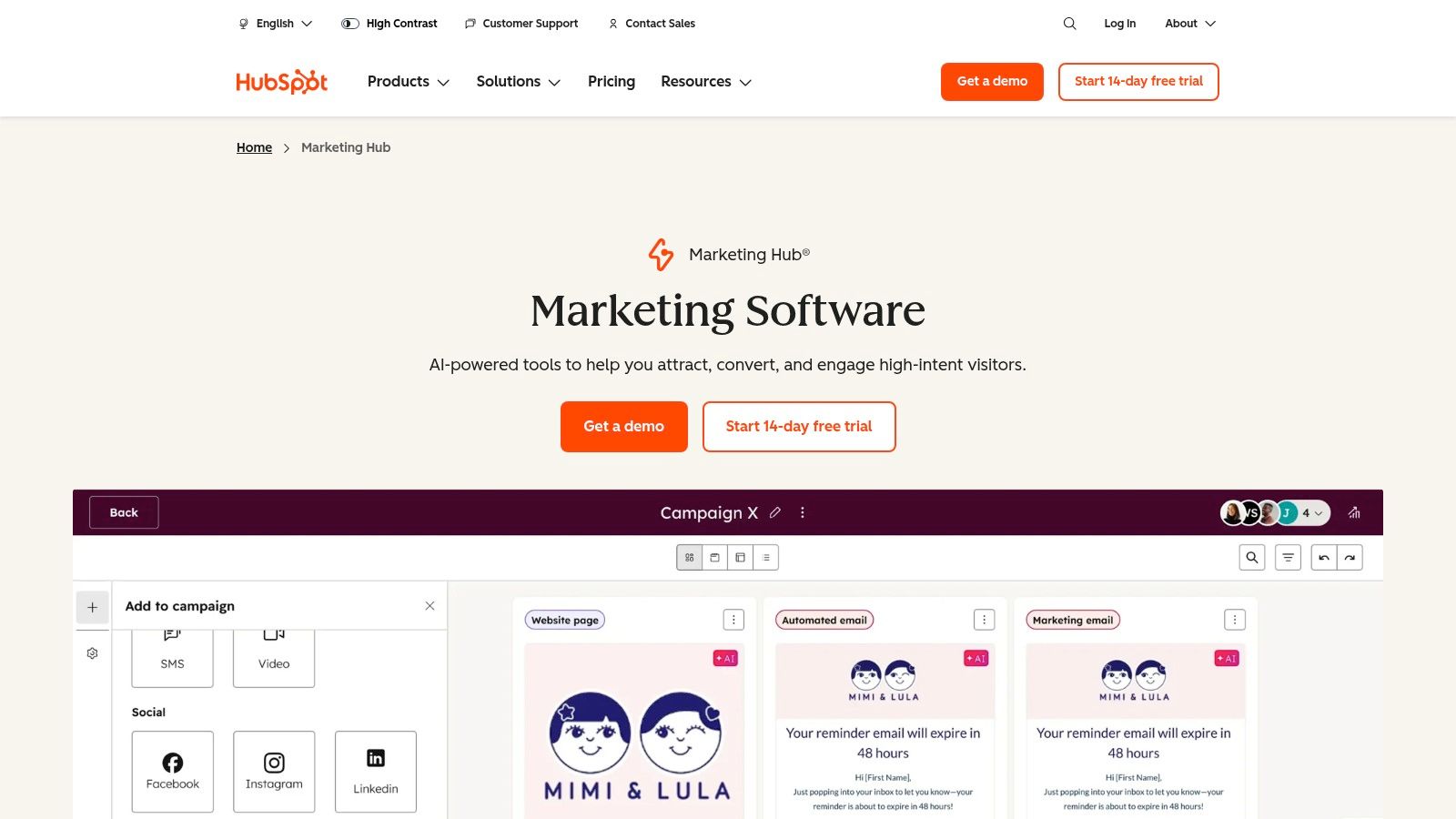
Unlike point solutions that only handle one aspect of marketing, HubSpot brings email, landing pages, social media management, and ad tracking under one roof. The platform's visual workflow builder is particularly powerful, enabling you to create complex automation sequences based on user behavior without writing any code. For a deeper understanding of how to structure these sequences, you can explore some marketing automation best practices to get the most out of the tool.
Key Features and Use Cases
Visual Workflow Builder: Automate email nurture sequences, assign internal tasks to your sales team based on lead scores, or segment contacts into dynamic lists. A common workflow is triggering a welcome email series when a user fills out a "Download Ebook" form.
Integrated CRM: Every marketing interaction is logged in the CRM, giving you a 360-degree view of your contacts. This is ideal for aligning marketing and sales efforts.
Multi-Touch Revenue Attribution: For businesses on higher-tier plans, HubSpot can connect marketing campaigns directly to closed deals, showing you exactly which channels are driving revenue.
Integration and Content: HubSpot integrates seamlessly with tools that handle specialized content creation. For example, you can use an AI tool like Postbae to generate high-quality visual social media posts and then use HubSpot's social media tools to schedule and track their performance.
Pricing and Limitations
HubSpot offers a generous suite of free tools, making it one of the most accessible small business marketing automation tools for companies just starting out. However, as your contact list grows or your automation needs become more complex, the cost can escalate quickly. The paid "Starter" plan begins at around $18/month, but the more advanced "Professional" plans can run into hundreds or thousands of dollars monthly and may require a paid onboarding process. The primary limitation is this pricing model, which can become a significant expense for businesses with large contact databases.
Website: https://www.hubspot.com/products/marketing
3. Mailchimp
Mailchimp is one of the most recognizable names in email marketing, serving as a gateway for countless small businesses venturing into automation. It stands out due to its user-friendly interface, robust template library, and a generous free plan that makes it incredibly accessible. The platform has evolved from a simple newsletter tool into a more comprehensive suite, offering customer journeys, basic CRM functionalities, and integrations that help manage audience engagement from a single place. Its core strength lies in its simplicity and maturity, providing a reliable and well-documented environment for businesses to grow.
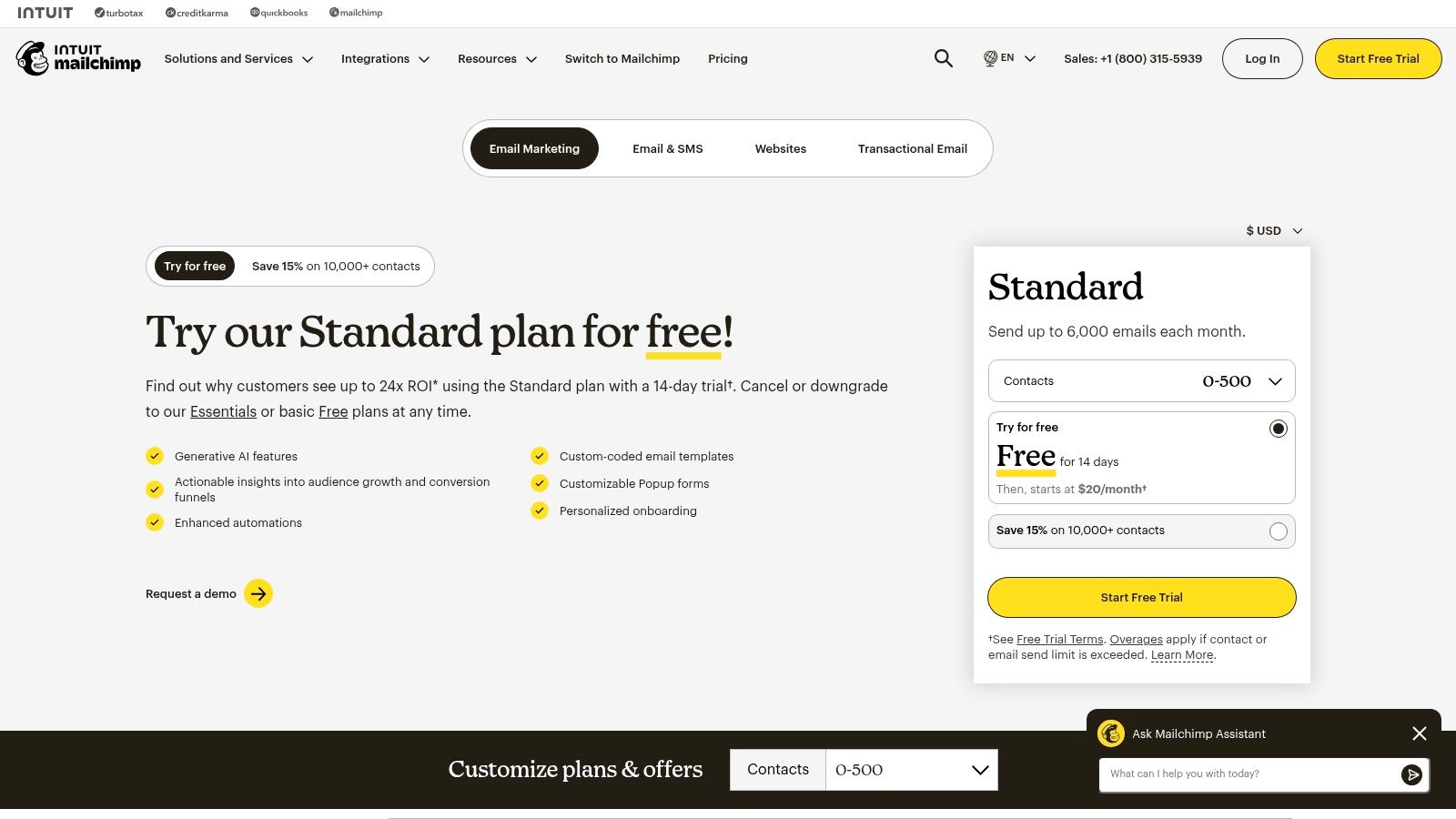
Unlike more complex platforms, Mailchimp’s automation builder uses pre-built templates and a straightforward visual editor, making it easy to create common sequences like welcome emails or abandoned cart reminders. This focus on ease of use makes it one of the best small business marketing automation tools for those who need effective results without a steep learning curve. While Mailchimp is primarily an email platform, it complements other specialized tools well. For instance, after exploring how AI can streamline marketing, you can use a tool like Postbae to generate visual social posts and then drive traffic to a Mailchimp-powered landing page to capture leads for your email automations.
Key Features and Use Cases
Customer Journey Builder: Create automated workflows based on user actions, such as sending a follow-up email sequence to customers who purchase a specific product from your integrated Shopify store.
Segmentation and Predictive Tools: On higher-tier plans, you can segment your audience based on purchase history or engagement and use predictive insights to target likely buyers.
300+ Integrations: Mailchimp connects seamlessly with major e-commerce platforms like WooCommerce and Squarespace, as well as payment processors like Stripe, making it a central hub for customer data.
Landing Pages and Forms: Quickly build simple landing pages or embeddable forms to capture new subscribers directly from your website or social media campaigns, feeding them into your automated funnels.
Pricing and Limitations
Mailchimp offers a free plan for up to 500 contacts and 1,000 monthly email sends, which is great for new businesses. Paid plans start with the "Essentials" tier at around $13/month, unlocking A/B testing and removing Mailchimp branding. The main limitation is its pricing model, which scales based on both contact count and email send volume. Costs can escalate quickly for businesses with large, rapidly growing lists, and its most powerful automation and segmentation features are reserved for the more expensive Standard and Premium plans.
Website: https://mailchimp.com/pricing/marketing/
4. ActiveCampaign
ActiveCampaign is a powerful customer experience automation platform that excels in creating sophisticated, personalized journeys for leads and customers. It combines email marketing, marketing automation, and a lightweight CRM, making it a favorite for small businesses that need granular control over their follow-up sequences. Its core strength lies in its highly flexible and visual automation builder, which allows for complex logic based on user behavior, engagement, and custom data points.
Unlike some all-in-one platforms that offer broad but shallow features, ActiveCampaign provides deep functionality in its automation and segmentation capabilities. This allows businesses to move beyond simple email blasts and implement true lifecycle marketing, nurturing contacts from initial awareness to loyal advocates. The platform is known for its strong email deliverability, ensuring your automated messages reliably reach the inbox.
Key Features and Use Cases
Visual Automation Builder: Create intricate workflows using conditions, goals, and site tracking. A classic use case is sending a cart abandonment series that adjusts messaging based on whether the user has purchased before.
Native CRM and Lead Scoring: Track deals and manage your sales pipeline directly within the platform. You can automatically update lead scores based on email opens, link clicks, or website visits to identify your most engaged prospects.
Multi-Channel Messaging: Go beyond email with integrated SMS and WhatsApp messaging options, allowing you to reach customers on their preferred platforms within the same automation flow.
Integration and Content: ActiveCampaign integrates with hundreds of other apps. For social media, you can use a tool like Postbae to autonomously generate professional visual graphics, then use ActiveCampaign to trigger a follow-up email sequence when a user clicks a link in your social media bio.
Pricing and Limitations
ActiveCampaign offers a 14-day free trial to test its features. Pricing is based on your number of contacts and the feature tier you select, starting around $29/month for the "Lite" plan. However, pricing can grow quickly as your list size increases, and many of the more advanced features like the CRM are reserved for higher-tier plans. A notable limitation is that pricing for enterprise-level packages is not always public and may require a sales consultation, which can make initial budget planning less straightforward.
Website: https://www.activecampaign.com/pricing/contact/?utm_source=openai
5. Klaviyo
Klaviyo is an ecommerce-centric marketing automation platform built to translate customer data into revenue. It excels by integrating deeply with storefronts like Shopify, WooCommerce, and BigCommerce, pulling in rich data like order history, browsing behavior, and product catalog details. This focus allows ecommerce businesses to create hyper-targeted email and SMS campaigns that feel personal and drive sales, moving beyond generic email blasts to truly data-driven communication.

Unlike general-purpose email platforms, Klaviyo’s entire feature set is optimized for online stores. Its pre-built automation flows for abandoned carts, welcome series, and customer win-backs are designed with one goal: increasing customer lifetime value. The platform's powerful segmentation engine enables you to target customers based on what they’ve bought, viewed, or how much they’ve spent, making it a formidable tool for ecommerce growth.
Key Features and Use Cases
Data-Rich Segmentation: Create dynamic segments based on purchase frequency, items viewed, or specific product categories. For example, you can build a segment of customers who bought running shoes but not running apparel and send them a targeted cross-sell campaign.
Pre-built Ecommerce Flows: Launch proven automation sequences in minutes. The abandoned cart flow is a classic use case, automatically reminding shoppers about items left in their cart to recover potentially lost sales.
Native SMS/MMS Marketing: Engage customers on their mobile devices with integrated SMS campaigns, perfect for flash sale announcements or shipping updates.
AI-Powered Content and Integrations: Klaviyo uses AI to help generate subject lines and campaign content. It also connects with over 350 tools, so you can automate the creation of social graphics with a tool like Postbae and then promote them to specific customer segments via a Klaviyo email campaign.
Pricing and Limitations
Klaviyo offers a free plan for up to 250 contacts and 500 email sends, making it accessible for new stores. Pricing scales based on the number of contacts and email/SMS volume, starting around $20/month for 500 contacts. While this model allows businesses to grow, the costs can increase significantly for stores with large customer lists or high messaging frequency. Its primary limitation is its specialization; it’s one of the best small business marketing automation tools for ecommerce, but less suited for B2B or service-based businesses that don’t operate with a product catalog.
Website: https://www.klaviyo.com/pricing
6. Keap (formerly Infusionsoft)
Keap is a comprehensive CRM and automation platform built specifically for service-based small businesses. It distinguishes itself by combining sales pipeline management, marketing automation, and client management tools like invoicing and payments into a single, unified system. This all-in-one approach is designed to help business owners manage the entire client lifecycle, from lead capture and nurturing to closing deals and getting paid, without juggling multiple disconnected apps.
Unlike platforms focused purely on top-of-funnel marketing, Keap's strength lies in connecting marketing activities directly to sales and revenue-generating actions. Its drag-and-drop campaign builder allows for sophisticated automation that can trigger emails, SMS messages, and internal tasks based on customer actions. For business owners who value hands-on support, Keap also offers guided implementation services and expert coaching to ensure a successful setup.
Key Features and Use Cases
Visual Automation Builder: Create automated follow-up sequences that blend email and SMS. A typical use case is triggering a nurturing campaign when a lead books an appointment through Keap’s scheduling tool.
Sales Pipeline & CRM: Manage leads and clients in a visual pipeline, moving them through stages as they progress. This is ideal for tracking deals from initial contact to a closed sale.
Invoicing and Payments: Send quotes, create invoices, and accept payments directly within the CRM. This streamlines the process of getting paid after a service is delivered.
Content Integration: While Keap manages the client journey, you can pair it with specialized content tools. For example, use an AI agent like Postbae to generate professional, authority-building visual social media posts to attract leads, then capture those leads with Keap’s forms and nurture them through its automated campaigns.
Pricing and Limitations
Keap does not offer a permanent free plan, with paid plans starting around $159/month for the "Pro" tier. To get the most out of the platform, new users are often encouraged to purchase an "Expert Coaching" package, which adds to the initial investment. The primary limitation is its more closed ecosystem; it has fewer native third-party integrations compared to competitors. This makes it one of the small business marketing automation tools best suited for businesses wanting a complete, self-contained system with dedicated support.
Website: https://keap.com
7. Brevo (formerly Sendinblue)
Brevo (formerly Sendinblue) positions itself as a powerful, budget-conscious marketing platform, standing out with a unique pricing model. Instead of charging based on the number of contacts in your database, Brevo primarily prices by email send volume. This makes it an incredibly cost-effective choice for small businesses that have large mailing lists but send campaigns less frequently, allowing them to scale their audience without immediately scaling their costs.
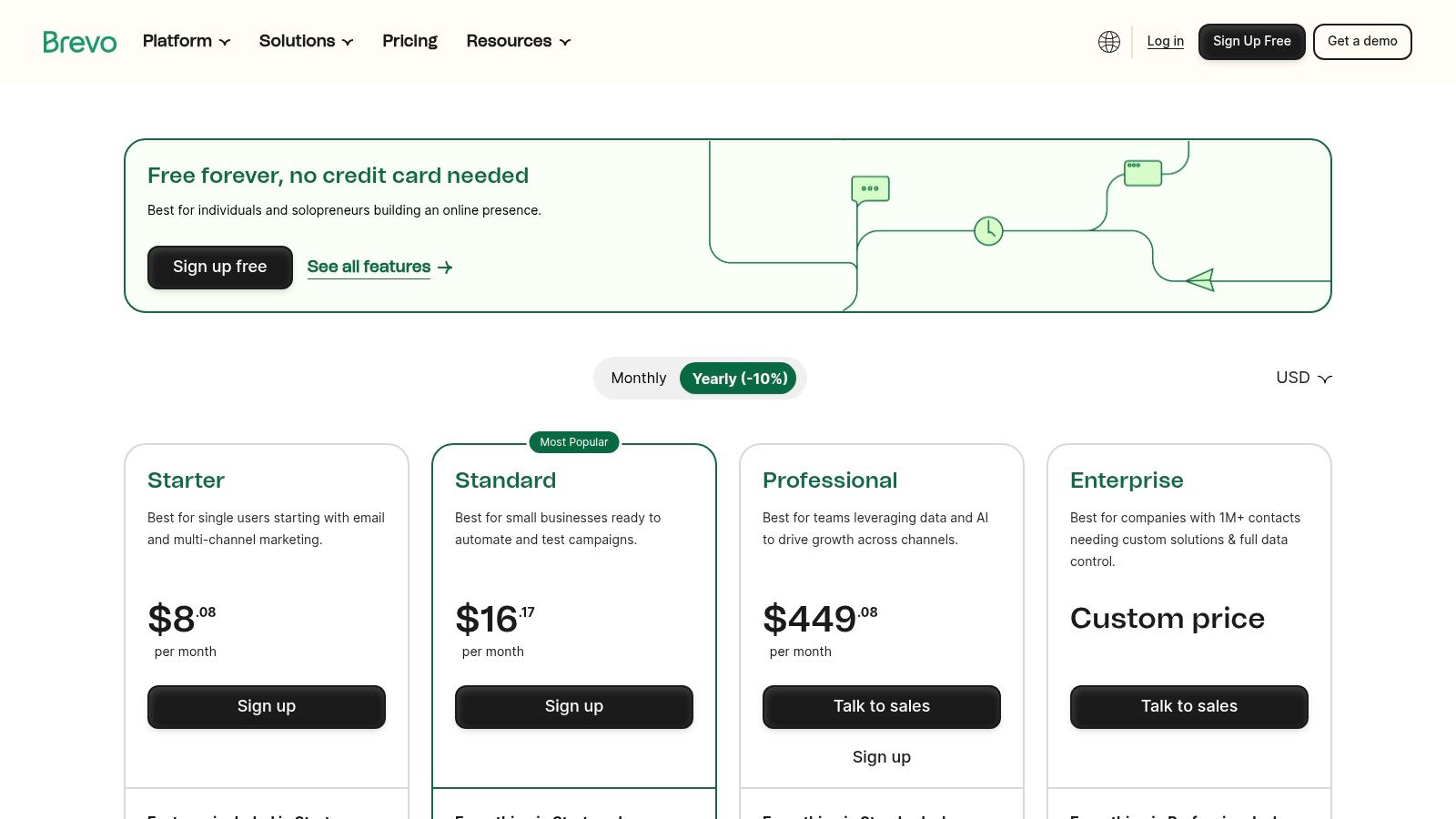
More than just an email tool, Brevo integrates SMS, WhatsApp, push notifications, and chat into a single dashboard, providing a true multichannel marketing experience even on its lower-priced plans. Its automation workflow builder is robust, enabling businesses to create logic-based sequences for lead nurturing, welcome series, and transactional notifications without needing deep technical expertise. This blend of affordability and multichannel capability makes it one of the most versatile small business marketing automation tools available.
Key Features and Use Cases
Multichannel Automation: Create workflows that combine email, SMS, and WhatsApp messages. For example, you can send an order confirmation email and follow up with an SMS delivery notification automatically.
Send-Based Pricing: Ideal for businesses with a large but infrequently contacted audience, such as a seasonal business or one with a long sales cycle. It allows your contact list to grow without incurring immediate cost increases.
Transactional Email API: Brevo offers a strong API for sending transactional emails (like password resets or receipts) separately from marketing campaigns, which is crucial for deliverability and reliability.
Content Integration: While Brevo handles the delivery and automation, you can use specialized tools to create your assets. For instance, design professional, authority-building social media graphics with Postbae, then use Brevo's landing pages to capture leads from your social campaigns and funnel them into your automated sequences.
Pricing and Limitations
Brevo has a free plan that allows up to 300 email sends per day to an unlimited number of contacts. Paid plans start at around $25/month for 20,000 monthly emails and remove the daily sending limits. While the send-based model is a major advantage, a key limitation is that more advanced features, like A/B testing, landing page builders, and detailed analytics, are reserved for higher-tier plans. The free and entry-level plans are powerful but can feel restrictive if you need sophisticated segmentation or reporting tools.
Website: https://www.brevo.com/pricing
8. Omnisend
Omnisend is an email and SMS marketing automation platform built specifically for the needs of ecommerce businesses. Its primary advantage lies in its deep, seamless integrations with major online store platforms like Shopify and WooCommerce, allowing it to pull product data, customer behavior, and purchase history directly into its automation workflows. This specialization makes it a powerful tool for online retailers looking to move beyond generic email blasts and into highly targeted, revenue-driving campaigns.

Unlike generalist email platforms, Omnisend is packed with pre-built ecommerce workflows that can be activated in minutes, such as cart abandonment reminders, welcome series, and post-purchase follow-ups. It also consolidates multiple channels, including email, SMS, and web push notifications, into a single platform. This unified approach provides a cohesive view of customer communication and performance across different touchpoints.
Key Features and Use Cases
Pre-built Ecommerce Workflows: Launch proven automation sequences for abandoned carts, product browsing, and customer win-backs without building them from scratch. Product feeds automatically pull images and descriptions into emails.
Multi-Channel Campaigns: Combine email, SMS, and web push notifications within a single automation workflow to reach customers on their preferred channel, boosting engagement and conversion rates.
Advanced Segmentation: Create dynamic segments based on shopping behavior, campaign engagement, and custom profile data. This is ideal for targeting high-value customers or re-engaging lapsed buyers.
Content and Channel Integration: While Omnisend handles the delivery, you can enhance your marketing with AI-generated visual content. For instance, create professional graphics for a new product line using Postbae, then feature those visuals in an Omnisend product announcement campaign.
Pricing and Limitations
Omnisend offers a free plan for up to 250 contacts, making it highly accessible for new stores. Paid plans are competitively priced, starting around $16/month for the "Standard" plan, which includes unlimited emails and 24/7 live chat support. The primary limitation is its focused design; businesses that are not in the ecommerce space may find its features too specific to their needs. Furthermore, while the platform is robust, some advanced personalization features may require higher-tier plans.
Website: https://www.omnisend.com/pricing/
9. Constant Contact
Constant Contact is a longstanding email marketing platform specifically engineered for the needs of small businesses. It prioritizes ease of use and guided setup, making it an excellent entry point for owners and small teams who want to implement effective automation without a steep learning curve. The platform's core strength lies in its straightforward, template-driven approach to creating automated email series, managing events, and even running social media campaigns from one place.
Unlike more complex, all-in-one systems, Constant Contact focuses on delivering the essential tools small businesses need most. Its blend of email automation, social posting, and event management provides a solid foundation for growth. The platform is designed for users who value reliable support and clear, predictable functionality over having an overwhelming number of advanced features they may never use.
Key Features and Use Cases
Automated Email Series: Easily create welcome sequences for new subscribers, set up birthday or anniversary emails, or trigger messages based on a contact's actions, like clicking a specific link.
Social Posting and Ads: Schedule and post content directly to Facebook, Instagram, and LinkedIn. You can also create simple lead generation ads to grow your email list directly from your social channels.
Event Management Tools: A unique feature among email providers, this allows you to create event landing pages, manage registrations, and send automated event reminders, confirmations, and follow-ups.
AI and Integrations: The platform includes an AI Content Generator to assist with writing emails. It also connects with over 300 other tools, allowing you to sync data and extend its functionality.
Pricing and Limitations
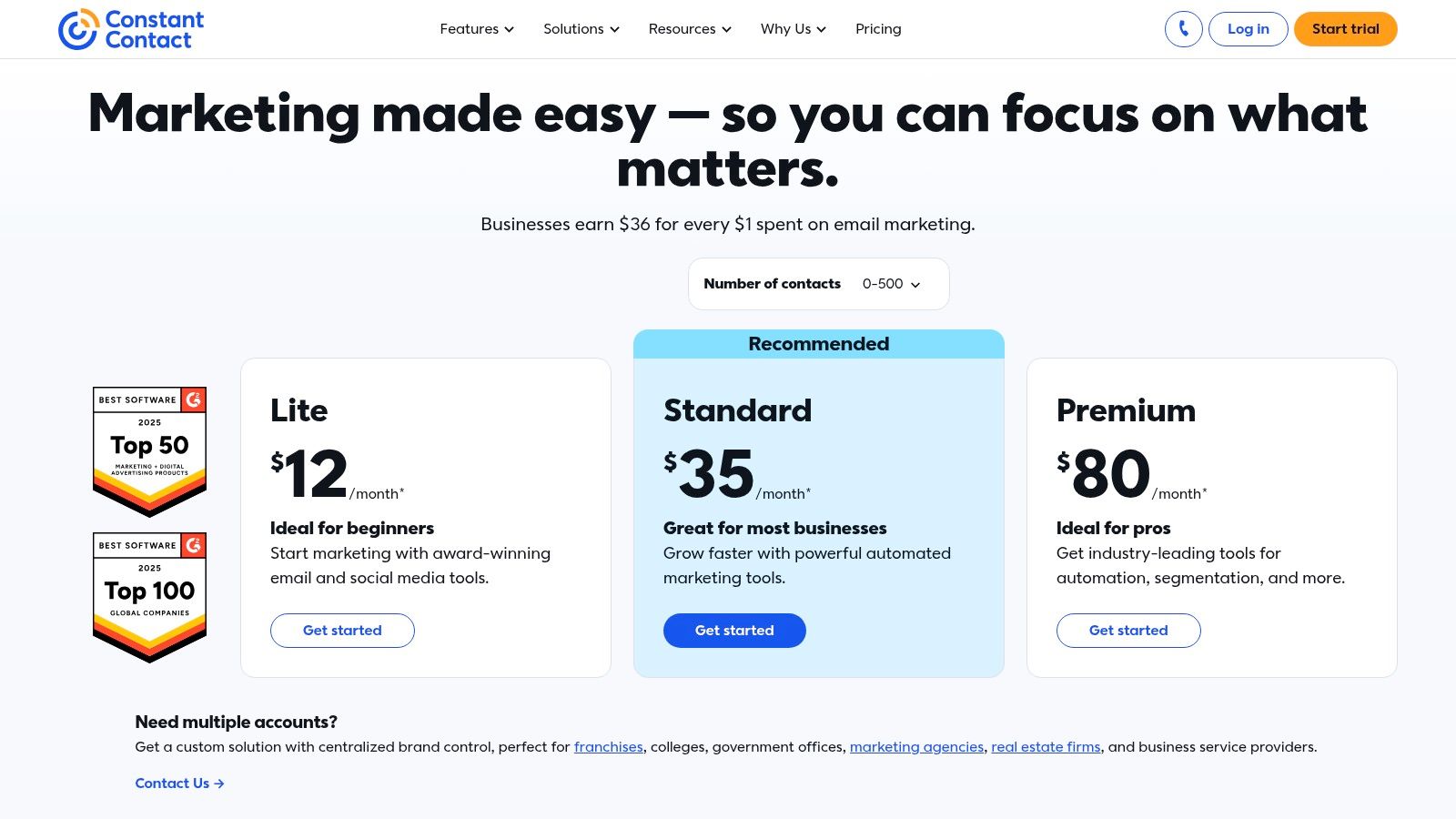
Constant Contact's pricing is transparent and based on the number of contacts. Plans start at around $12/month for the "Lite" tier, which includes basic email features. The "Standard" and "Premium" tiers unlock more advanced automation, segmentation, and social media tools. While it is one of the more user-friendly small business marketing automation tools, its primary limitation is its lack of sophisticated workflow logic and advanced reporting found in more specialized automation platforms. Features like SMS marketing are available but typically require higher-tier plans or add-on costs.
Website: https://www.constantcontact.com/pricing
10. Shopify Automations (built-in)
For ecommerce businesses built on Shopify, the most accessible marketing automation tool is the one already integrated into the platform. Shopify Automations provides merchants with a powerful first layer of automation without needing third-party apps. It’s designed to leverage the deep, native data of your online store, turning customer actions like purchases and cart abandonments into immediate, targeted marketing opportunities.
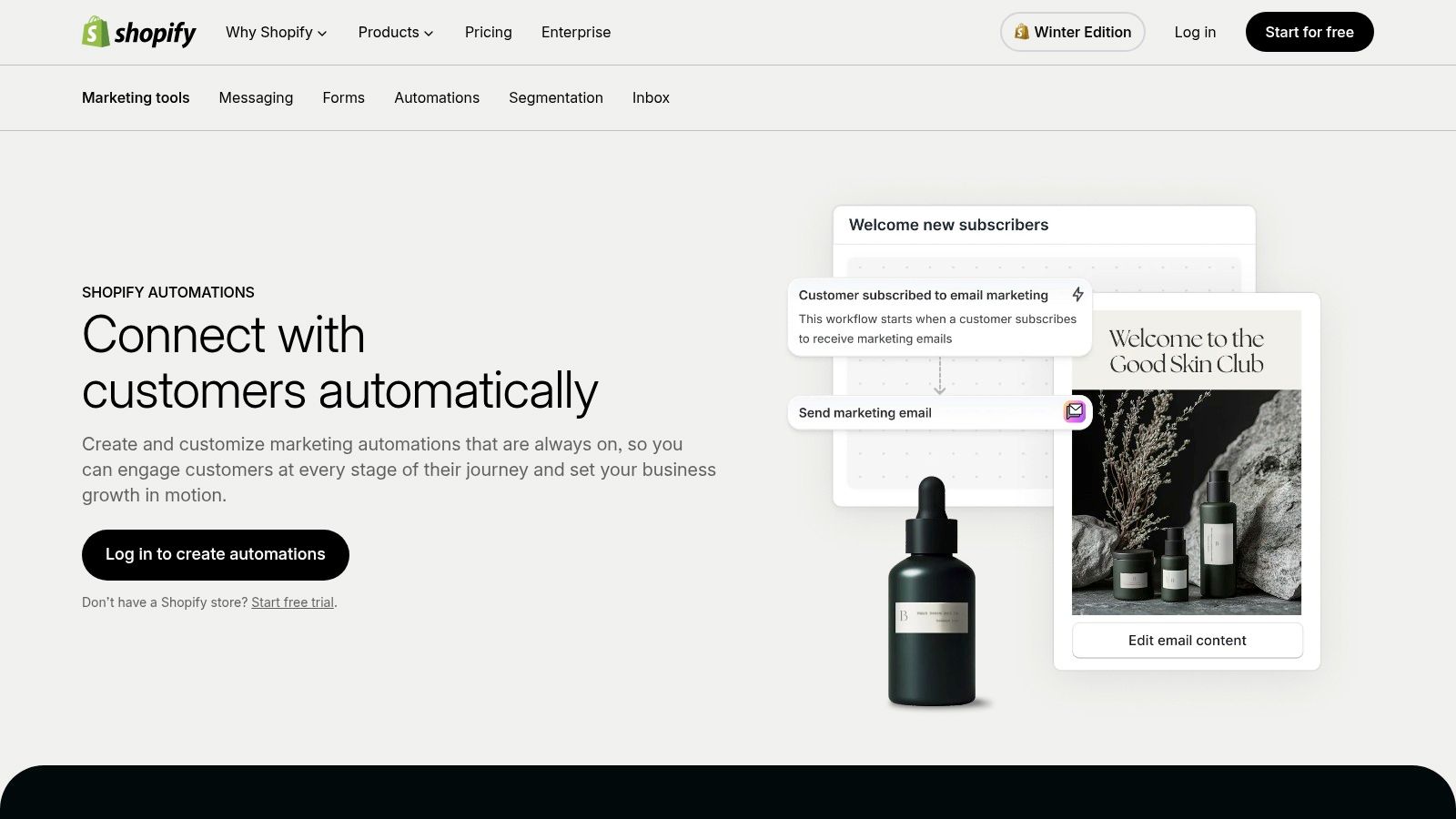
Unlike standalone tools that require complex integrations, Shopify’s built-in features are ready to use out of the box. Its simple trigger-condition-action builder and pre-built templates make it easy for store owners to launch essential ecommerce campaigns in minutes. This native connection to store data is its biggest advantage, enabling precise segmentation and personalization that external platforms can struggle to replicate.
Key Features and Use Cases
Trigger-Condition-Action Builder: Create custom workflows based on store activities. A common use case is sending a "thank you" email with a discount for a future purchase immediately after a customer's first order is fulfilled.
Prebuilt Ecommerce Templates: Quickly launch proven campaigns like abandoned cart reminders, welcome series for new subscribers, and win-back flows to re-engage lapsed customers.
Native Segmentation: Use rich store data to build dynamic customer segments. You can create lists of first-time buyers, VIP customers, or users who have viewed a specific product category.
Shopify Forms and Inbox: Capture leads directly on your site with native forms and manage customer conversations through Shopify Inbox, keeping all interactions within a single ecosystem.
Pricing and Limitations
The core automation features are included with Shopify plans (Basic and higher), making it a cost-effective solution for merchants. While this provides incredible value, the feature depth may not match that of dedicated, enterprise-level small business marketing automation tools. The platform is fundamentally limited to businesses operating on Shopify, and those needing highly advanced, multi-channel orchestration beyond email and on-site messaging may eventually need a more specialized vendor.
Website: https://www.shopify.com/marketing-automation
11. G2 – Marketing Automation Category
Instead of being a single tool, G2's Marketing Automation category page is a comprehensive research hub. It acts as a starting point for small businesses overwhelmed by the sheer number of available platforms. G2 aggregates verified user reviews, feature lists, and satisfaction scores, allowing you to compare dozens of tools side-by-side. Its primary value is in providing social proof and a broad market overview before you commit to demos or trials.
Unlike vendor websites that only highlight their strengths, G2 offers a more balanced perspective by including real user feedback on both the pros and cons of each platform. You can filter vendors by company size, ensuring the reviews you're reading are from businesses with similar needs to your own. This makes it an indispensable resource for creating a shortlist of the most relevant small business marketing automation tools to investigate further.
Key Features and Use Cases
Side-by-Side Comparison Grids: Directly compare the features, pricing models, and user satisfaction ratings of top vendors. This is perfect for quickly identifying key differences between your top two or three choices.
Verified User Reviews: Read detailed reviews from actual users, providing insights into ease of use, quality of support, and real-world performance.
Category Reports and Grids: Access G2's proprietary "Grid" reports, which plot vendors based on market presence and customer satisfaction, helping you identify market leaders and niche innovators.
Content Discovery: A business might use G2 to find a marketing automation platform, then discover an AI tool like Postbae to generate the visual content needed to fuel their campaigns, using G2's reviews to validate both choices.
Pricing and Limitations
Access to G2 for browsing reviews and comparing products is completely free for buyers. The platform makes its money through vendor listings and promotional placements. This business model is also its main limitation; sponsored placements can sometimes give certain tools more visibility, so it's important to look beyond the first few results. Additionally, the depth and quality of reviews can vary significantly from one product to another, so always cross-reference the feedback with a free trial of the tool itself.
Website: https://www.g2.com/categories/marketing-automation
12. AppSumo (Marketing Automation Deals)
AppSumo isn't a single marketing automation platform but rather a marketplace that offers lifetime deals on emerging software. For small businesses operating on a tight budget, it presents a unique opportunity to acquire powerful, niche automation tools for a one-time fee instead of a recurring monthly subscription. This makes it an invaluable resource for finding cost-effective solutions to complement a core marketing stack, such as specialized email verifiers, social media schedulers, or lead generation tools.
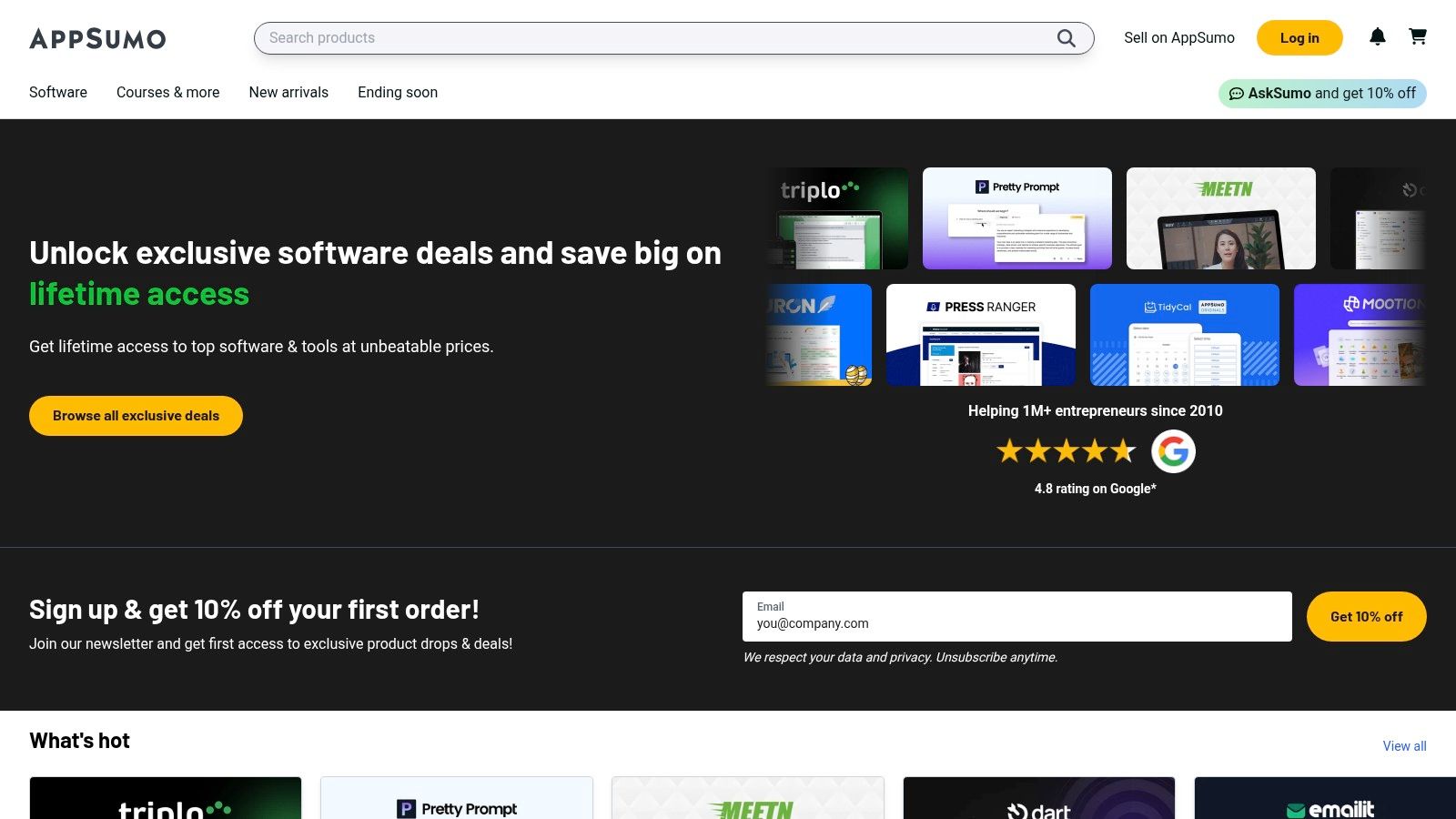
The platform's key differentiator is its lifetime deal (LTD) model. While the quality and longevity of the featured tools can vary, careful vetting through user reviews and Q&A sections can uncover hidden gems. It's a strategic way to experiment with different small business marketing automation tools without long-term financial commitment, thanks to a typical 60-day money-back guarantee that reduces the risk of investment.
Key Features and Use Cases
Lifetime Deals: Pay once to own a software license forever. This is ideal for acquiring secondary tools like a chatbot for your website or a cold outreach automation platform without adding to monthly overhead.
Wide Tool Variety: Find tools for nearly every marketing function, from SEO and email marketing to social media and analytics. This allows you to fill specific gaps in your existing automation workflow.
Cost-Effective Stack Building: You can assemble a customized marketing stack at a fraction of the usual cost. For example, you might find a lifetime deal on a scheduler to post the visual content created by an AI tool like Postbae, creating an efficient and affordable content pipeline.
User Reviews and Community: Each deal page features extensive reviews and questions from other users, providing real-world insights into a tool's performance and long-term viability before you purchase.
Pricing and Limitations
Pricing is the main appeal, with deals often ranging from $39 to a few hundred dollars for a lifetime license that would otherwise cost thousands over time. However, the transient nature of the deals means a tool you're eyeing might not be available for long. The primary limitation is risk; since many tools are from newer companies, there's no guarantee they will survive long-term, potentially rendering a lifetime deal obsolete. Diligent research is essential to make a worthwhile investment.
Website: https://appsumo.com
Top 12 Small Business Marketing Automation Tools Comparison
| Product | Core features | UX / Quality ★ | Price / Value 💰 | Target audience & USP 👥 ✨ |
|---|---|---|---|---|
| Postbae 🏆 | AI visual content agent; no-prompt carousels, infographics; fully editable designs | ★★★★☆ | Starts at $30/month 💰 | 👥 SMBs, social managers, agencies — ✨ Fully automates visual content creation for authority-building |
| HubSpot Marketing Hub | CRM-connected marketing: email, ads, workflows, social, analytics | ★★★★☆ | Free → Pro/Enterprise; can be costly 💰 | 👥 Growing SMBs & enterprises — ✨ All-in-one CRM + deep analytics |
| Mailchimp | Email + customer journeys, templates, basic CRM, 300+ integrations | ★★★☆☆ | Free → contact-based pricing (can scale) 💰 | 👥 Small businesses & newsletters — ✨ Easy start & mature template library |
| ActiveCampaign | Visual automations, native CRM, site tracking, SMS & reporting | ★★★★☆ | Tiered / pricing on request; contact-influenced 💰 | 👥 SMBs needing granular automations — ✨ Powerful visual builder & deliverability |
| Klaviyo | Ecommerce email & SMS, product feeds, data-rich segmentation | ★★★★☆ | Free → scales with profiles/messages 💰 | 👥 Ecommerce stores (Shopify/BigCommerce) — ✨ Revenue-focused flows & deep store data |
| Keap (Infusionsoft) | CRM + automations + payments, invoicing, appointments, guided setup | ★★★☆☆ | No permanent free plan; onboarding/services common 💰 | 👥 Service-based SMBs — ✨ All-in-one sales + payments with hands-on setup |
| Brevo (Sendinblue) | Email, SMS, WhatsApp, automation; pricing by sends not contacts | ★★★☆☆ | Sends-based (budget-friendly for large lists) 💰 | 👥 Large-contact SMBs on a budget — ✨ Multichannel + send-based pricing |
| Omnisend | Ecommerce-focused email & SMS, prebuilt flows, web push, reviews | ★★★★☆ | Approachable tiers; unlimited emails on paid plans 💰 | 👥 Growing ecommerce brands — ✨ Quick store integration & templates |
| Constant Contact | Email automation, events, social ads, basic CRM & onboarding | ★★★☆☆ | Clear SMB plans; tiered pricing 💰 | 👥 Small teams & event-driven businesses — ✨ Ease-of-use & reliable support |
| Shopify Automations | Built-in trigger-condition-action automations; native store segmentation | ★★★☆☆ | Included with Shopify plans (no extra app cost) 💰 | 👥 Shopify merchants — ✨ Native data integration; simple ecommerce flows |
| G2 – Marketing Automation Category | Review-driven comparison pages, filters, buyer resources | ★★★★☆ | Free to browse; links to vendor trials 💰 | 👥 Buyers researching tools — ✨ Verified reviews & side-by-side comparisons |
| AppSumo (Deals) | Time-limited/lifetime deals, refund window, product Q&A & reviews | ★★★☆☆ | One-time deals — potential high value if vetted 💰 | 👥 Founders & deal hunters — ✨ Cost-saving lifetime offers and add-ons |
Building Your Perfect Automation Stack
Navigating the landscape of small business marketing automation tools can feel overwhelming, but the goal is not to adopt every platform. Instead, the focus should be on creating a lean, powerful, and interconnected system that directly addresses your unique business challenges and goals. This article has explored a wide range of solutions, from all-in-one CRMs like HubSpot to specialized email platforms like Klaviyo and ActiveCampaign. The key takeaway is that the "best" tool is the one that solves your most significant bottleneck right now.
The journey begins with a clear diagnosis of your primary pain points. Are you struggling to maintain a consistent, professional presence on social media? Is the manual effort of creating visual content consuming hours you don't have? A specialized tool like Postbae, which automates the creation of authority-building visual posts, can be the perfect starting point. By generating industry-specific graphics and carousels without requiring manual prompts, it frees you to focus on engagement and strategy. Once your top-of-funnel content is automated, you can then integrate a scheduler to handle publishing.
Assembling Your Custom Toolkit
Think of your automation stack as a set of building blocks. Each tool should have a distinct purpose and integrate smoothly with the others. A highly effective stack for a small business might look something like this:
Content Creation Engine: A tool like Postbae to autonomously generate a steady stream of high-quality, visual social media content. This fills your content calendar with valuable, educational posts designed to build authority.
Lead Nurturing Hub: An email marketing automation platform such as Mailchimp or Brevo to capture leads generated from your social media efforts and nurture them with targeted email sequences.
Customer Relationship Manager: A CRM, whether it's the free version from HubSpot or a more robust system like Keap, to manage customer data, track interactions, and identify sales opportunities.
By combining specialized, best-in-class tools, you create a system that is more powerful and cost-effective than a single, monolithic platform that tries to do everything. The secret lies in identifying tools that excel at their core function and offer seamless integrations, allowing data to flow freely between them.
Your Action Plan for Implementation
To move from theory to practice, start small and build momentum. Don't try to implement five new tools at once. Instead, identify the single biggest marketing task that drains your time and energy. Is it lead follow-up? Content design? Ad management? Choose one tool from this list that solves that specific problem.
Once you’ve made a selection, dedicate time to learning its core features and setting up one or two key automated workflows. For example, if you choose Postbae, your initial goal might be to let it generate your visual content for one week, which you can then customize and schedule. After you master that piece of your strategy and see the return on your time, you can then move on to automating the next most pressing task. To further aid in your selection process and compare various platforms, you may want to explore a comprehensive list of the best marketing automation tools for small business. This methodical approach ensures you build a sustainable and effective marketing automation engine that grows with your business, allowing you to reclaim your time and focus on what truly matters: strategic growth.
Ready to automate the most time-consuming part of your social media marketing? Postbae is an AI agent that creates professional, authority-building visual posts for you, no prompts required. Stop spending hours in design tools and start building a powerful brand presence on autopilot. Try Postbae today and see how effortless great content can be.